
Hike Update: August 2023
Hello everyone,
Hope you are well!
Thank you for being a loyal customer and a part of our Hike family. We are chuffed to announce that we have just released some new features for Hike. We hope you enjoy these new features and find them helpful.
These features are designed to make your life easier. Here are the list of new features that we have released for you:
Dates and Outlet names on all Hike reports (Excel and PDF)
(Supported plan/s: All)
As always, based on our customer feedback, we have introduced a new feature on Reports. You will be able to see the Date Range and Outlet name on all reports in Excel format or PDF.
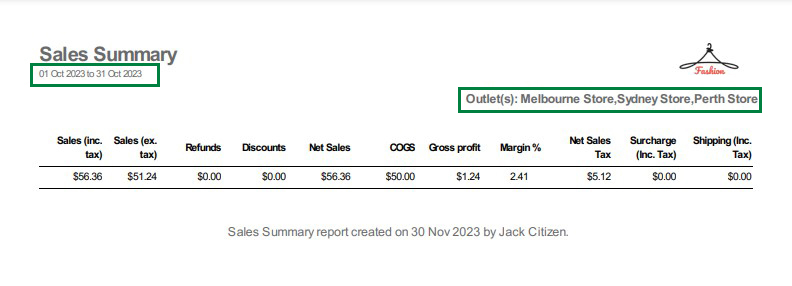
This will make it easier for the clients to identify the reports if they have multiple outlets. It will also be easy for them to check the reports in the future.
Excluding products from the Loyalty Points.
(Supported plan/s: Hike Plus)
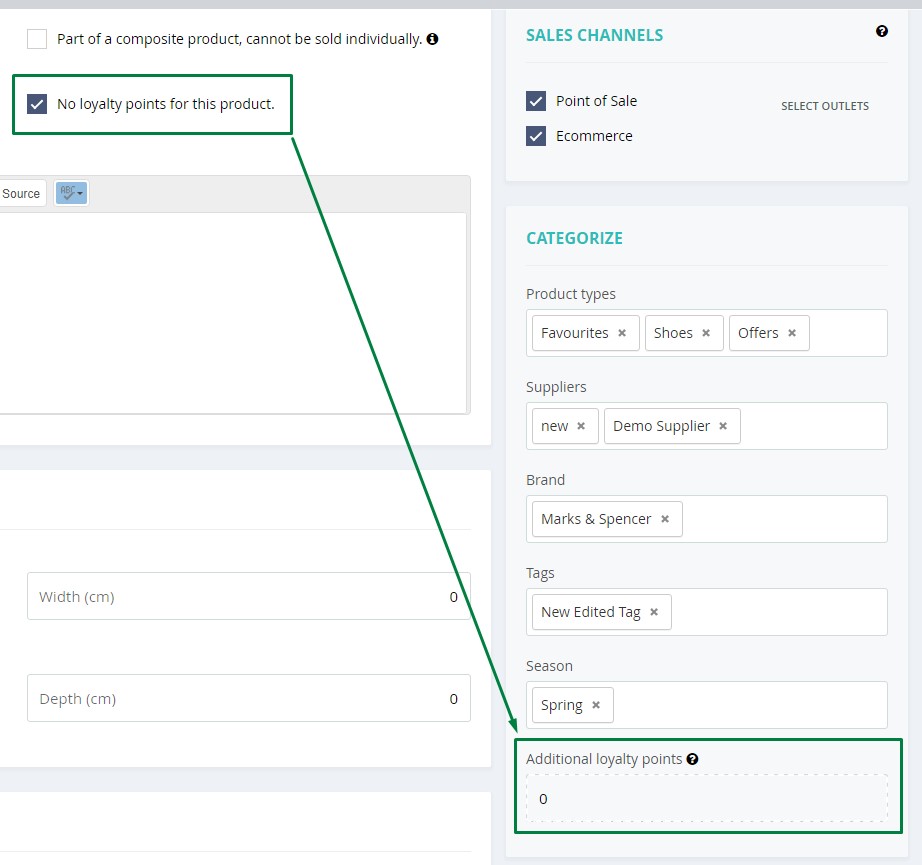
As per the feedback, some customers do not want to issue Loyalty points for some selected products in the store. We are now providing clients with this option on each product to resolve this.
This product will not be part of the loyalty program if this option is selected. In other words, customers will not earn any loyalty points by purchasing this product.
Retail price (average) in the reporting section
(Supported plan/s: All)
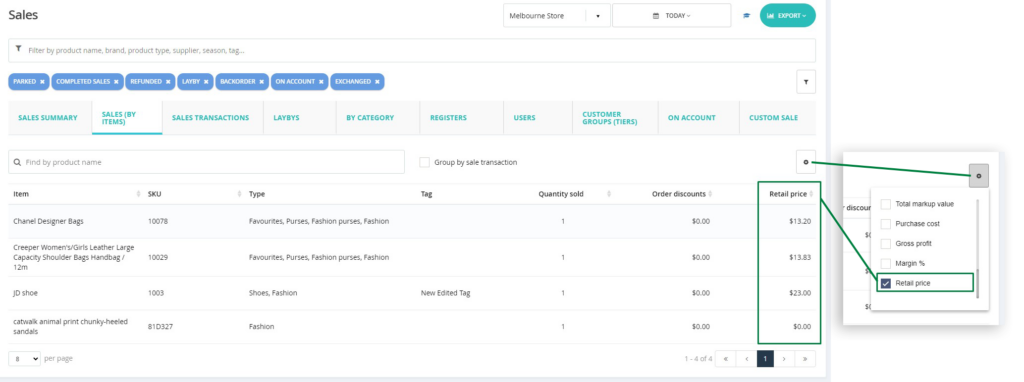
We have added a new column for Retail price on the Sales by Items, Sales by Category, and COGS report. This will show the actual average price for the product after the discounts.
POS page: Display the product name in full if the image is not available.
(Supported plan/s: Hike Plus)
If images are not added to the products, you can see the Product name in full on the POS page product thumbnail.
If the product image is not available, you will see no details in image section on POS page.
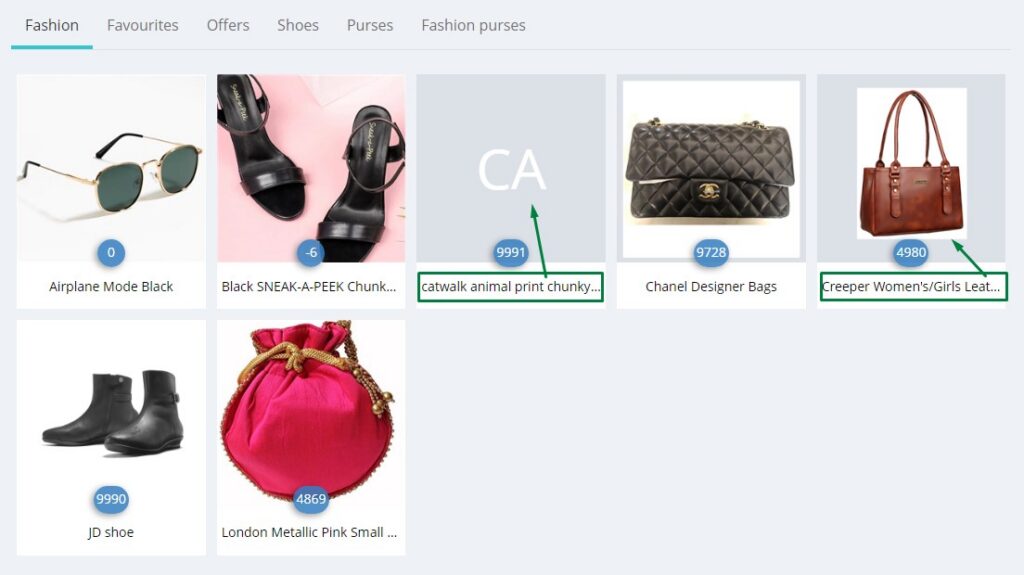
When you hover the cursor on the product, it will show the full name of the product in image section.
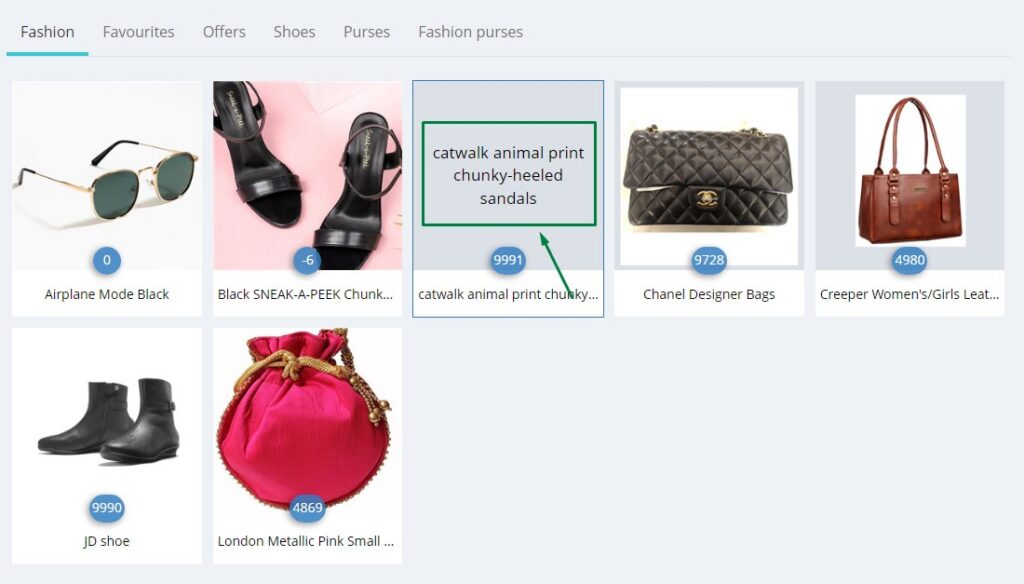
If the image is available, it will still show the entire name when you hover the cursor on the product.
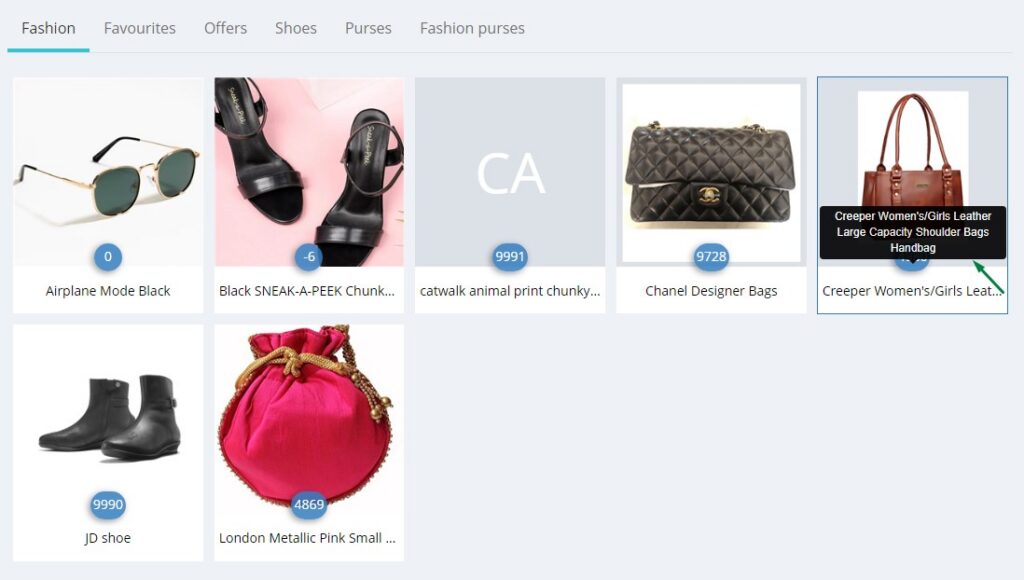
If the image is available on the product page, it will display the product image by default.
Sales by item report: New columns added: Product type and Tags.
(Supported plan/s: All)
Sales by Items report will now include the Product Type and Product Tag filter for further information.
This will allow you to filter the sales by Product type and Product tags.
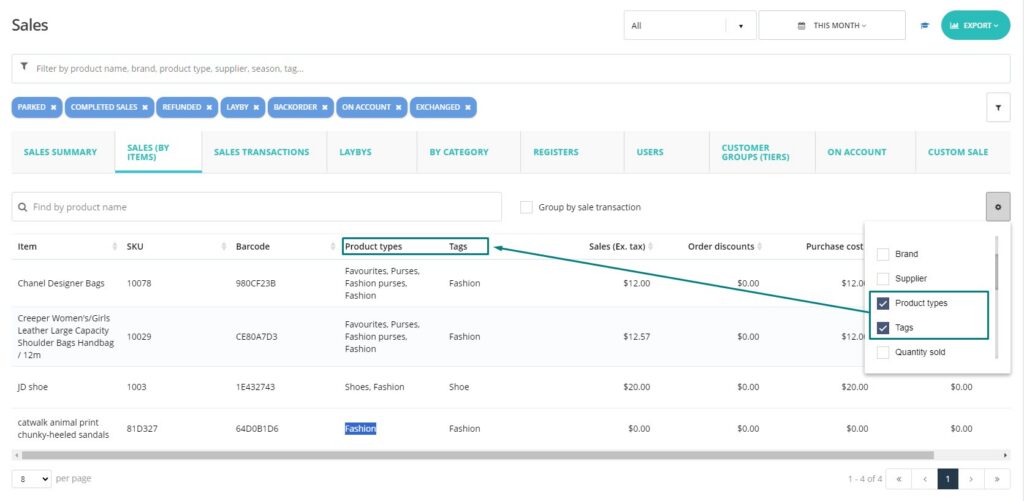
These will appear on the Excel and PDF files once you export the data.
Option to manually count products in Pick and Pack
(Supported plan/s: Hike Plus)
Pick and Pack feature is useful for businesses where delivery/pick-up area for the customer is far from the register (selling station), or businesses where online sales are packed and delivered from the offline store.
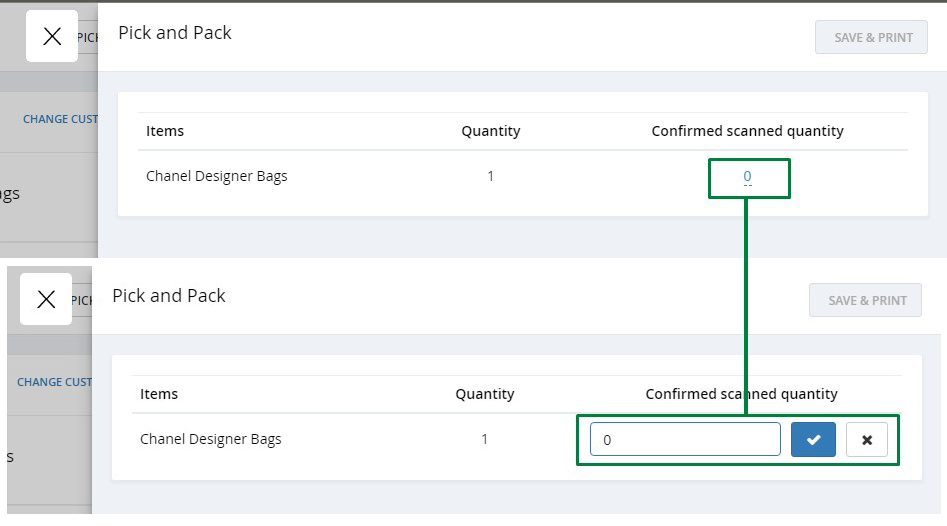
With this new feature, you can confirm the quantity of the product at the Pick and pack when fulfilling the sale. You can also use a scanner to scan the product here as before. However, for the users who are not using scanners, we are providing this manual option.
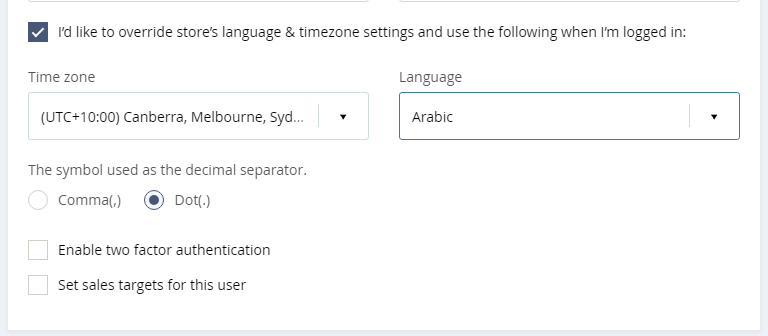
User-specific language and decimal separator selection
(Supported plan/s: All)
This feature is specific to the Arabic language.
We are now providing the option to select either a Comma or Dot as a decimal separator on each User profile. If the store admin uses English or another language and a specific user uses Arabic, this option will allow the user to select the decimal separator per the region.
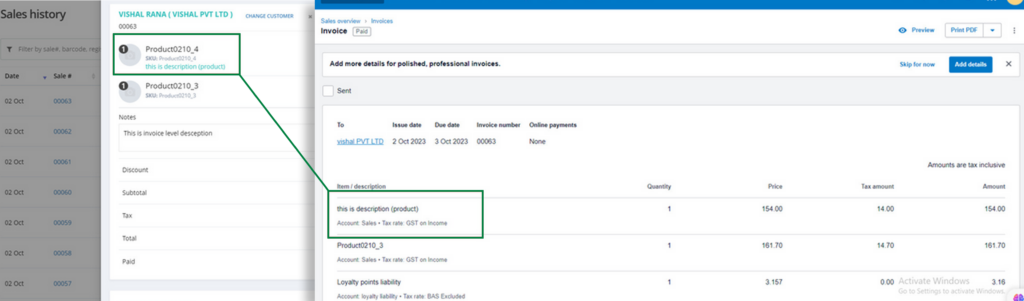
Sync your internal product notes to Xero.
(Supported plan/s: All)
The notes added at the product level on the Hike sale will now sync to Xero with the invoice sync. This will allow you to bring the same details in Xero for the users.
Staff can add messages to clients, prospects, suppliers, jobs, job tasks, quotes, leads, or invoices. Please note that these notes will be visible on the Receipt print in Hike.
Access Purchase orders, Inventory counts, and stock transfers for the deleted outlets.
(Supported plan/s: All)
Never lose your past Purchase orders, Stock-take, or Inventory transfers again! You can now access these data for the deleted outlets as well.
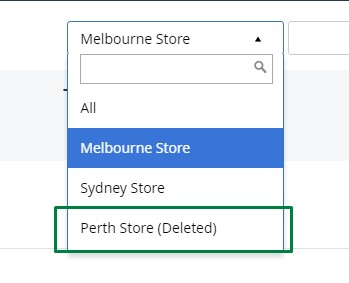
Simply select the delete outlet and you will be able to see all POs for this delete outlet.
Deleted outlets will be available on the Drop-down list on each: Purchase order, Stock-take, and Transfer pages.
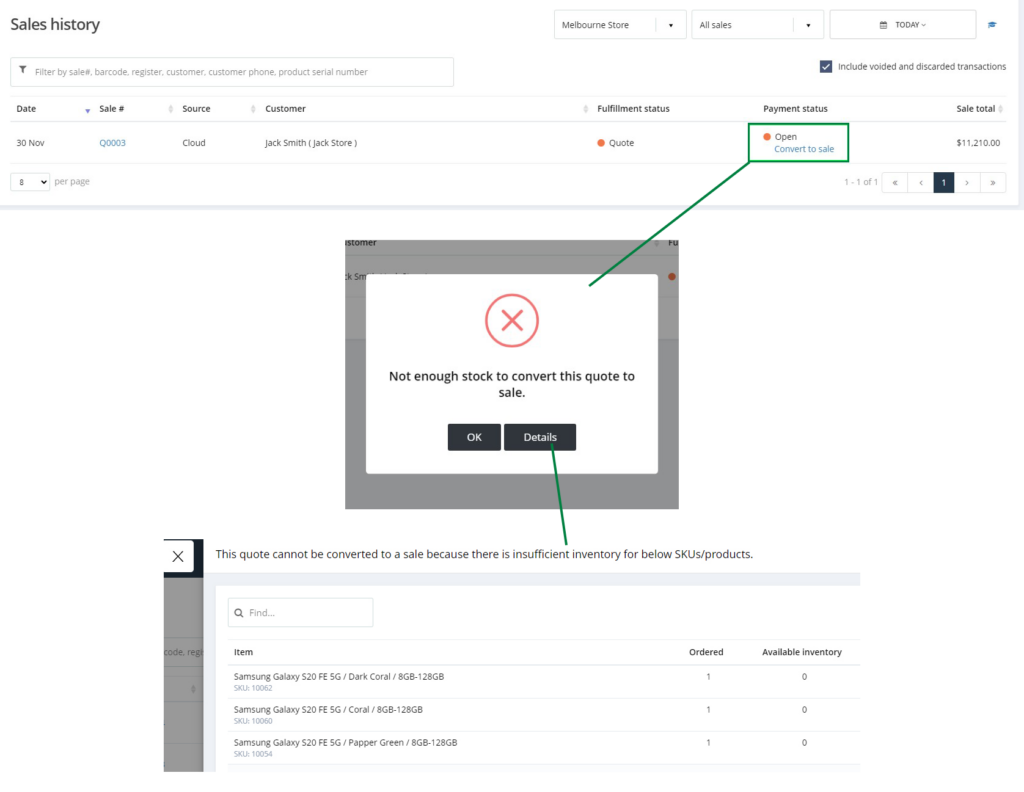
Advance options when converting the quote to sale.
(Supported plan/s: Hike Plus)
When you convert your past quote to a sale, if any product is not available in stock, a pop-up will show you exactly which products are not available if any.
From there, you can check the detailed view of the list of products with insufficient inventory.
This will give you an idea about which products to stock for the completion of the Quotes for sale.
We hope this helps. We hope you enjoy these new features and find them useful and fun.
Your feedback is very important to us and helps us to improve our product and service.
If you want to share your positive experience with Hike with others, please consider leaving us a 5-star review on the platform of your choice. You can use the links below to access the review pages:
Your review will help us to reach more customers and grow our community. It will also motivate us to keep working hard and delivering more value to you.
Thank you for your support and loyalty. We appreciate you being a part of our Hike family.
Good luck!