
Hike Update: May 2023
Hi everyone,
Hope you are well!
Let us thank you all for your love and support over the years. We are thrilled to announce that we have just released some new features for Hike.
These features are designed to make your life easier and happier. Here’s what you can do with them:
The Purchase Order Reference number is included in the PO email to the supplier.
(Supported plan/s: All)
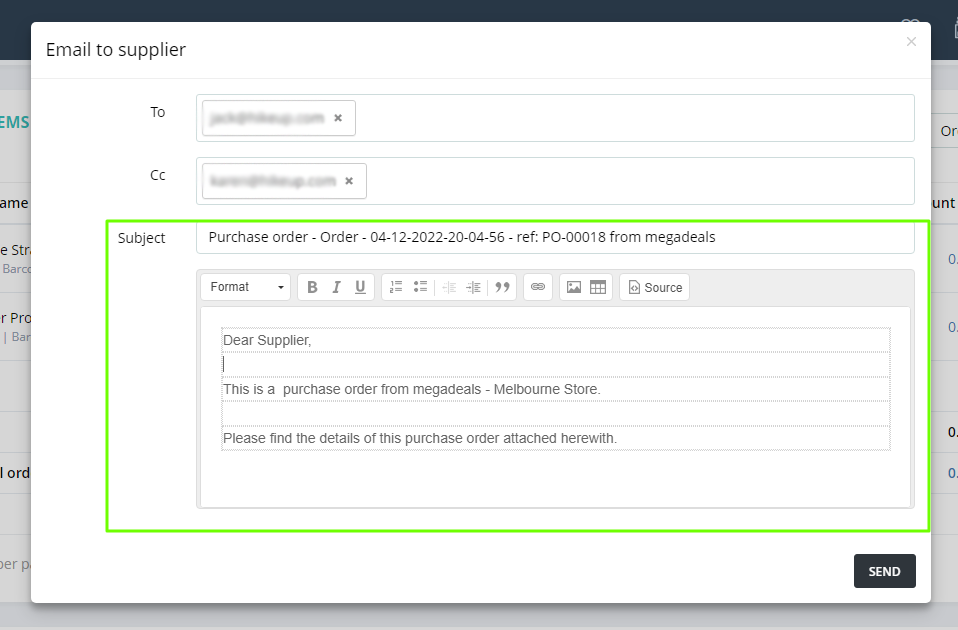
When sending a Purchase Order to your supplier, the PO email now includes the PO reference number in the email subject line. This way, you and your suppliers can identify the Purchase Order easily when sending or receiving emails.
As per the below example the Purchase Order email subject line will include the PO reference number and your store name.
A new Customer Reporting section under User Permissions
(Supported plan/s: Hike Plus)
We have introduced a new User permission for Customer Reports. If you want your user to access only Customer Reports, you can grant the following permission to the User.
The path is Users >> Users >> Actions >> Permission.
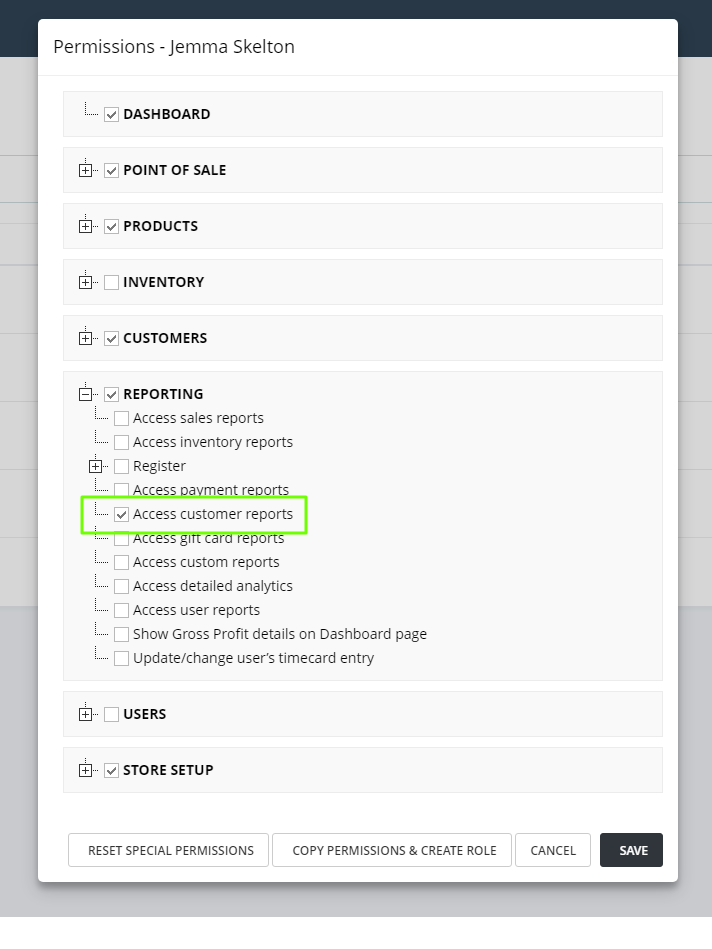
You can select other permissions based on your requirements.
On-account sale receipts will display the outstanding balance for the customer.
(Supported plan/s: Hike Plus)
As always, based on our customer feedback, we have introduced a new feature on the Receipt. For On-account sales receipts, you can display the customer’s outstanding balance on the receipt print.
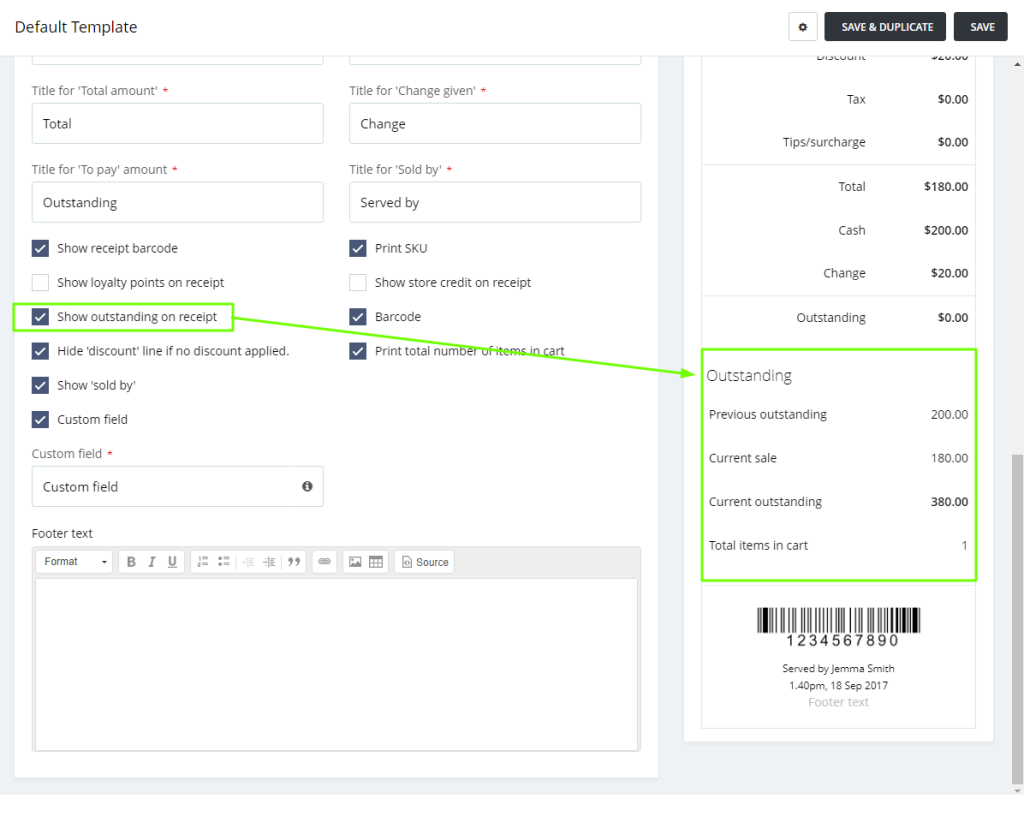
The receipt will print the Previous outstanding and current outstanding after the sale.
Please make sure you select the correct option on the Receipt template to activate this feature. This is available on both A4 and Thermal receipts.
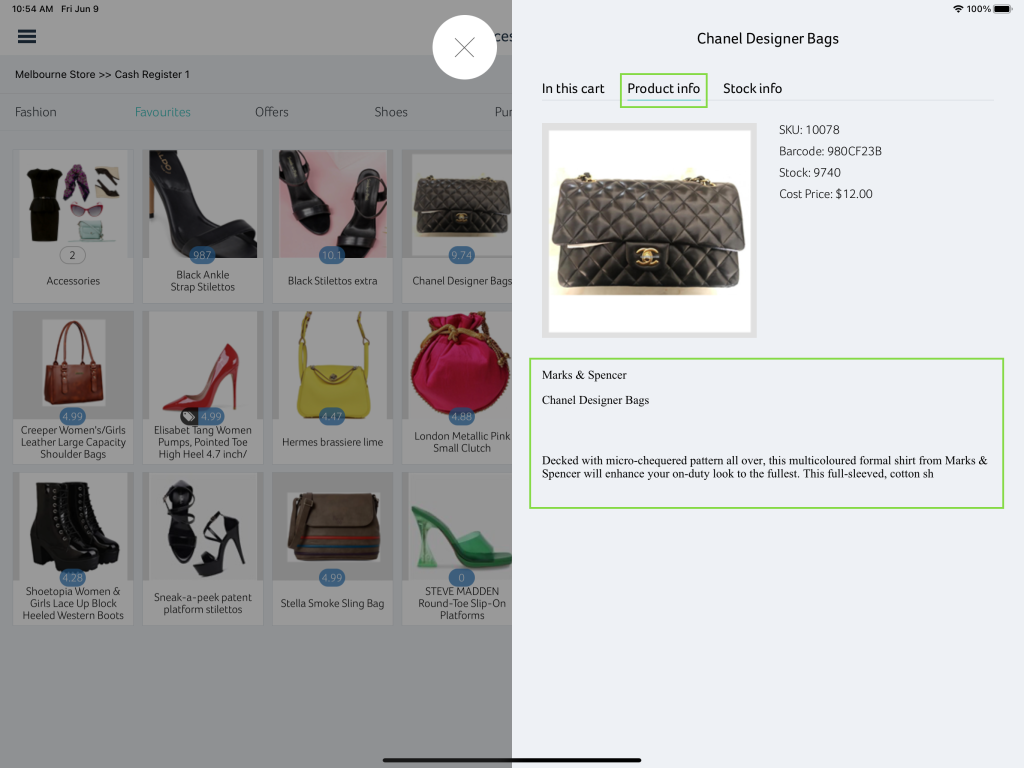
iPad : Product Description now available on the POS page when checking the product info
(Supported plan/s: Hike Plus)
You can now check the Product Description from the POS page on iPad as well. On an iPad app, click on the product name in the cart and a new slider window will open where you can check the Product description.
Adjust Clock In/Out if the user forgets to clock in/out.
(Supported plan/s: Hike Plus)
Admin use will be able to add the Clock In/Out time manually for the users if they missed this for the entire day. The admin already has the right to adjust the clock in and out time manually.
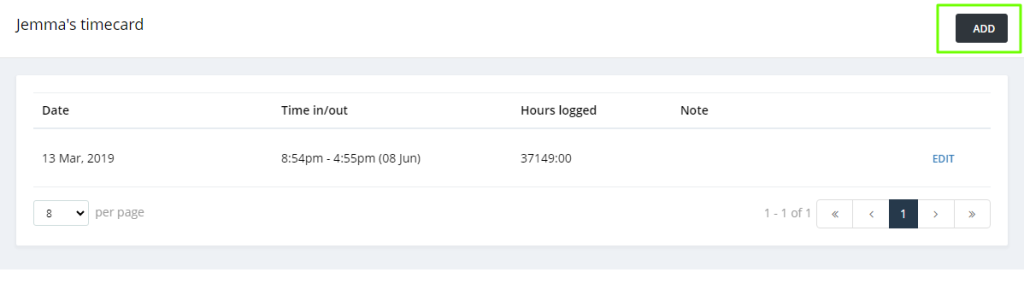
With this feature, the admin can add Clock in/Out for past dates which were not available earlier.
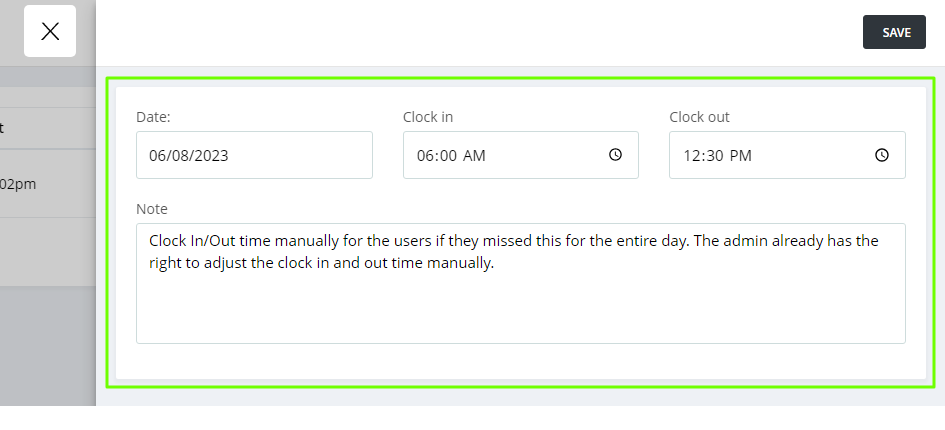
Add the dates, In and Out times and you are ready to go!
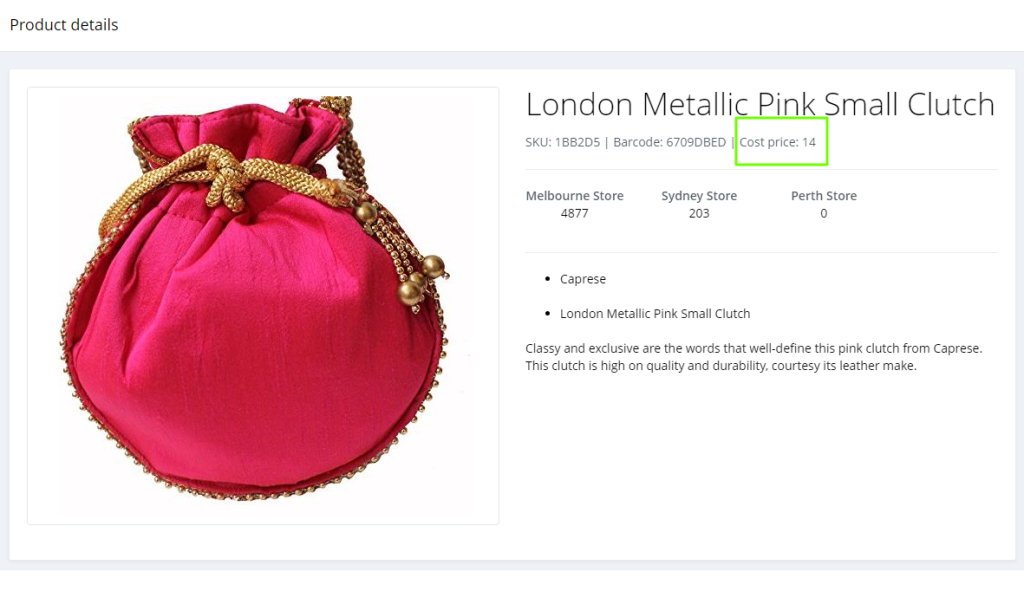
Cost price available on the POS page for the product.
(Supported plan/s: Hike Plus)
The cost price now can be also seen on the POS page when the product is in the cart. You do not have to go back to the Product page to check the cost.
Simply click on the Product name and then on the Product Info section. A slider will open which contains the Cost price of the product.
We hope you’d like the updates included in this release and find many of these features useful for your business. If you do, please do not forget to go online and submit a 5-star review for Hike.
Good luck!