
Hike Update: September 2024

Hello everyone,
We hope you are well!
Thank you all for your love and support over the years. We hope you are enjoying the Hike and getting the most out of it.
Here is the list of new features going live this month:
Pick & Pack is now available for partial fulfillment and multiple locations:
(Supported plan/s: Hike Plus)
We always listen to our customers and as per customer requests, we are now allowing partial fulfillment via Pick and Pack.
The feature is added to the standard Pick and pack process where you can Save and Print the partially fulfilled sales.
This is particularly helpful when one of the products on sale is available or the stock is available partially and the customer is looking to take the available items.
For example, you only have one available in stock out of two products. In this case, you can partially complete this sale via Pick and Pack and print the receipt. When the remaining stock is available, you can complete the sale with the remaining products.
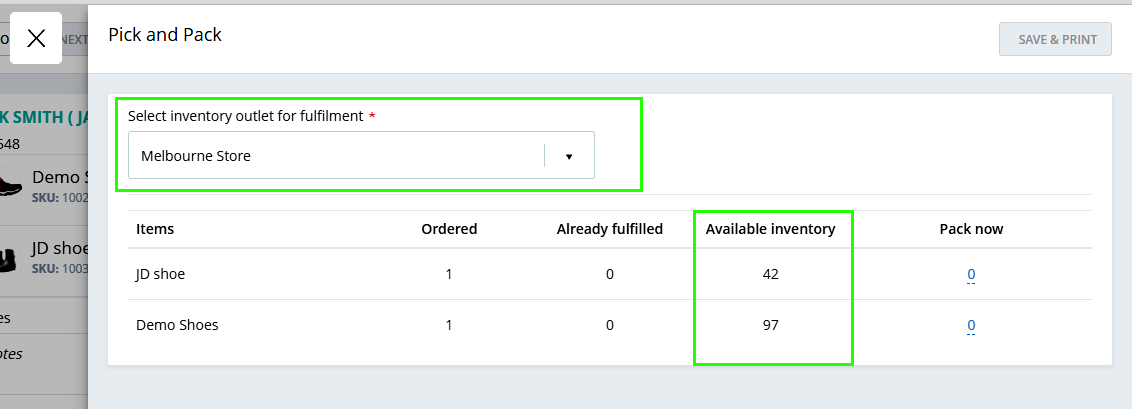
You will be able to see the partially fulfilled quantity on the Pick and Pack option under these sales.
Moreover, you will also be able to fulfill the sale from a different location. If you have multiple locations, the system will ask you to confirm the location for the stock update.
You will need to select the following option in General settings if you wish to allow fulfillment from different locations.
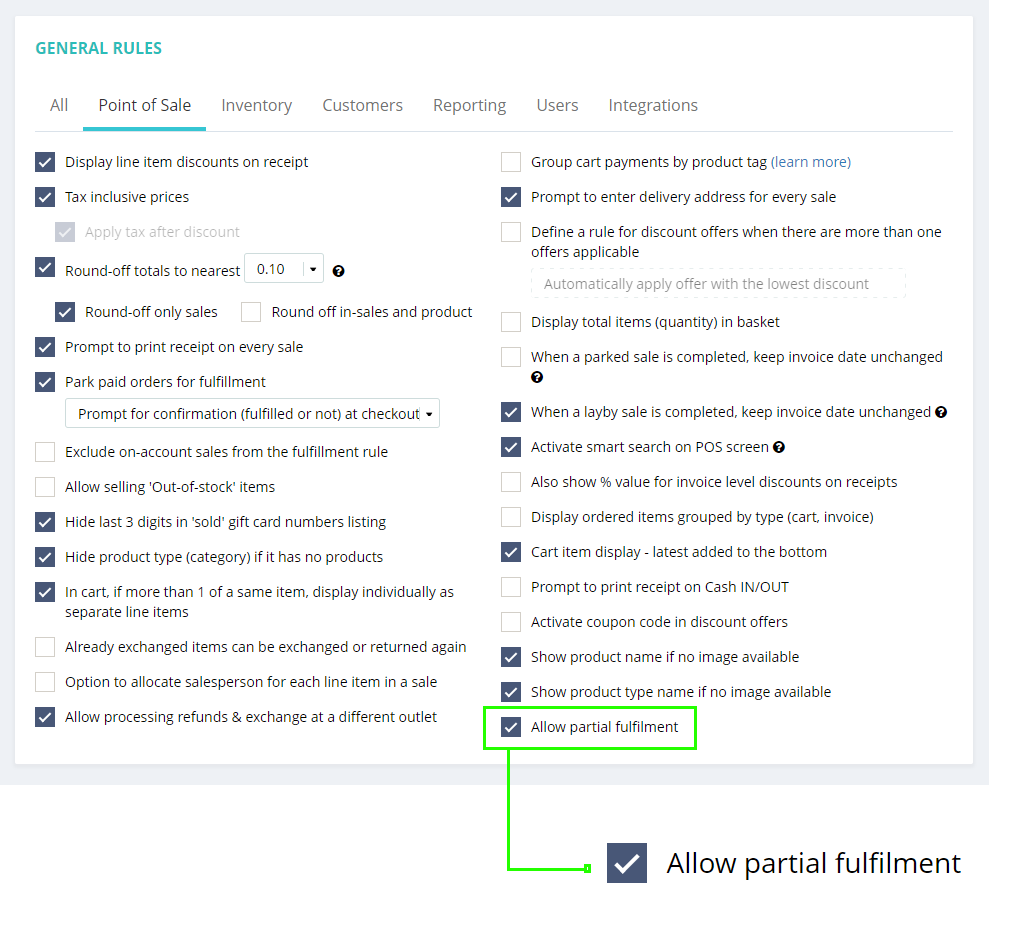
If not selected, you can only fulfill the sale from the same location where it was created.
The stock will get updated based on the selection here. As always, you can scan the product bar code at Pick-and-pack while fulfilling the sale.
Add different users in the same sale under individual products
(Supported plan/s: Hike Plus)
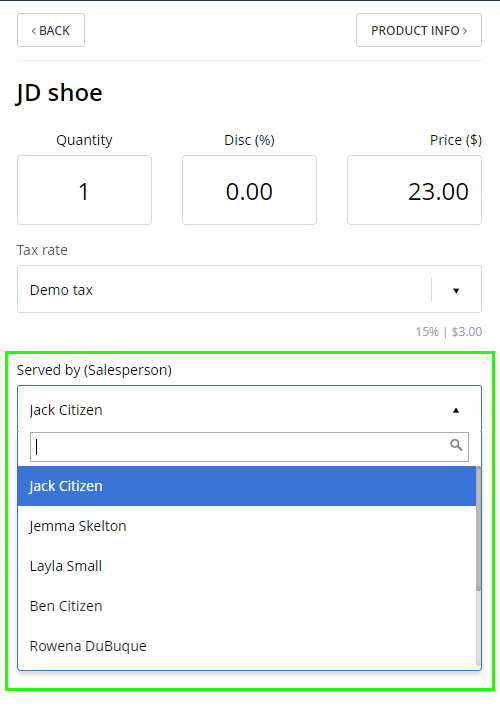
It is now possible to add different users in the same sale. You can add a user to individual product lines within a sale. However, you can only add one user per sale line/product.
This feature will be useful for a business where there are various departments in a single outlet and each department has multiple staff members. You may choose this to track any individual staff member’s performance or to calculate commission.
You will need to select the following option in the General setting to allow this feature.
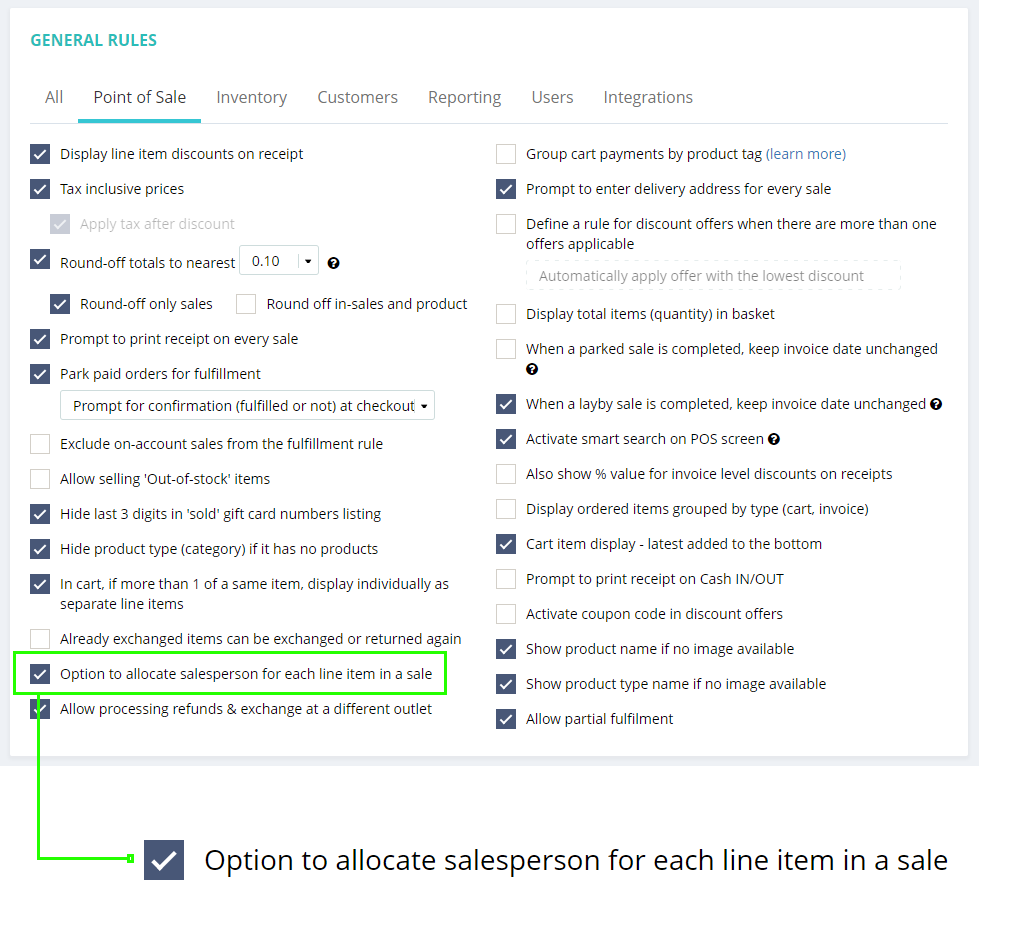
Once selected, you will be able to assign each product sale to the individual user.
Improved Back-order management
(Supported plan/s: All)
As per the client’s request, we have introduced a dedicated section within Back-order sales to manage them more efficiently. This section should provide an overview of the back orders along with their status.
Once you create a Back-order, you will have the following option to check or create a PO.

With this option, you can either Create a PO or check the details about the product quantity.
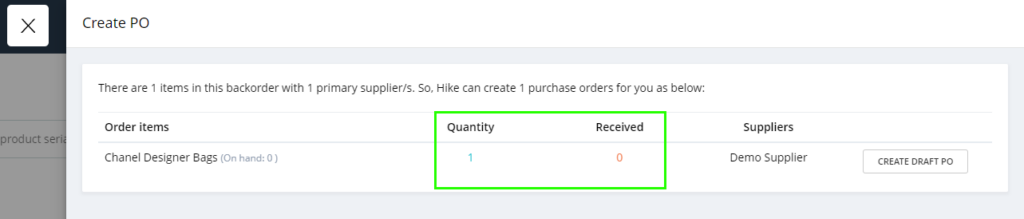
On this slider, you will be able to see the Product name in this back order, the quantity of the product in this back order, the received stock if any, supplier name, and an option to Create a PO for this product.
This feature will allow more information and clarity within the back-order management.
Composite Product Price Adjustment When Increasing Individual Product Prices
(Supported plan: All)
When you have a Composite product with two or more component products and update the pricing of any of the component products, the composite product’s price will also get updated accordingly.
When you change the pricing for one of the component products, you will get a pop-up that the pricing for the composite product will also get updated.
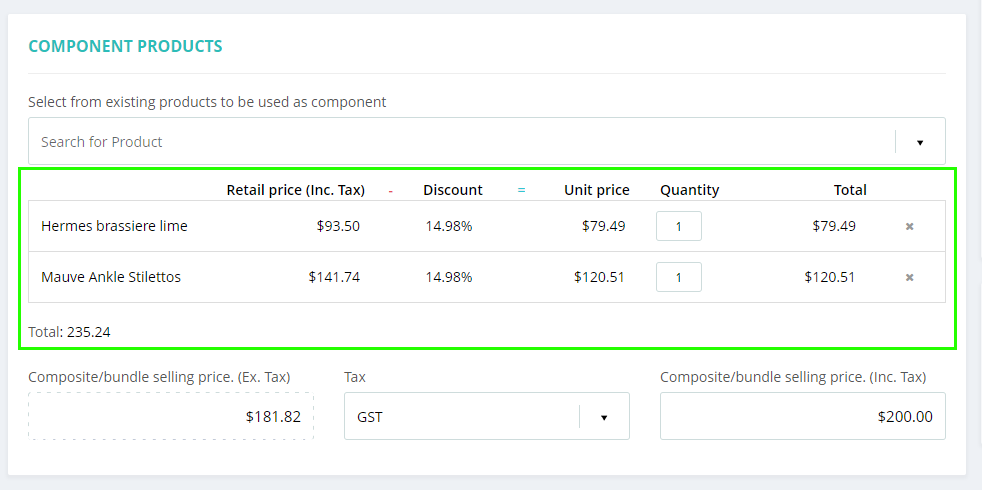
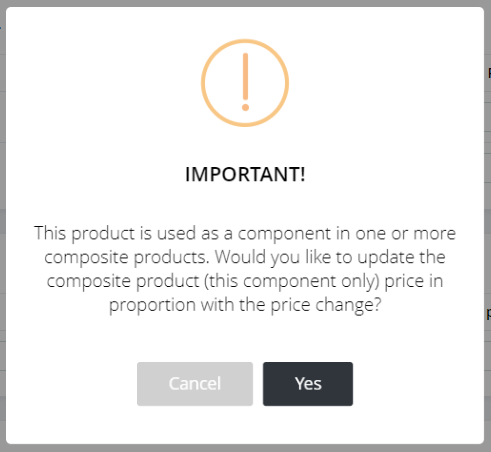
With this feature, you can now directly pass the price changes to the Composite products. This will reduce the manual tasks and save time.
Export all products option under drop-down
(Supported plan: All)
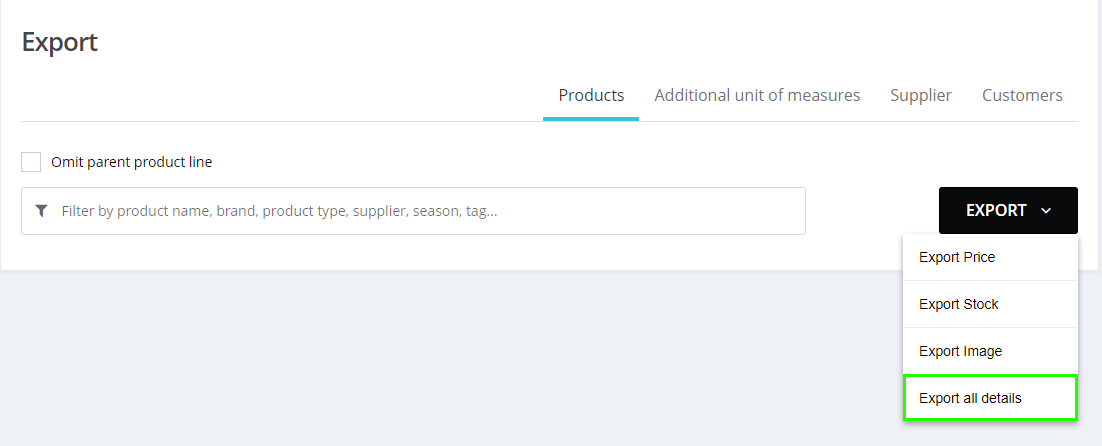
We have now added the new option to Export all product details in the drop-down including Pricing, Stock, and Images.
When ‘Export all details’ is selected, you will receive your entire product database in the Excel file.
Create and Receive Purchase orders at the same time
(Supported plan: Hike Plus)
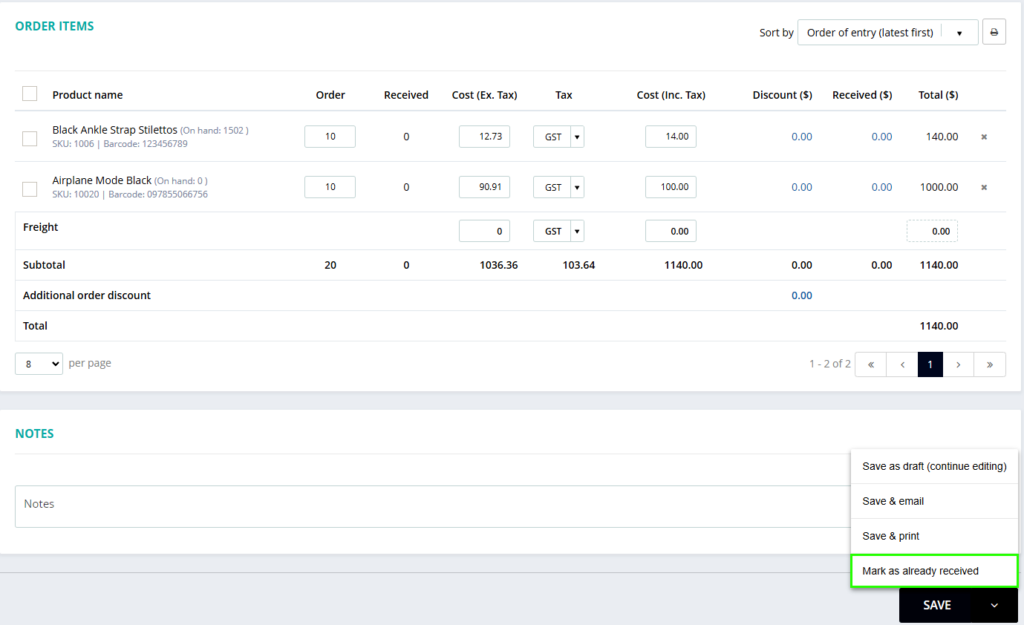
We have implemented this option to efficiently receive “Unprepared” purchase orders from suppliers.
These are the purchases you do not send beforehand and want to receive immediately at the time of creating it.
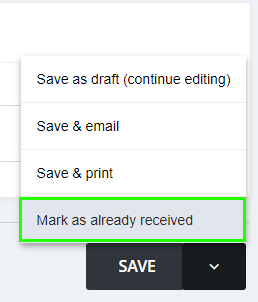
To facilitate this, we have incorporated a new option called “Mark as already received.”
This feature will significantly save your time in receiving stock via purchase orders.
Purchase order format as per supplier’s requirements
(Supported plan: Hike Plus)
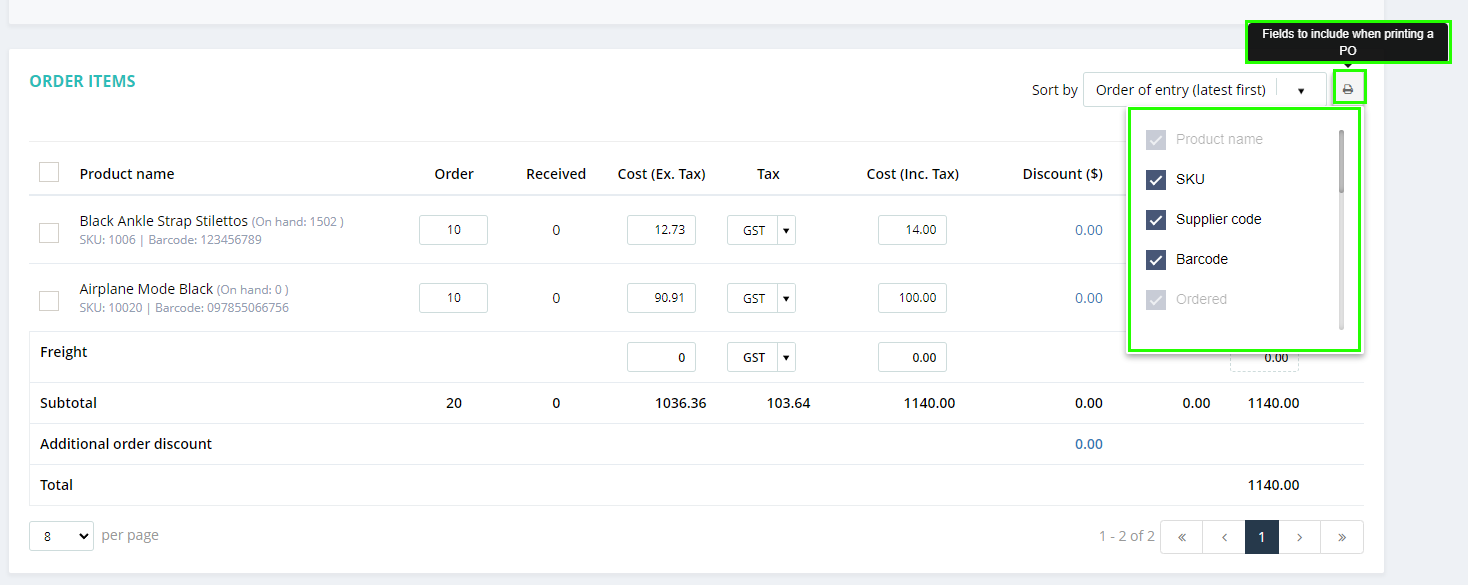
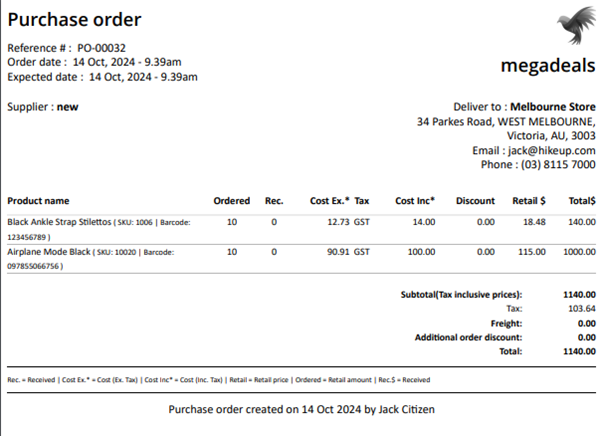
You now have the ability to choose which columns to display on the printed Purchase Order receipt.
You can customize the columns based on your preferences. Please note that some fields such as Product Name, Ordered Quantity, Cost Inclusive of Tax, Cost Exclusive of Tax, Tax, and Total will always be visible and cannot be removed.
Additionally, the SKU and Barcode columns can be displayed separately if other columns are unchecked.
Supplier invoice number now added to Purchase Orders
(Supported plan: Hike Plus)
This feature will allow users to add the supplier invoice number in the purchase order section. It will boost essential documentation and tracking capabilities for the clients.
The supplier invoice number is required when submitting a return Authorization to the supplier or when accounts departments need to review products against invoices to ensure accuracy.
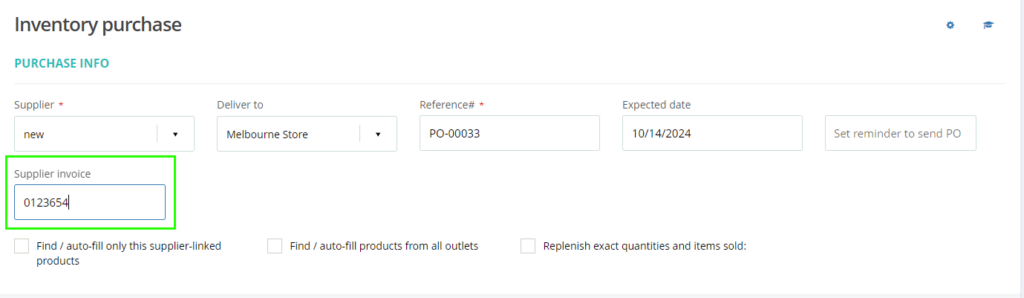
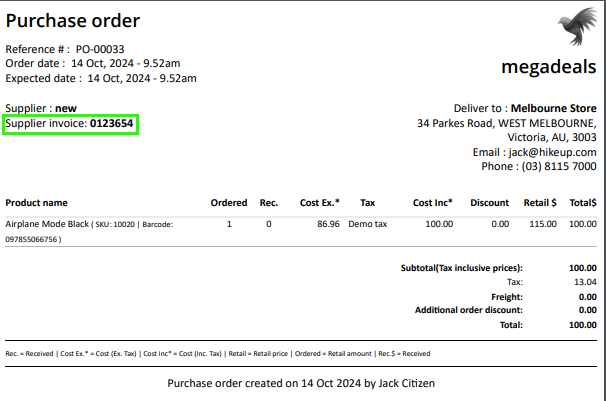
This improvement will reduce the time and effort required to manually track invoice numbers outside Hike POS leading to more streamlined operations.
Option to change the Scroller size: Wider than usual
(Supported plan: All)
We have introduced a new setting on the POS page where you can make the Scroller size wider within the Hike set-up.
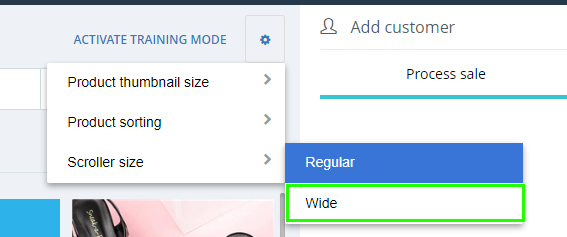
When selected, you will be able to see the scroller size bigger or regular (Smaller) based on your selection.
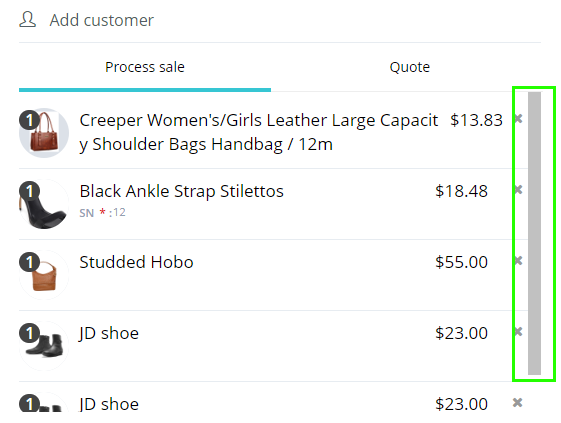
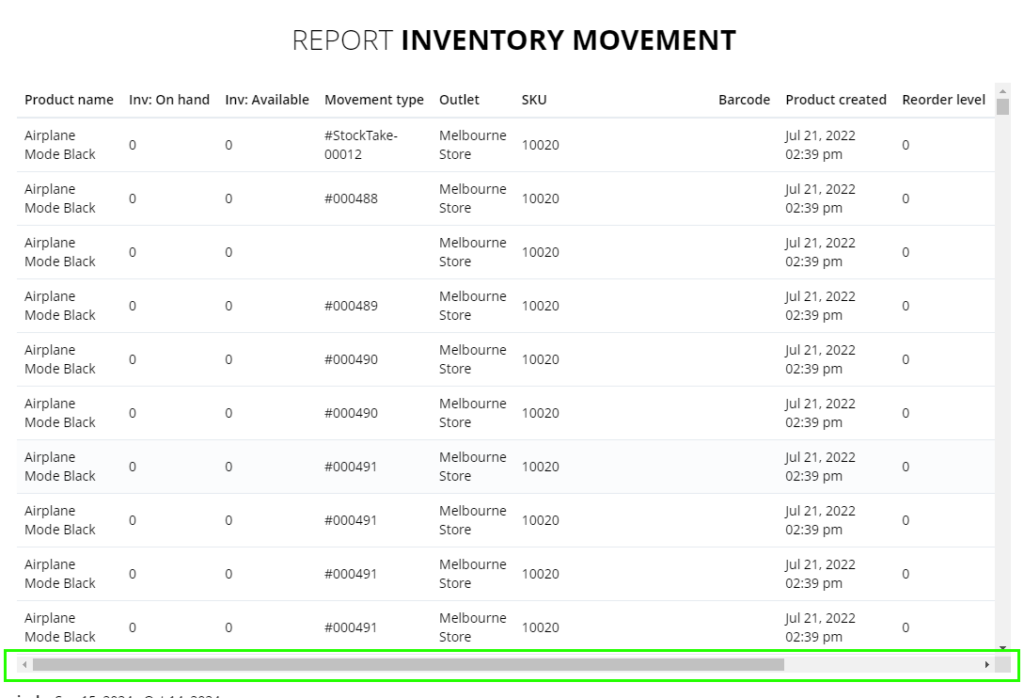
This applies to all Sliders across Hike. Both horizontal and vertical. This change will make working on Hike more user-friendly.
Option to edit the date on the Check-in/out time for users
(Supported plan: Hike Plus)
The admin users will now be able to change the date on the user check-in/Check-Out time report. We have already provided the option to change the time in case of any errors. Now, admins can update the time and date in case of any errors.
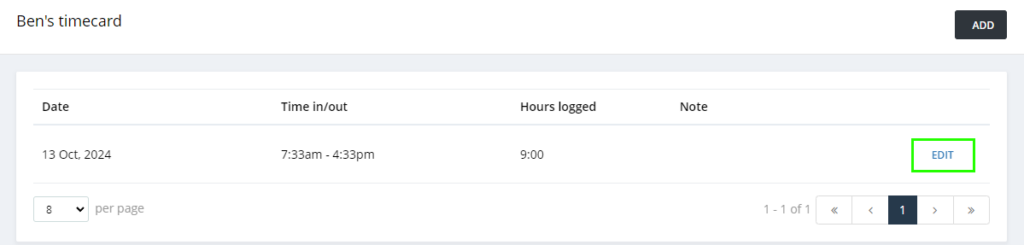
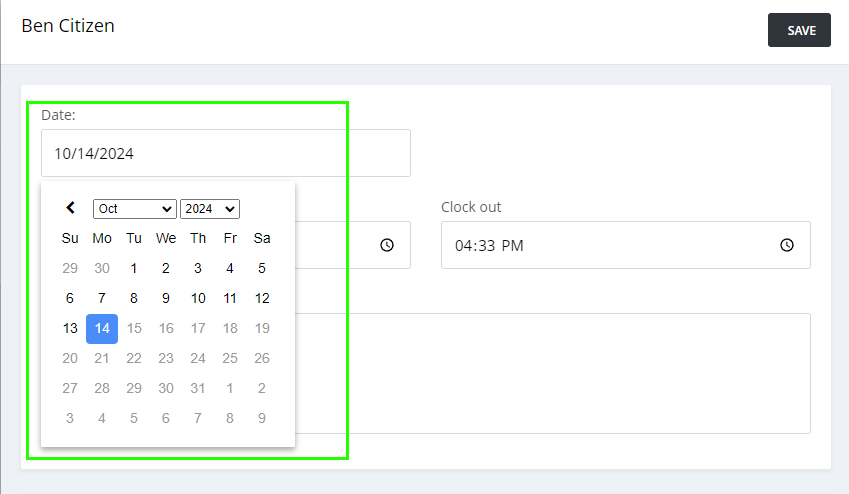
This is useful to correct the mistakes made by staff while logging in and out. It will streamline your rosters and pay-days.
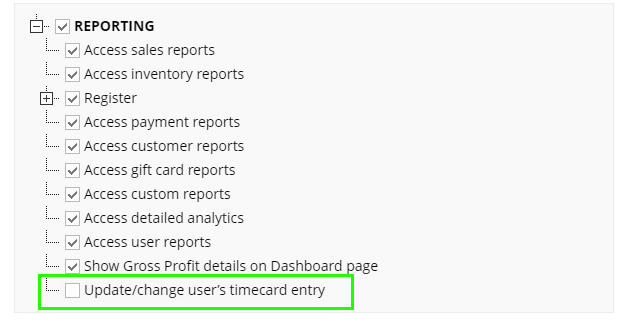
Please note that users who have the following user permission will be able to edit the date and time from user reports.
Customer phone number, Customer code, and Email on detailed analytics report
(Supported plan: Hike Plus)
We have introduced some additional sections in Customer Detailed Analytics reporting: Customer phone number, Customer code, and Customer email.
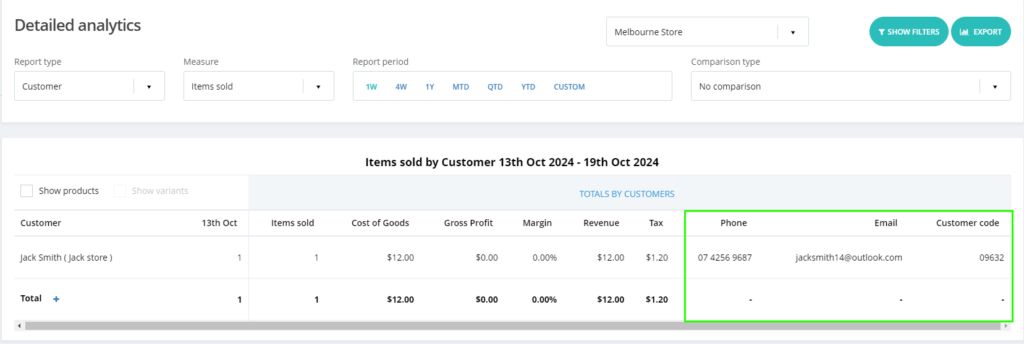
This will be available on the Excel file when downloaded.
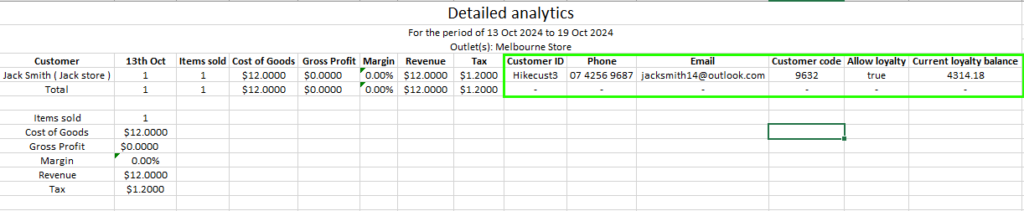
This will help with marketing and promotion based on the customer’s sales data.
The total spending of the customer is now available with a Custom Report
(Supported plan: Hike Plus)
Based on the customer feedback, we added the total purchase amount by the customer within the selected time within the Custom report.
This section is available under the Customer Custom report.
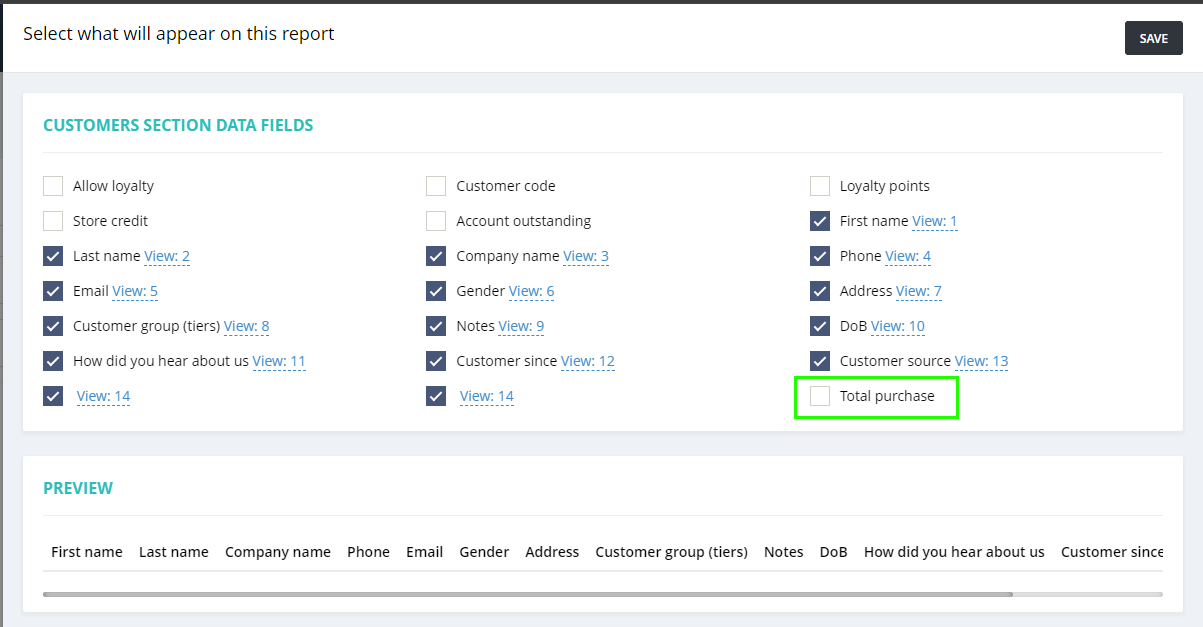
Please note that this Total purchase amount will only include the sales within the selected time frame.
This data will also be available in the report which you can download in Excel and PDF format. This will help you identify high-spending customers and target them accordingly with the marketing.
Improved Inventory adjustment report with Outlet names
(Supported plan: All)
Within the inventory adjustment report, if there are multiple outlets involved, you will be able to see the inventory adjustment for each outlet in the report.
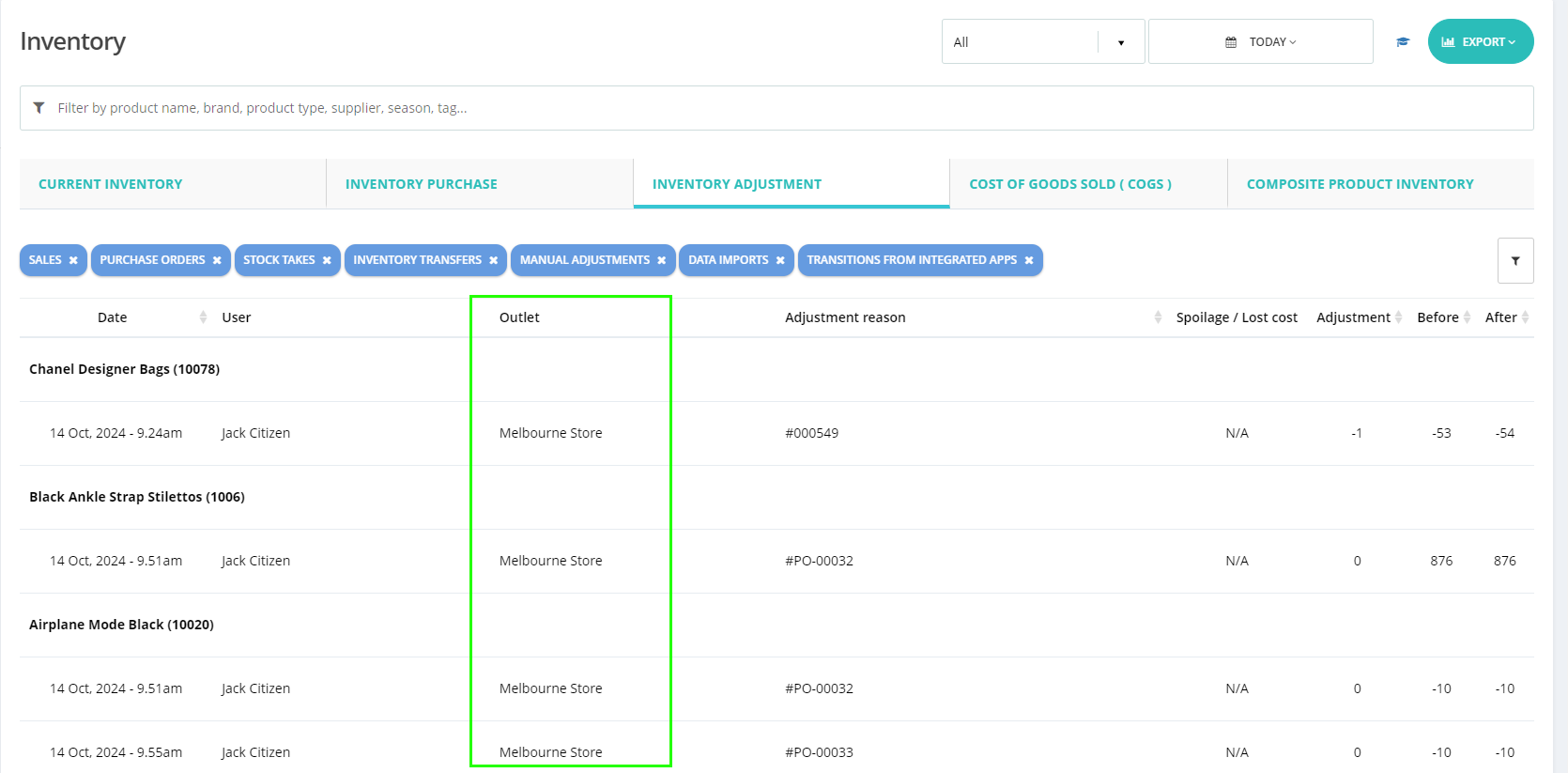

This was not available previously. This will be helpful for multiple outlet high-volume product business users.
You can differentiate the inventory changes for each outlet with this report.
Receipt template headers change option: Multi-language support
(Supported plan: Hike Plus)
Based on client feedback, we have introduced the option to display receipt headers in multiple languages. This includes items, prices, invoice numbers, and other details, which can now be shown in both English and the local language, in compliance with local regulations.
For example, receipt details must be available in both English and the local language to ensure they are easily understood by all customers, including locals and visitors.
We have added this feature where you can select what you wish to display on the receipt template for the following options.
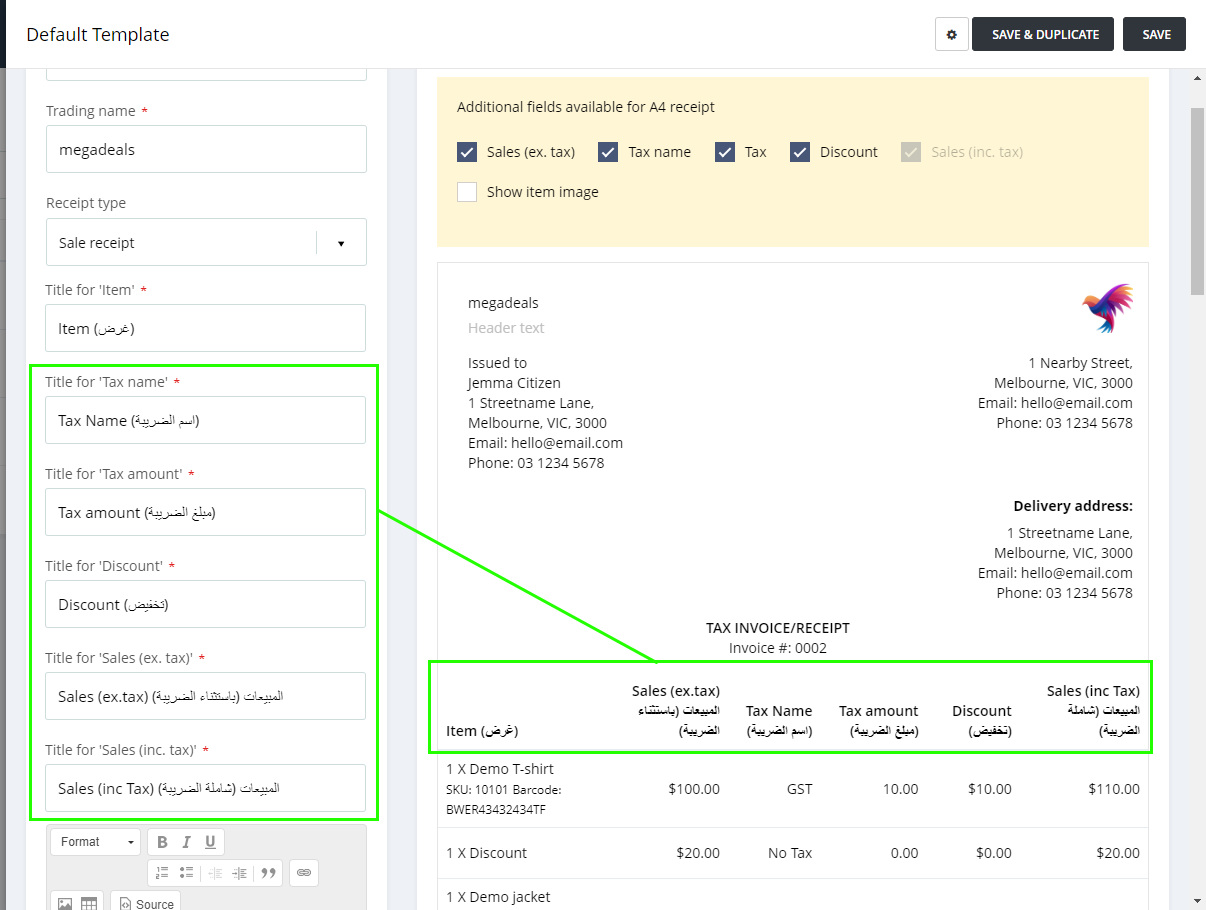
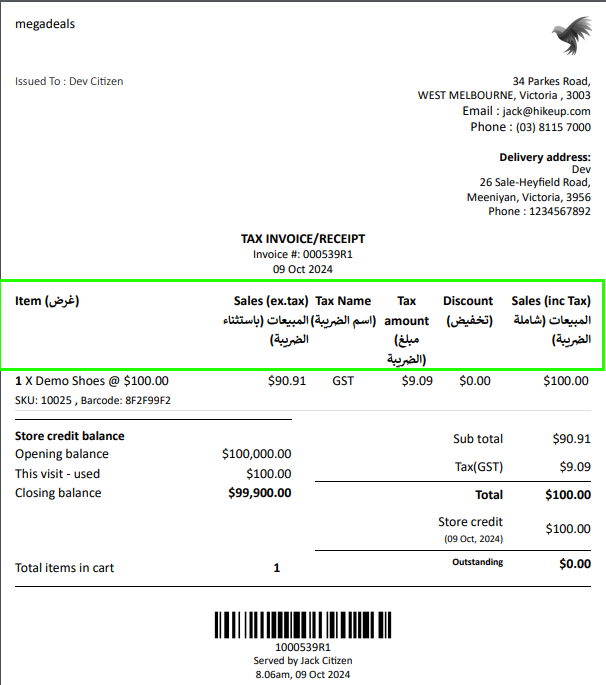
This will be available for both A4 and Thermal receipt prints accordingly.
Integration filters on the synced process log page
(Supported plan: Hike Plus)
When using multiple Hike locations with more than one 3rd party integration, it was difficult to keep track of the different sync processes working on the store. Sometimes, when a sync is running in the background, they will keep the latest updates in the queue.
To check these sync logs in detail, and ensure the sync is running fine, we have added multiple filters under the Sync log report. The users will be able to check and filter the integration logs based on:
Sync Trigger – Auto / Manual.
Sync Type – Invoices / Customers / Products / Register closures / Suppliers.
Status – Running / Success / Failed / No changes, etc
The direction of the sync – Hike to WooCommerce, BigCommerce to Hike, etc.
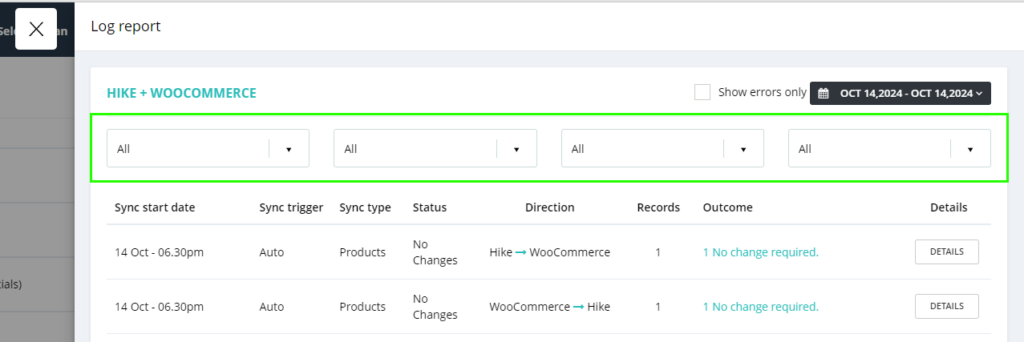
You can always select Show errors only and filter using the dates of the logs.
Re-open the back-order, edit the quantity, and apply the partial payment on the back-orders anytime you want
(Supported plan: Hike Plus)
With this new feature, you can now re-open and edit a Back-order created in Hike. A Back Order is where the item is out of stock, and is placed on an order to your suppliers. Customers will then be able to collect their item, once the product is in stock.
Once you open the Back-order sale from the sales history, you will see an option to EDIT. Click on the Edit, you will be able to record the advance deposits or payments.

Customer export: Now export individual customers into Excel
(Supported plan: All)
If you wish to export just one customer to update the details and import it back, you can do so using this option now. Just type in the Customer name in the export search bar, select the customer name from the drop-down, and click on Export. You will have the Excel file for this particular customer available.
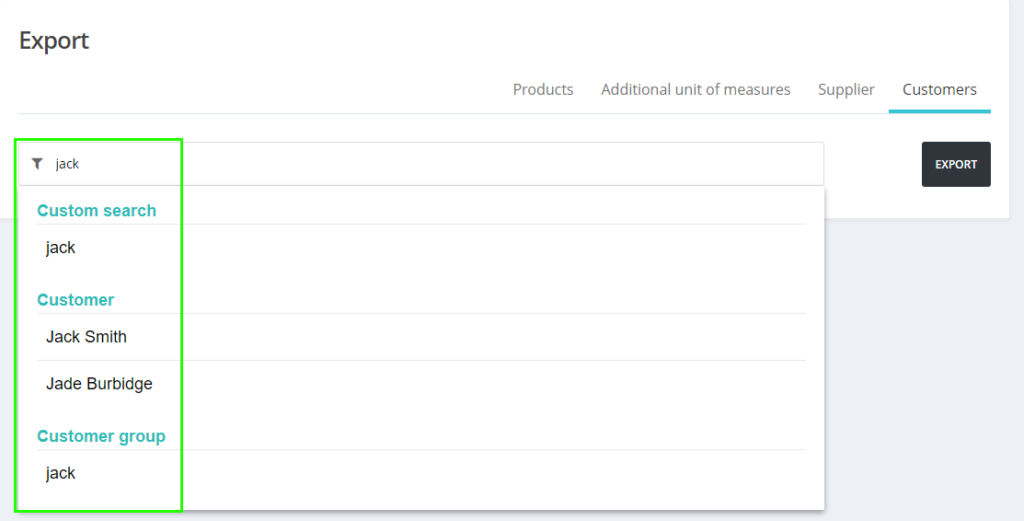
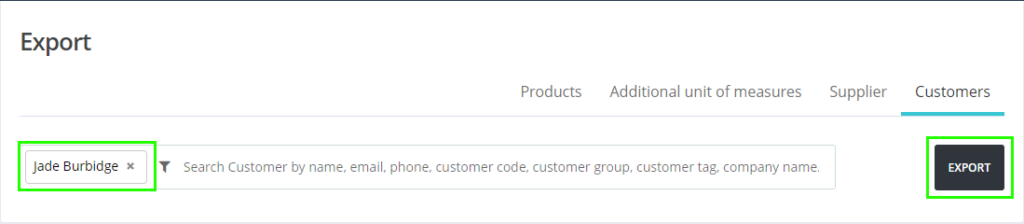
You can make necessary changes and import the same Customer file back to update the details of this individual customer.
Rounding off option for nearest 10 and 100
(Supported plan: All)
In some countries, due to weak currency, rounding off a sale to the nearest 10 and 100 denominations is requested by some of our clients. We have included these two options now under the Rounding off general setting.
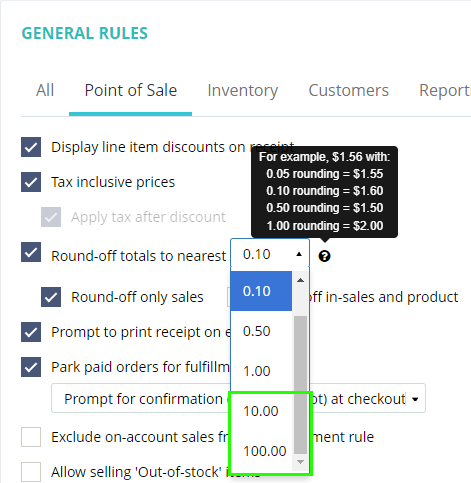
With these two options, the nearest (1 to 9) will be rounded off to 10, and the nearest (1 to 99) will be converted to 100.
The current Inventory report now displays the total column value in Excel
(Supported plan: All)
For the Current Inventory report (Reporting >> Inventory >> Current Inventory), we have added a total amount column at the bottom in bold letters when you export the file in Excel format.

This will help clients to check the total amount on each column clearly when comparing the data.
Loyalty balance is now available on the Detailed Analytics report
(Supported plan: Hike Plus)
We have introduced a new option in the Detailed Analytics report where you can check the Loyalty balance for the customers within the selected period.
You can directly use this Excel file by keeping the below-highlighted section and removing the rest of the Excel rows and columns to update, activate, or de-activate the loyalty balance of these customers if required.
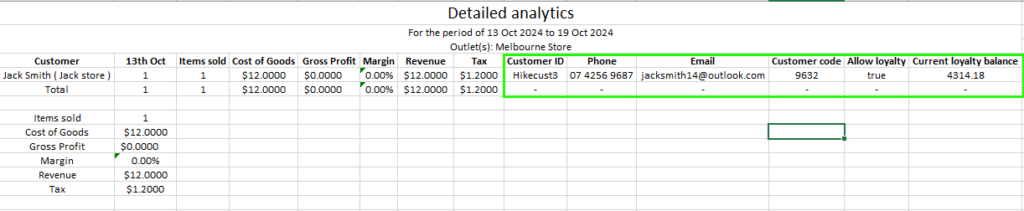
This feature will be useful for customer management, marketing, and promotions.
Now group your current inventory report by Brands.
(Supported plan: Hike Plus)
We have added a new feature where you can group your current inventory report based on the Brands. We have added a check-box called ‘Group by Brand’ which will allow this change on the My Inventory page and consolidate products based on their brands.
This will also show the total number of stocks available in each brand at any given point.
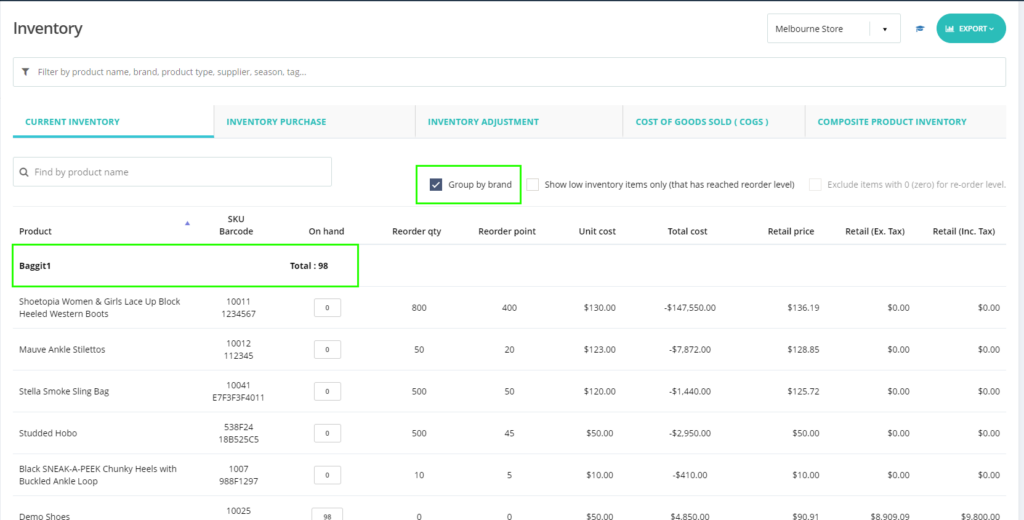
This will also available on Excel and PDF format when you export these reports from Hike.
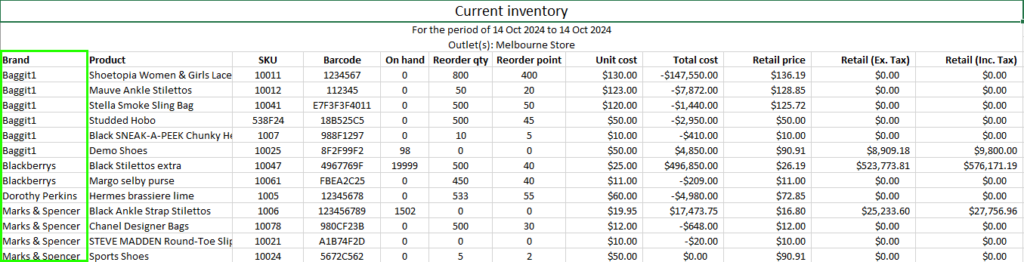
This report will help you get the inventory of each brand with their total valuation.
We hope these features will support your ever-growing business!
We look forward to your continued success throughout the year and will stay in touch with many additional features to enhance your experience with Hike!
If you’ve enjoyed using Hike, please consider sharing your positive experience by leaving us a 5-star review on your preferred platform. You can use the links below to access the review pages:
• [Google]
• [Trustpilot]
Your review will help us to reach more customers and grow our community. It will also motivate us to keep working hard and delivering more value to you.
Thank you for your support and loyalty. We appreciate you being a part of our Hike family.
Good luck!