
How to Choose the Best POS System for Your Business (2026 Guide)
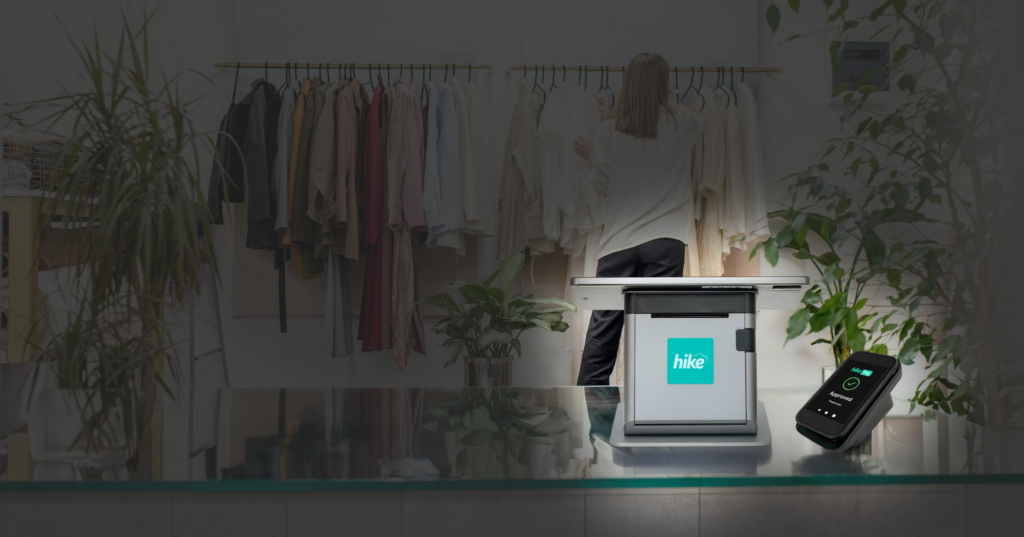
Choosing a POS system seems simple at first. Then you start comparing options and everything begins to look similar.
Most systems promise the same features, but the real difference shows during a busy day. That is when checkout speed, stock accuracy, and payments actually matter.
The system you choose affects how your business runs every day. It is not just about processing sales. It influences how quickly your team works, how clearly you see your performance, and how smoothly everything connects in the background.
This guide breaks it down in a practical way so you can choose a system that fits your business, not just your checklist.
In this guide
- What a POS system does
- Why choosing the right POS matters
- Key features to look for
- Types of POS systems
- Payments and fees
- POS system costs
- Choosing based on your business type
- Common mistakes
- Checklist to help you decide
- Making the right choice for your business
What a POS system does and why it matters for your business
A POS system is where every sale happens, but in most businesses it does much more than that. It connects your sales, inventory, payments, and reporting into one system.
When everything works together, daily operations feel simple. When systems are disconnected, even small tasks take longer than they should.
A good POS system helps you:
- Process sales quickly at checkout
- Keep stock accurate without manual work
- Accept card and digital payments reliably
- Understand performance through clear reports
For retail businesses, this also means managing products, pricing, and stock in one place through a retail POS system.
For hospitality, it needs to handle fast service and order flow without delays using a restaurant POS system.
Why choosing the right POS system is harder than it seems
Most businesses do not struggle because there are too few options. They struggle because there are too many.
Every system comes with different pricing models, hardware setups, payment structures, and levels of complexity. Many look similar at first, but they are built for different types of businesses.
A system that works well for a small shop may not suit a growing business with multiple locations. A setup designed for simple transactions may struggle with larger product ranges or higher volumes.
That is where most businesses get stuck. Choosing the best POS system is not about comparing features, it is about finding a system that fits how your business runs every day.
Key features to look for in a POS system
Instead of focusing on long feature lists, focus on what affects your daily operations.
Ease of use
Your team should be able to use the system without slowing down.If checkout becomes stressful during busy hours, the system is getting in the way.
A good POS should feel intuitive from the start and stay reliable under pressure.
Inventory accuracy
Inventory issues create unnecessary work and confusion.
Your POS should keep stock updated automatically and give you confidence in your numbers. If you are constantly double checking stock, your system is not doing enough.
Strong inventory management is essential for maintaining accuracy across products and locations.
Integrated payments that work seamlessly
Payments should not feel like a separate system.
A connected setup keeps sales, payments, and reporting in sync. This reduces errors and saves time at the end of the day through integrated POS payments.
For businesses looking to simplify transactions further, a dedicated payments solution can improve reliability and visibility.
Clear reporting and business insights
You should be able to understand your business without digging through complex dashboards.
Sales, product performance, and trends should be clear enough to act on quickly.
Flexibility as your business grows
Your POS should support your business as it grows.
This includes managing multiple locations, expanding product ranges, or handling both online and in store sales from one place.
Managing online and in store sales together helps keep operations aligned across channels.
Types of POS systems and how they differ
Understanding the basics helps you choose a system that fits your setup.
Cloud based POS
Runs online and gives you access to your data from anywhere. This is the most common setup for modern businesses.
Traditional POS
Installed locally and often harder to update or scale. Less flexible compared to cloud systems.
Mobile and tablet POS
Runs on tablets or mobile devices and is useful in flexible retail or hospitality environments.
POS payments, fees, and settlement times explained
Payments are one of the most important parts of your POS system, but they are often overlooked until something goes wrong. Delays, unclear fees, or reconciliation issues can quickly affect how smoothly your business runs.
Understanding how payments work helps you avoid hidden costs and keep cash flow steady.
What to look at
- Transaction fees and how they are structured
- Settlement time and how quickly funds reach your account
- Surcharging and how it applies in your region
- Support for card, digital wallet, and EFTPOS payments
- How well payments are integrated into your POS
What matters day to day
- Faster settlement helps keep cash flow consistent
- Clear pricing avoids unexpected costs over time
- EFTPOS support is widely used, so your system should support it reliably
- Lower ongoing costs such as account or terminal fees
When payments are connected, reconciliation becomes simpler and reporting stays accurate through a POS payments system, keeping everything in sync and reducing manual work.
How much does a POS system cost for your business
The total cost includes more than just a subscription.
Main cost components
- Software subscription based on features
- Hardware such as terminals, printers, and scanners
- Payment processing fees
- Additional costs like setup or add ons
Reliable POS hardware plays a key role in ensuring smooth day to day operations.
The goal is to understand long term value, not just upfront cost.
How to choose the right POS system based on your business type
Not every POS system works the same way for every business. The right choice depends on how your business operates day to day.
Retail stores
If you manage products, stock, and pricing, your POS should focus on:
- Accurate inventory tracking
- Fast checkout during busy hours
- Clear product and sales reporting
A strong retail POS system helps bring all of this together in one place.
Restaurants and cafés
If your business handles orders and fast service, you need a system that supports:
- Quick order taking and billing
- Smooth service flow
- Reliable payments during peak hours
A well designed restaurant POS system ensures operations run smoothly during busy periods.
Multi location businesses
If you operate across multiple locations, your POS should help you:
- Manage all stores from one system
- Track inventory across locations
- Access centralised reporting
Features built for multi store management make this easier to manage.
Online and in store businesses
If you sell both online and in store, your POS should connect everything:
- Inventory synced across channels
- Orders managed in one place
- Consistent pricing and reporting
A connected eCommerce POS setup helps keep everything aligned.
Common mistakes to avoid when choosing a POS system
Choosing a POS system based only on price can lead to limitations later.
Ignoring payments can affect your margins and cash flow. Systems with too many features can slow down daily operations instead of improving them.
Another common mistake is not thinking long term. Changing systems later can be disruptive and expensive.
POS system checklist to help you choose the right setup
Before choosing a POS system, ask:
- Is it easy for my team to use?
- Does it keep checkout fast during busy hours?
- Can I trust the inventory data?
- Are payments simple and transparent?
- Will it support my business as it grows?
If any of these answers are unclear, it is worth taking more time to evaluate your options.
Making the right choice for your business
A POS system becomes part of how your business runs every single day. From the way sales are processed to how inventory and payments are managed, it shapes how smoothly everything works behind the scenes.
What matters is not how many features a system offers, but how well it supports the way your business actually operates. The right setup brings everything together so your team can work faster, stay organised, and avoid unnecessary manual work.
When your POS system fits naturally into your workflow, you spend less time fixing issues and more time focusing on running and growing your business.
Your business deserves a system that keeps everything connected and working efficiently in one place.
Exploring a complete POS system setup helps you understand how everything works together in practice.