
Hike Update: January 2024
Hello everyone,
Happy New Year!!
Thank you all for your love and support towards Hike.
We have some exciting news to share with you: we have just released some new features for our Hike POS platform that will make your retail business easier and more fun. These features are designed to help you save time, increase your revenue, and connect better with other platforms.
Here are some of the new features that we have released for you:
Advance filters on the Sales history page.
(Supported plan/s: Hike Plus )
Good news! We have introduced advanced filters on the Sales History page to make your sales search faster.
You can now filter your Sales history with different data such as:
Outlets, Registers, Fulfillment status, Date, Payment Types, Source of the sale, Users, and Sales amount.
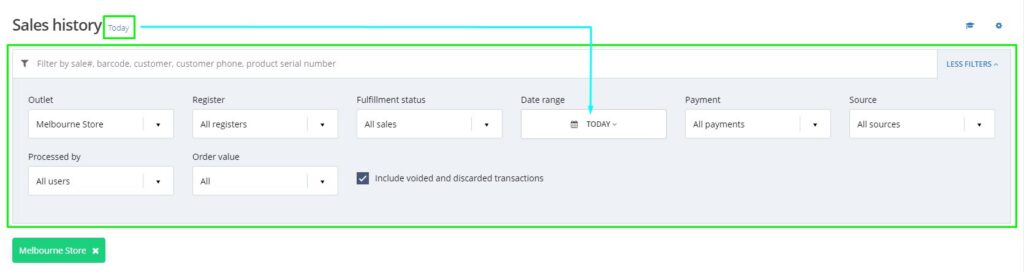
For example, if you want to filter all sales over $1000 or less than $10, you can now do so with this feature.
Average sales value on the Dashboard
(Supported plan/s: All )
We have introduced average sale value on the Dashboard page.
You can now check the Average sale value (Total sales/number of sales) for each day, last 7 days, last 30 days, and so forth.
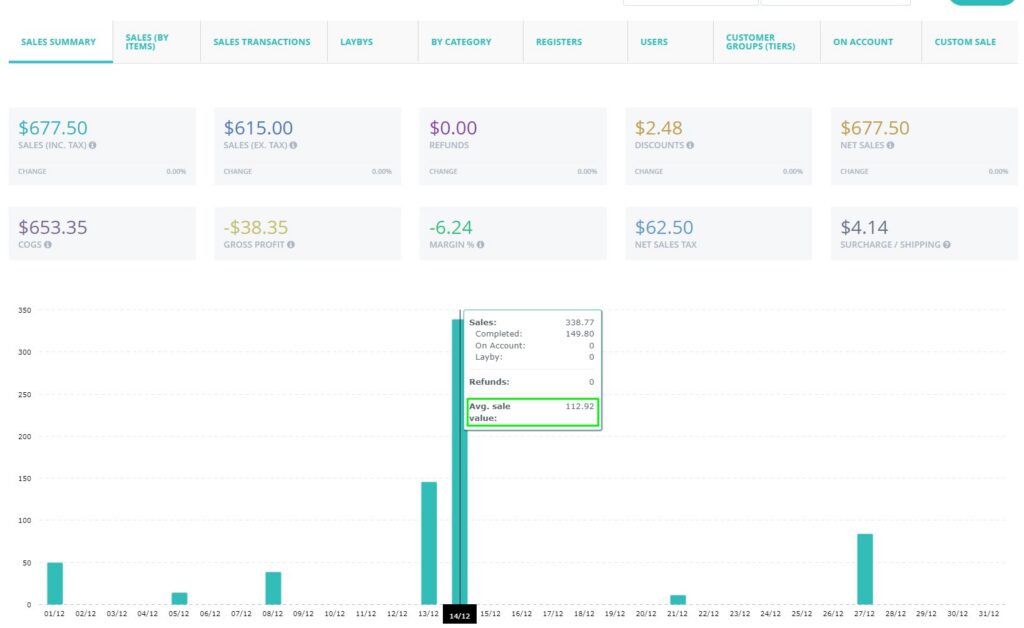
You can see the average ticket value for your business with this feature.
Option to edit the payment type display order on the POS page.
(Supported plan/s: Hike Plus )
You can now change the sequence of the Payment type display on the POS page as per your requirement. This means you can keep the frequently used payment types first and less used at the end.
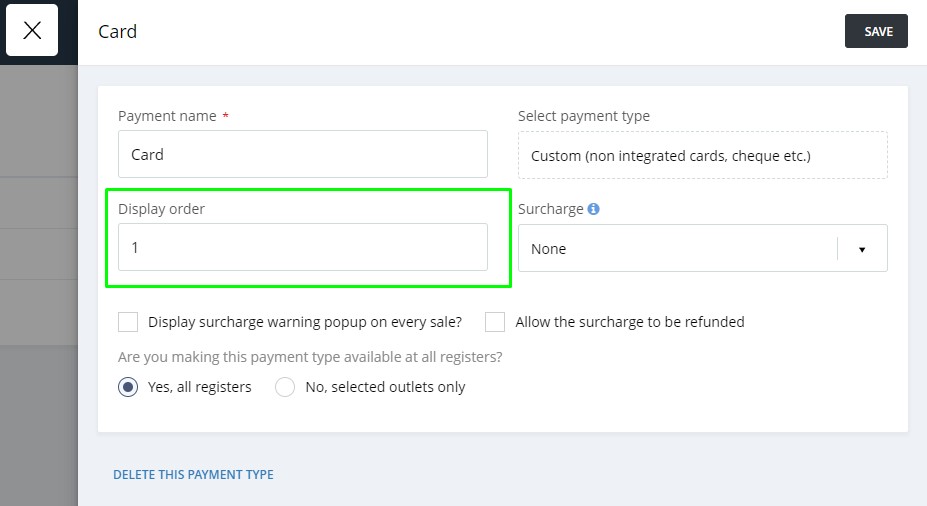
The display order option is now provided on the Payment Type page where you can change this sequence.
Option to select days where the discount offers are valid
(Supported plan: Hike Plus)
We have introduced a new option for Discount offers where you can select the days of the week when this discount offer will apply in the store. For example, if you are only allowing the discount offer on weekdays or weekends, you just need to set this up once.
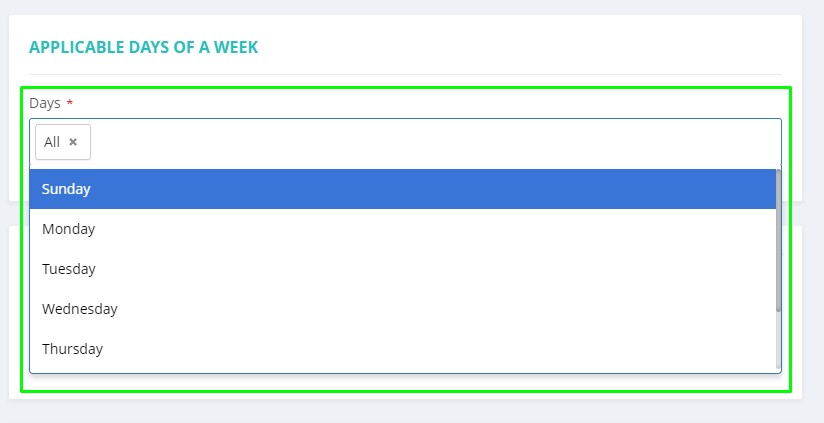
Golf courses are busier on weekends so they keep the discount offers for weekdays. This feature is best suited for such scenarios.
New Custom Report: Sales (By Items)
(Supported plan: Hike Plus)
We have a new addition to our ever-growing Custom report section. It is the Sales by Items report. You can either download the custom report straight away or schedule it to be generated and sent to your email later. You can also select the users who will get this schedule email.
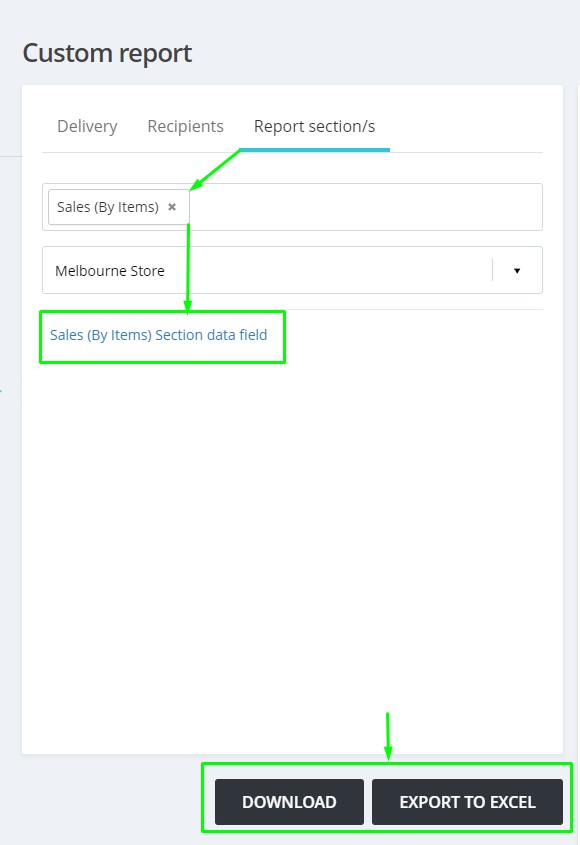
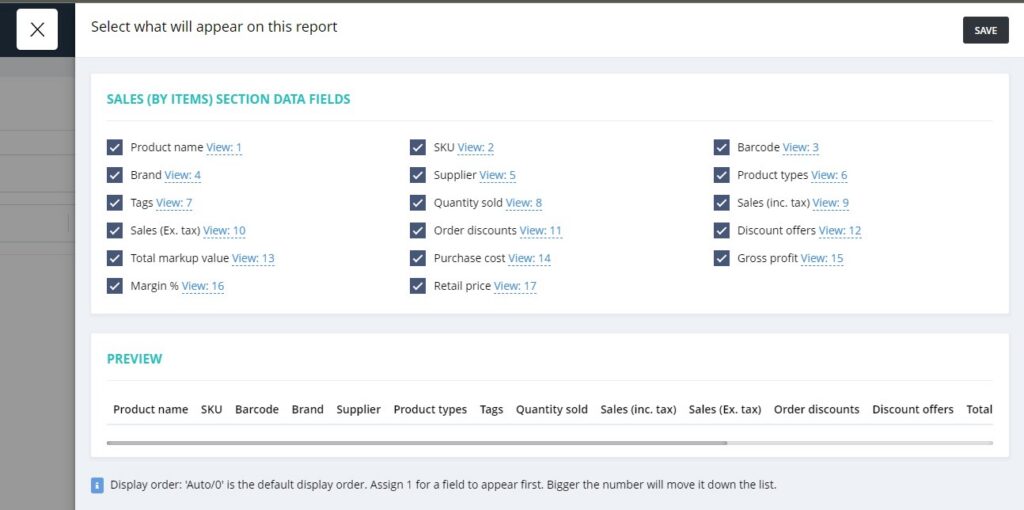
You can also download this report in Excel or PDF as always.
Set a Reminder date: The purchase order to a supplier.
(Supported plan: Hike Plus)
Now, you can set a Reminder date for sending the Purchase order to your supplier.
Create a purchase order today and set a reminder date to send the purchase order in the future. Once the set date is passed, you will see this Purchase order in red.
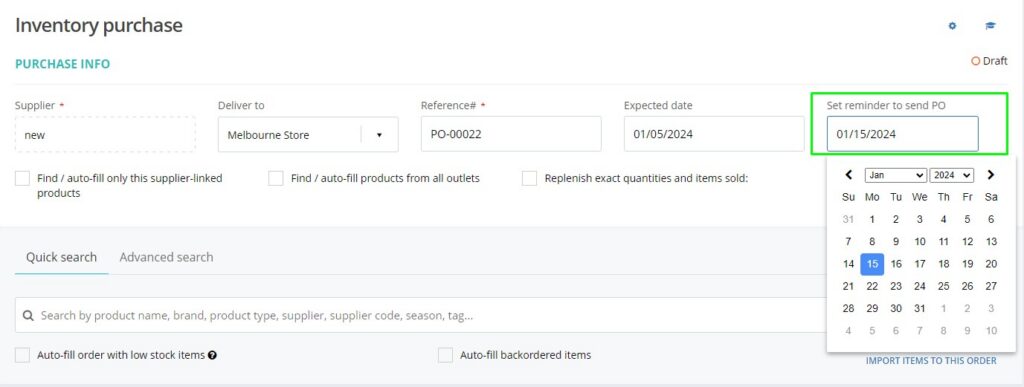
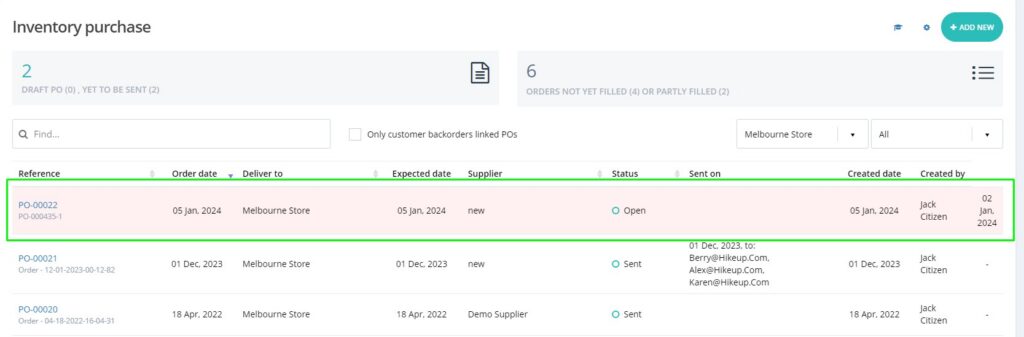
You will have to send the Purchase order manually to the supplier. The system will not send it on the selected date automatically. This feature will work as a reminder.
Apply a surcharge automatically to a certain payment type.
(Supported plan: Hike Plus)
You can now automatically add Surcharge to a particular or all payment types in Hike. The system will calculate the surcharge automatically based on the selection and you can also choose whether you wish to apply the surcharge on the Refunds.
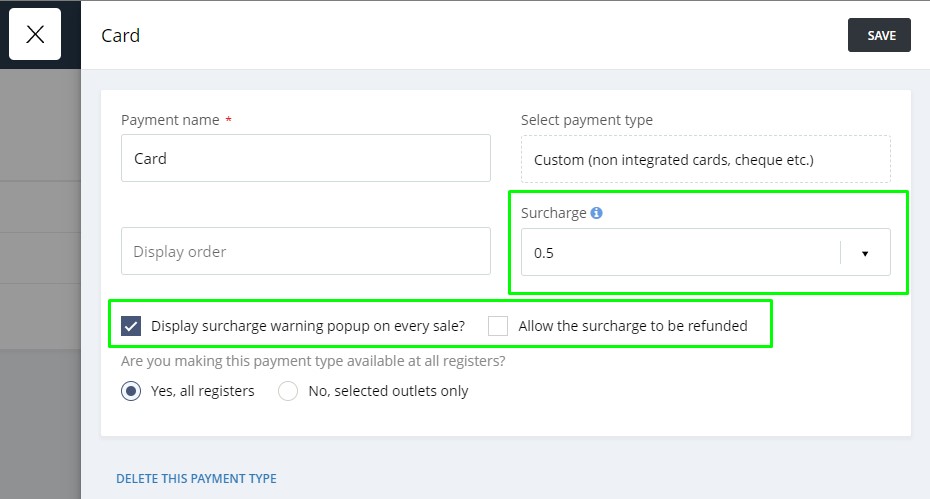
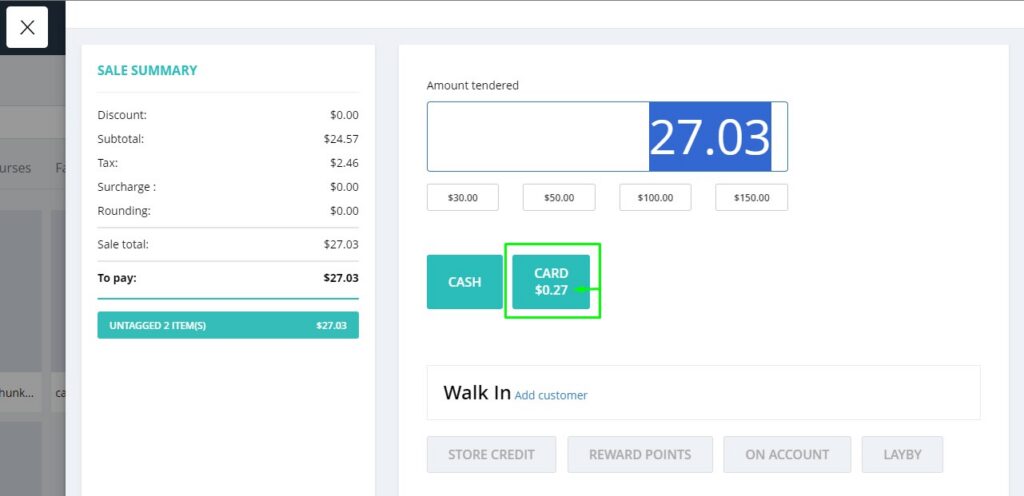
The surcharge option is not available for the Cash payment type. Also, please check and understand the surcharge tax settings before setting up the surcharge feature.
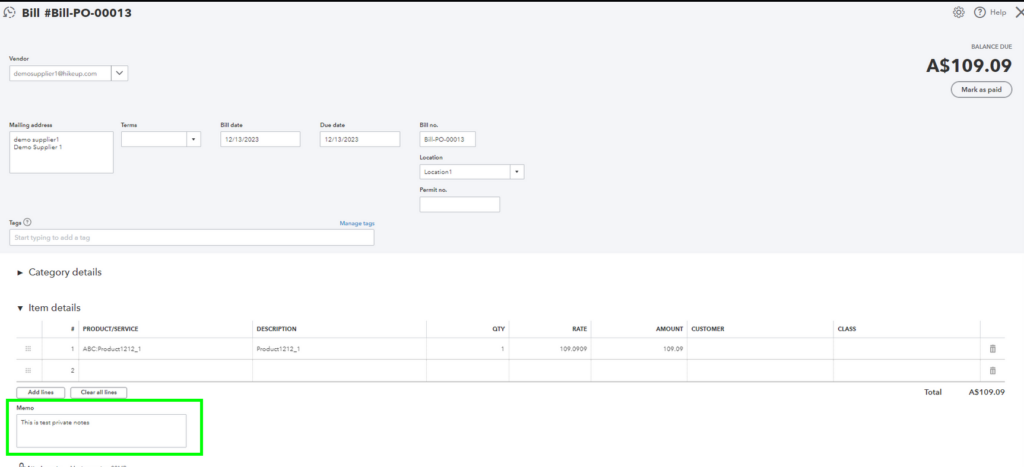
Private Notes from Purchase orders now sync to QuickBooks Online
(Supported plan: All)
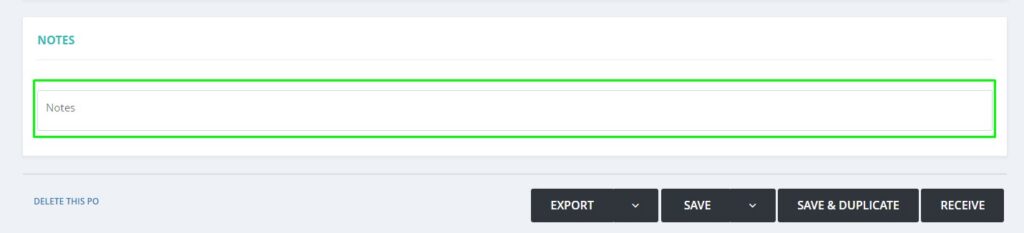
The notes added to the Purchase order in Hike will sync to QuickBooks Online seamlessly now. This was requested by clients who match the PO to the Bill in QuickBooks Online, and this will help with attaching the correct invoice to the Bill in QuickBooks Online.
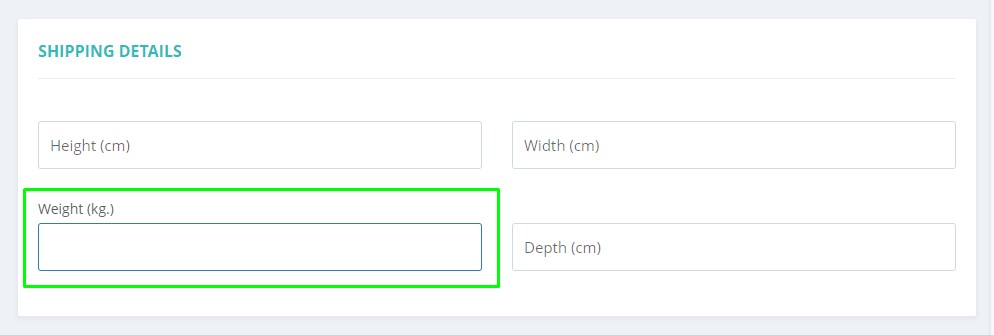
Product Weight and dimensions now sync with major e-commerce platforms.
(Supported plan: Hike Plus)
We have now added the Weight and Dimension section on the Hike product page which will sync to major eCommerce platforms. This will be useful for automating your Shipping for the web orders and sales syncing from Hike to eCommerce platforms.
The weight and dimensions will sync to Shopify, WooCommerce, and BigCommerce accordingly.
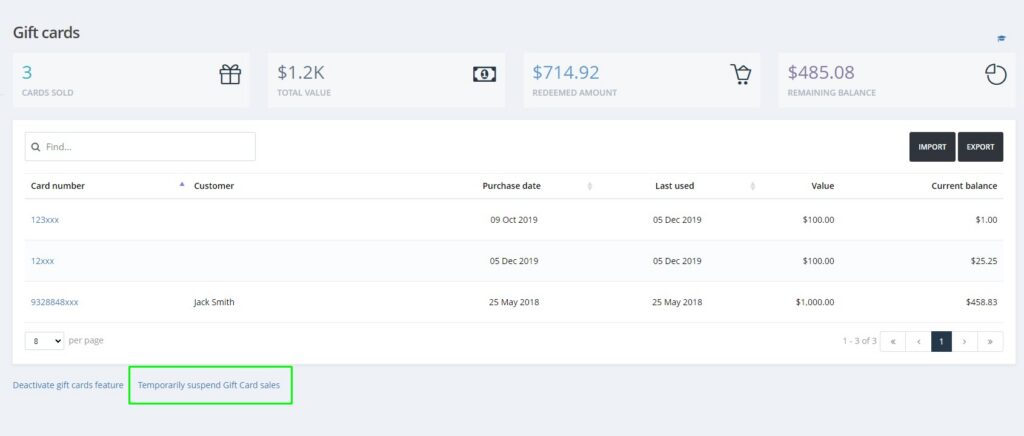
Complete sales using Gift cards even if the Gift cards sell feature is inactive:
(Supported plan: Hike Plus)
As per client requests, sometimes you do not sell Gift cards but still want to use the already sold Gift cards as the payment method for customers. To resolve this, we have provided the option in the Gift cards where you can still make the payment using past sold Gift cards.
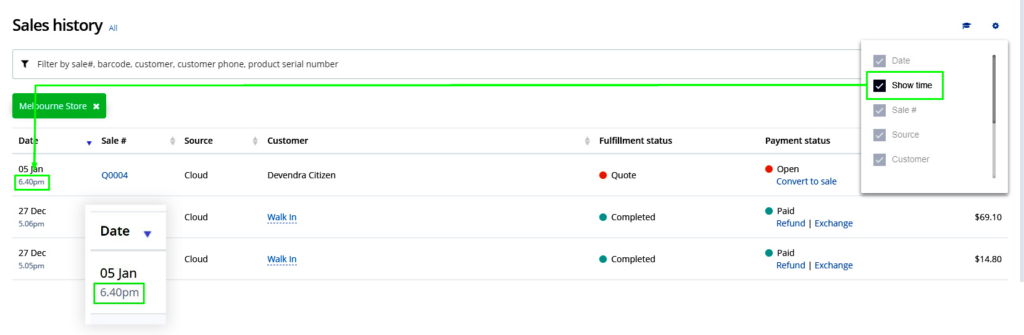
Exact Sale time on the Sales History page.
(Supported plan: All)
Great news! You can now check the exact time of the sale on the Sales history page itself. There is no need to check the reporting anymore.
You will have to select the Show Time option in Settings and the sales history will display the exact time for each sale.
Advanced option for Major activity logs.
(Supported plan: Hike Plus)
With User major activity logs, you will be able to check the details of the following changes when they were added, updated, or deleted in Hike:
Stock-take, Inventory Transfers.
Earlier, the logs were only available when you delete the Stock-take or Inventory transfer.
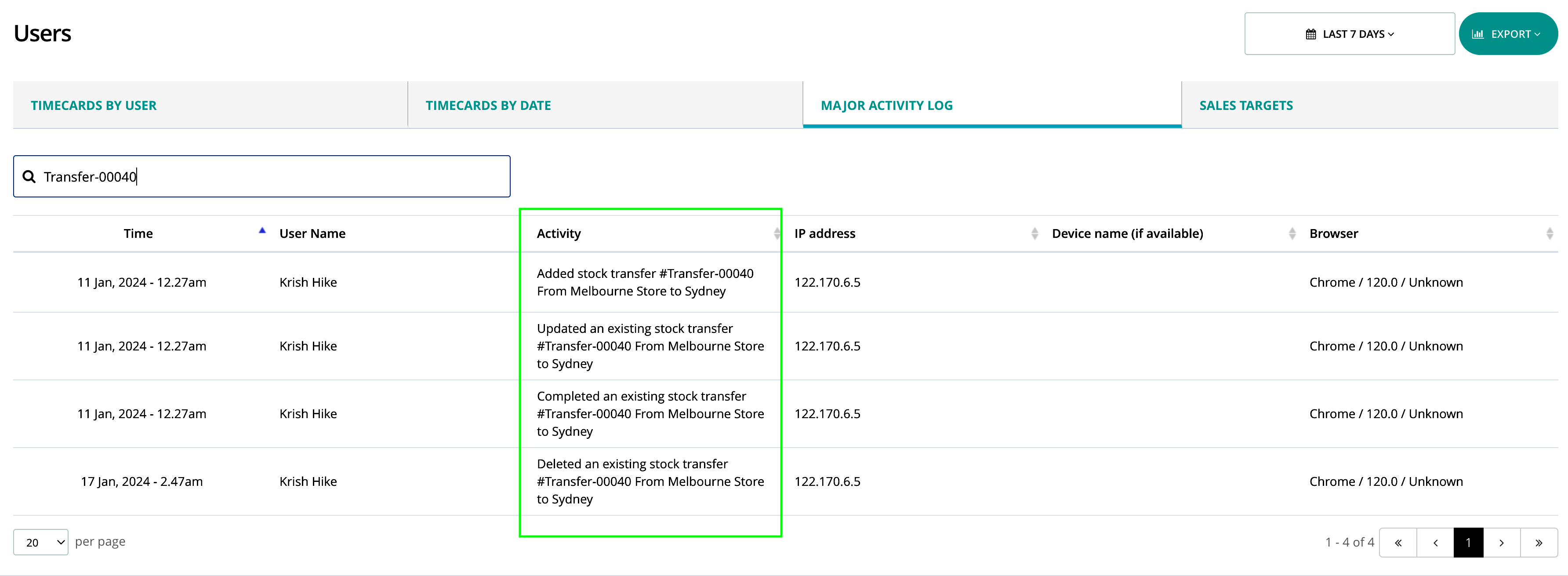
This will help the Store admin/owner to double-check the activity of the users in Hike.
User permission to Park sales.
(Supported plan: Hike Plus)
Currently, all users have the right to process Parked sales. Now, we have introduced a new user permission where you can only allow selected users to Park the sales.
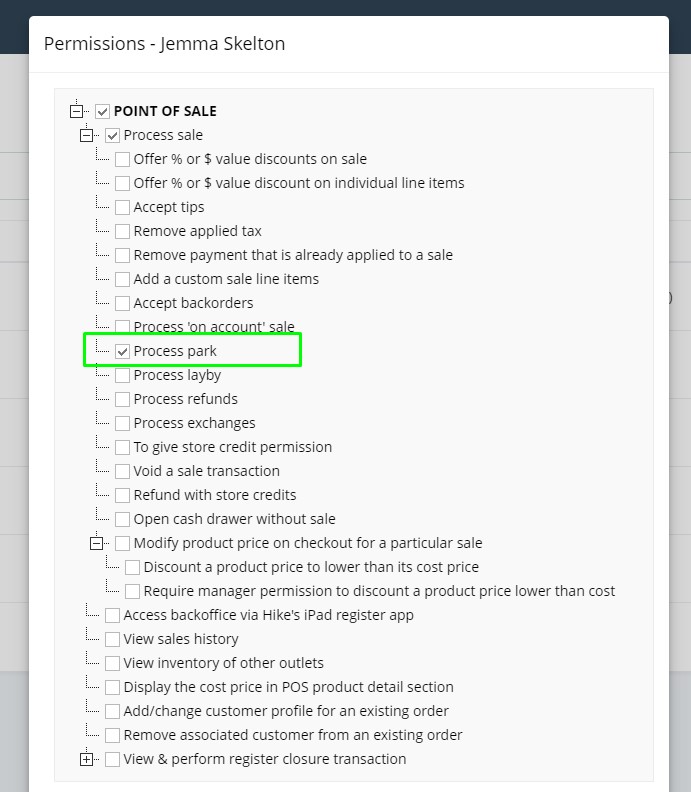
For admin users, this permission is provided by default.
Lay-by sale completion date
(Supported plan: All)
Clients who use Lay-by sales now have the option to select the completion date of the sale. We have added a new General setting where you select the Sale completion date as per your requirement.
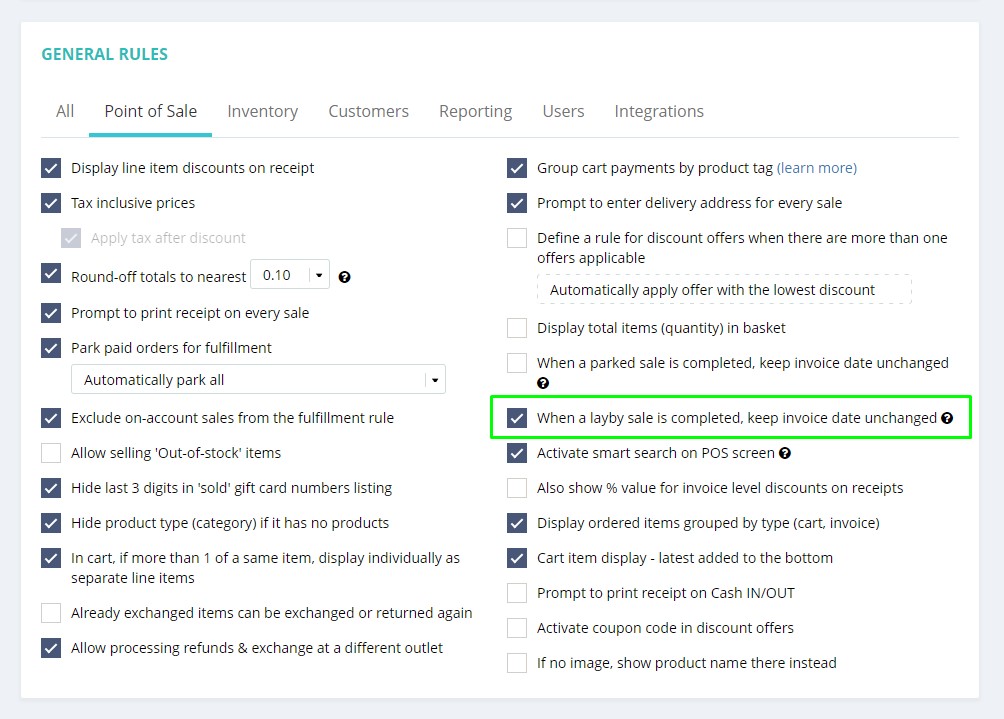
If the option is checked, a Lay-by sale invoice date will remain the same as the date the sale was created and put on Lay-by. If un-checked, the sale completion date will become the sale invoice date. Please select the option best suited for your reporting requirements.
Bulk delete option for Purchase orders
(Supported plan: All)
You can now bulk delete products from the Purchase order list as well. We have provided the checkbox next to the products in Purchase Order (PO) where you can select multiple or all products and delete them from the order.
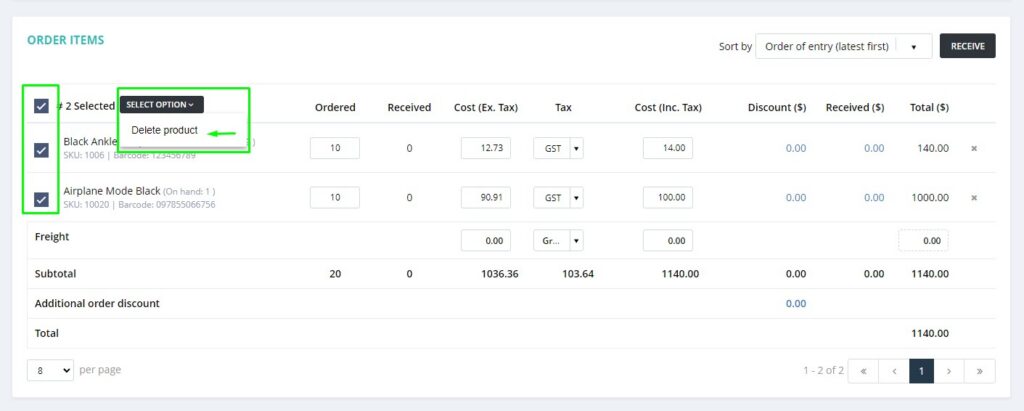
This will streamline the Purchase order process for customers with a large number of SKUs.
Loyalty points exclusion in bulk
(Supported plan: Hike Plus)
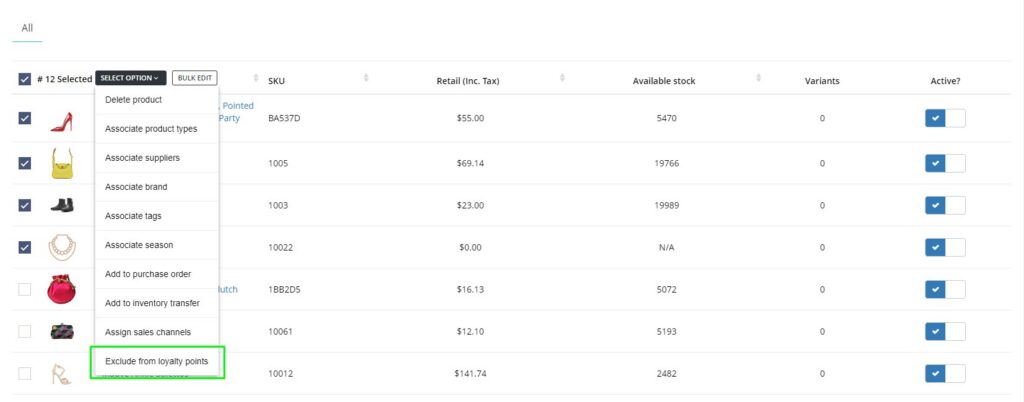
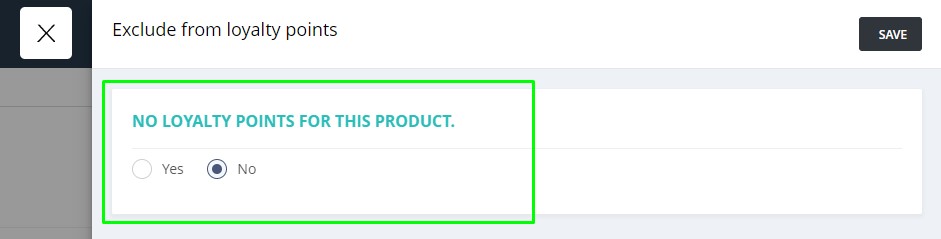
We already have the option to exclude certain products from the Loyalty points. Now, we have gone one step further and provided an option to bulk edit and remove multiple products from the Loyalty points list if required.
This could be done with a few clicks now using the bulk edit product option.
A new rounding option for sales: 0.50c
(Supported plan: All)
A new rounding-off option is now added after customer requests. We have now included 0.50 rounding-off option for sales.
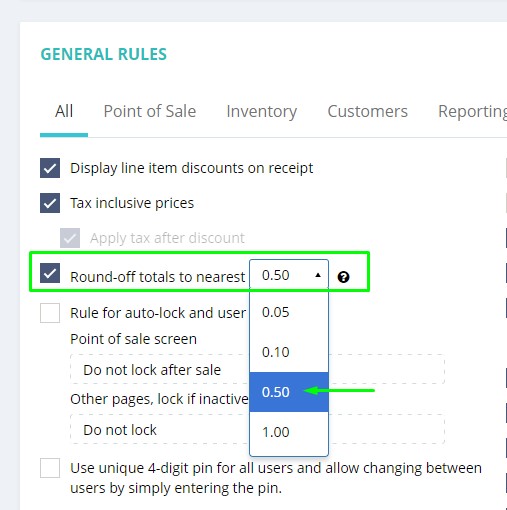
Once selected, this will round off the sale to the nearest 1 or 0.50 dollar value.
Ex: $1.11 sale will be rounded off to $1.00
$1.26 sale will be rounded off to $1.50
New Purchase order template. Similar to the Receipt template
(Supported plan: Hike Plus)
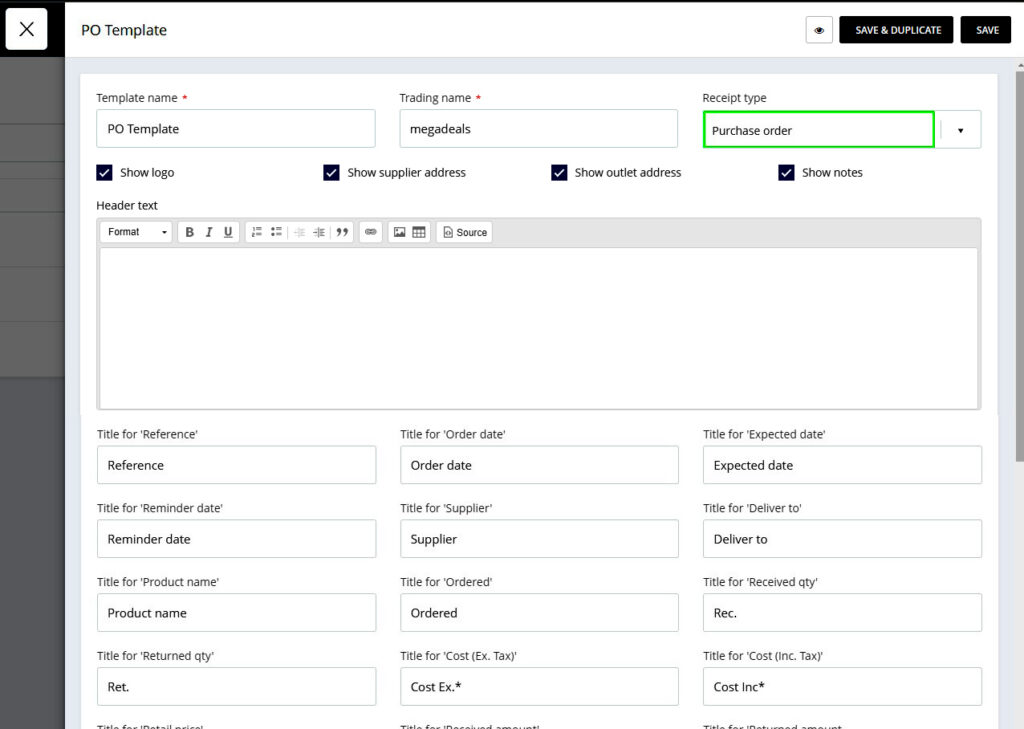
As per the client’s suggestions, we have now added a template for Purchase orders. You can add a Header and Footer to the purchase order and modify the different aspects of the Purchase order template as per your requirements. This will work just like receipt templates.
The option is provided under the Receipt template where you can select the PO template.
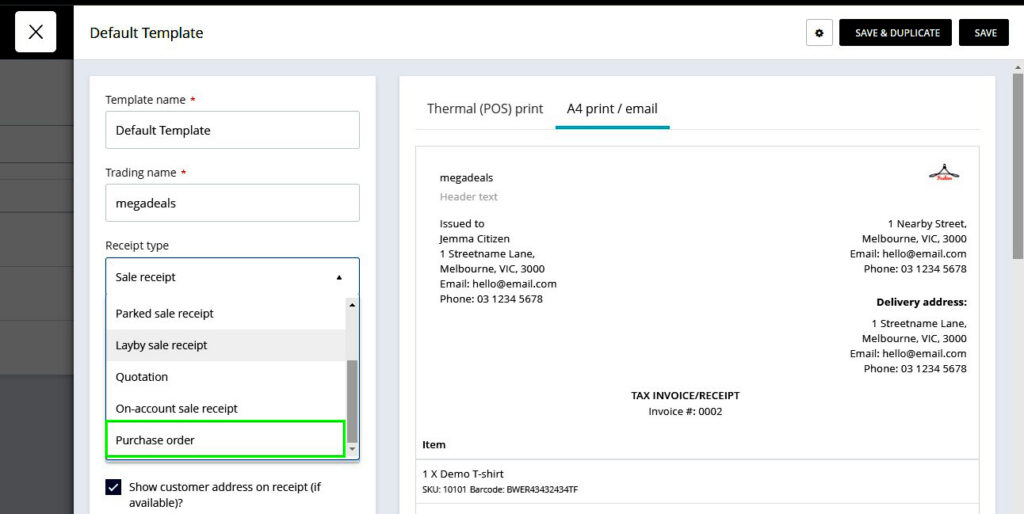
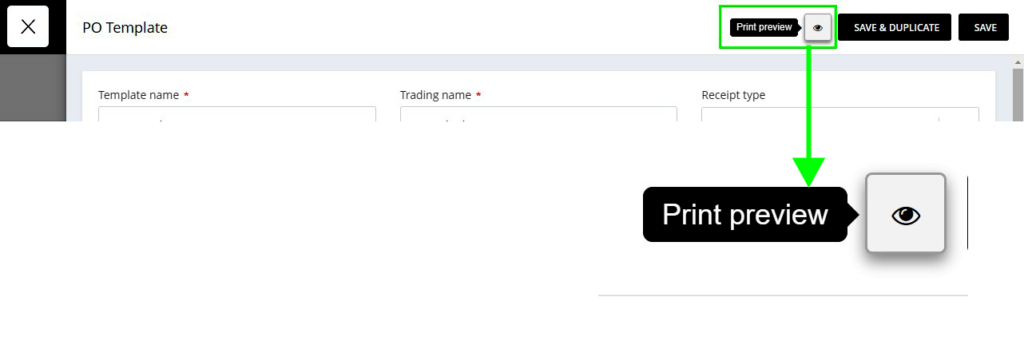
We provided the option to Check the Print preview of the Purchase order so you can check how this will reflect on the Print.
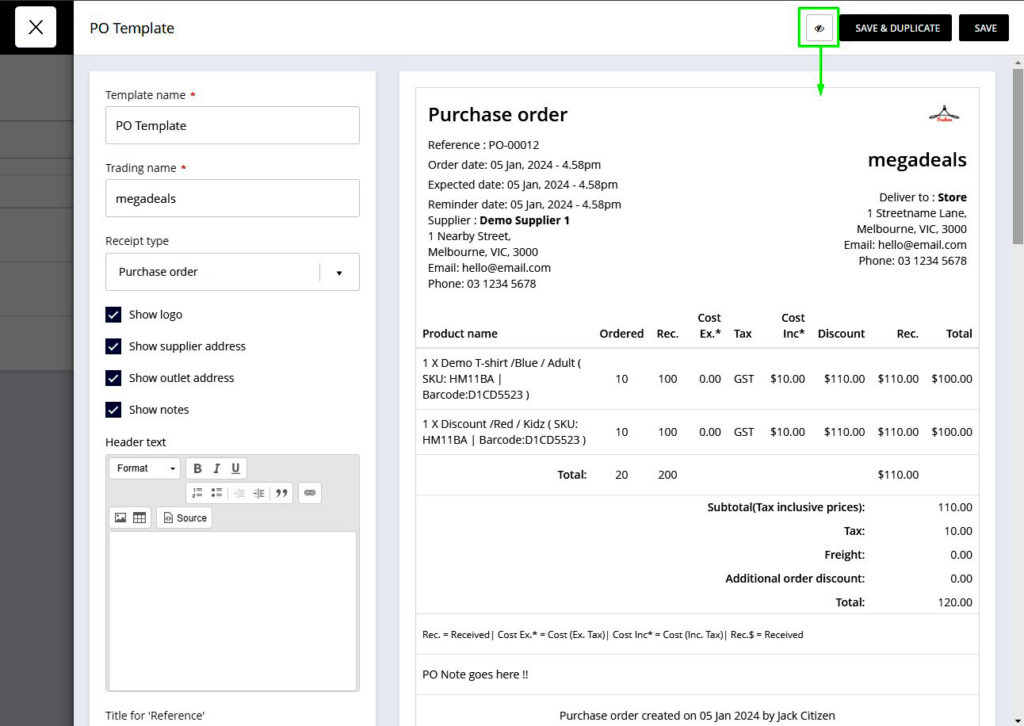
This is particularly useful for clients who want to add declarations and signatures to the Purchase order for legal requirements.
Check the total number of products on the transfer print:
(Supported plan: All)
When printing an Inventory Transfer from Hike, you will be able to see the total number of products transferred on the print. This is useful for keeping track if you are transferring a huge quantity of stocks between multiple Outlets.
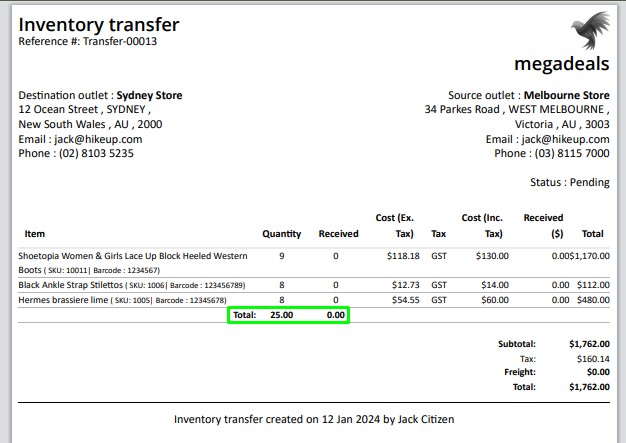
This option is only available for Completed Inventory Transfers.
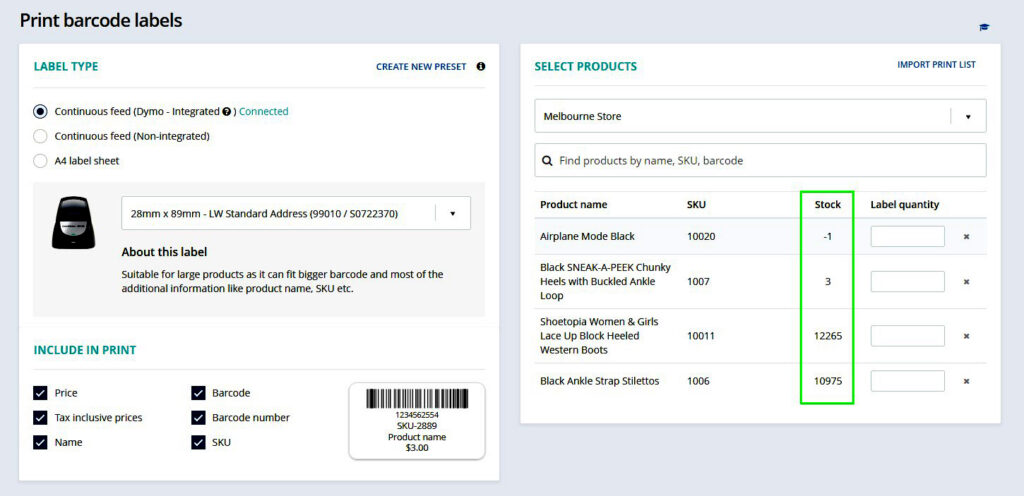
Check the current stock while printing the labels:
(Supported plan: All)
You can now check the current stock of the product while printing the labels on the Print label page. You don’t need to go back to the product page and see how many labels are needed. This will result in efficient label printing.
User Time Card by Date:
(Supported plan: Hike Plus)
With the User time-card by Date report, you can check the Time in and Time Out columns separately while exporting the report in Excel.
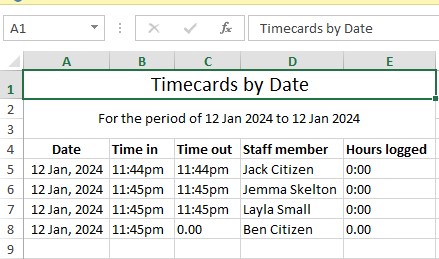
This will be useful while confirming the number of hours for the payday.
We hope you enjoy these new features and find them useful and time-saving. We would love to hear your feedback and suggestions on how we can improve them further. You can contact us at support@hikeup.com if you have any questions or comments.
If you want to share your positive experience with Hike with others, please consider leaving us a 5-star review on the platform of your choice. You can use the links below to access the review pages:
• [Google]
• [Trustpilot]
Your review will help us to reach more customers and grow our community. It will also motivate us to keep working hard and delivering more value to you.
Thank you for being a loyal customer and a part of our Hike family.
Good luck!