
iPad vs. Android POS Systems: A Retail Comparison Guide
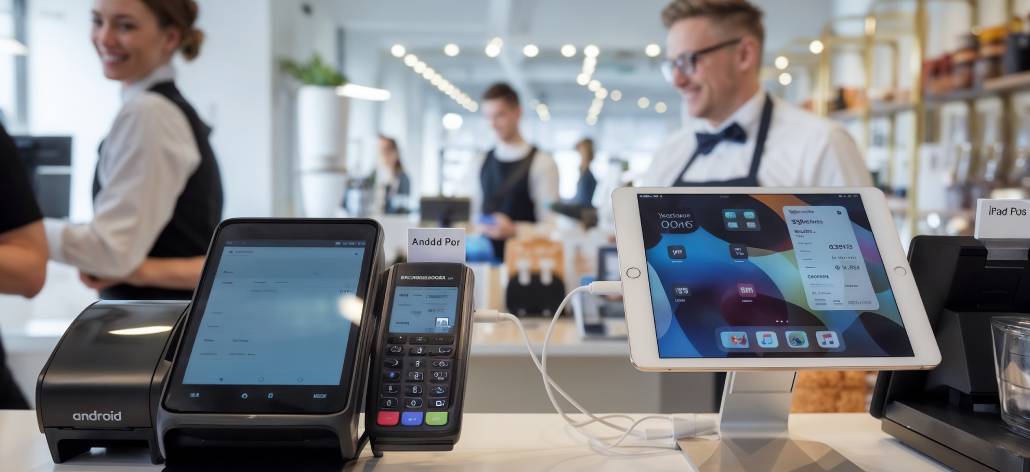
Modern retail cash register on sophisticated iPad and Android POS (point-of-sale) systems management sales and stock in a digital, tech focused environment. The digital revolution has changed the whole context of a POS system; away from a simple cash register to sophisticated retail management systems.
Today, businesses have an enormous decision to make regarding POS systems, iPad or Android? This decision affects all areas of business operational day-to-day performance; payment process, speed, inventory management, tracking customer information and relationships, stores business analytics and staff training. A suitable POS system is the engine of retail operations, driving sales increases and operational efficiencies. An unsuitable POS system can result in wasted dollars, wasted integrations and frustrated employees. The iPad vs Android POS system offers differing benefits for differing business models. For example, the iOS platform has a reputation for better security and integration. The Android platform on the other hand has flexibility and relatively inexpensive customization.
In this article, we will analyze iPad and Android POS systems comprehensively in order to guide you through this important decision and identify the best fit for your business model, budgetary considerations, and operational necessities.
Understanding POS Systems for Retail Businesses
A Point of Sale (POS) system is essential for retail operations, managing transactions, inventory, and customer data. Today’s POS solutions have advanced from basic cash registers to comprehensive software platforms that optimize business processes.
Core Functions of Modern POS Systems
Modern retail POS systems handle a comprehensive range of functions that extend far beyond simple transaction processing. These systems manage sales processing and payment handling while providing real-time inventory tracking capabilities. They also offer employee management and scheduling features, customer relationship management tools, sales reporting and analytics, and multi-store management capabilities for growing businesses.
Benefits of Cloud-Based Solutions
Cloud-based POS solutions offer significant advantages for retail stores. Remote access allows business owners to monitor performance from anywhere, while automatic updates ensure software stays current without manual intervention. These systems provide enhanced data security through regular backups and improved protection measures. The scalability of cloud solutions makes business expansion easier, and real-time synchronization ensures instant updates across all store locations.
Hardware Integration
The integration of retail management software with POS hardware ensures smooth operations. Modern systems connect various hardware components, including touchscreen displays, card readers, receipt printers, barcode scanners, and cash drawers. This integration allows retailers to efficiently process transactions while gathering valuable data for business growth and customer satisfaction. The right mix of hardware and software forms a strong base for retail success.
It’s important to note that there are distinct differences between restaurant and retail POS systems, each tailored to meet the specific needs of their respective industries.
Overview of iPad and Android POS Systems
iPad and Android POS systems represent two distinct approaches to modern retail management technology. Each platform brings unique advantages to business operations.
iPad POS Features and Capabilities
The iPad POS system excels in user experience through its intuitive design, featuring a sleek, unified interface with instant-on functionality and built-in security protocols. It offers native integration with the Apple ecosystem, standardized hardware specifications, and regular iOS updates and patches. Staff members can master the interface with minimal training, thanks to Apple’s consistent design language across applications. The standardized touch gestures, responsive controls, and familiar iOS environment create a seamless operational flow for businesses.
Android POS Capabilities and Flexibility
The Android POS system demonstrates flexibility by providing users with a variety of options when it comes to hardware manufacturers, custom software updates, price tier options, open-source platform advantages, peripheral options and rollout options! Aside from the variety of options available through the software application, businesses can change both the software and hardware relative to their operational styles.
The Android POS platform allows for unique custom menu layouts, specialized inventory management systems, unique payment processing flows, features developed for specific industries, custom reporting functions and legacy system integration. The opportunity to customize Android POS systems goes beyond software customizations. Businesses have a choice of hardware manufacturers, modes of processing, and screen sizes leading to a system that meets performance and cost needs.
Flexibility is a feature of the Android POS system as demonstrated by an implementation approach of MOSA (Modular Open Systems Approach). This approach encourages the use of flexible modular systems that are configurable and adaptable to specific needs existing in languages/disciplines at the software modifications evident in Android POS systems. Further to this, the open-source platform advantages of Android POS systems are comparable to what was discussed and reviewed in recent literature that examined the benefits of open-source technology in a variety of sectors such as retail management.
Comparing iPad vs. Android POS
The security architecture and support infrastructure of your POS system directly impact your business operations. Let’s examine these crucial aspects for both platforms.
Security Models and Protection
iPad’s iOS security features include a closed ecosystem with strict app verification, regular security updates pushed automatically, built-in encryption for all transactions, secure hardware-software integration, and limited exposure to malware threats. This closed ecosystem provides enhanced protection against security breaches, making it particularly suitable for businesses handling sensitive customer data. The standardized security protocols reduce the risk of payment fraud and data theft.
Android security features offer customizable security protocols, Google Play Protect scanning, regular security patches, device-specific security features, and open-source vulnerability monitoring. Android’s open platform requires more active security management but offers greater control over security implementations. Businesses can implement custom security measures tailored to their specific needs.
Support Infrastructure and Service
iPad Support System:
- 24/7 Apple Support availability
- Genius Bar in-person assistance
- Standardized troubleshooting processes
- Consistent support quality across regions
- Direct manufacturer warranty handling
Android Support Channels:
- Multiple vendor support options
- Hardware manufacturer assistance
- Software developer support
- Local repair service flexibility
- Community-driven solutions
Customization, Integration and Cost Implications
iPad POS systems operate within Apple’s controlled ecosystem, limiting hardware options to certified peripherals and software to App Store-approved applications. This restriction creates a standardized experience but reduces flexibility for businesses requiring unique solutions.
Hardware and Software Flexibility
Android POS platforms offer extensive customization capabilities with hardware options compatible with various manufacturers and price points, software flexibility through open-source nature allowing custom app development, and integration potential with broader compatibility for third-party systems.
Investment and Cost Structure
The cost structure between platforms reveals distinct patterns. iPad POS investment typically involves higher upfront hardware costs and premium software licensing fees, but results in reduced maintenance expenses and lower training costs due to the intuitive interface.
Android POS investment offers budget-friendly hardware options and flexible software pricing models, though it may require potential increased IT support needs and variable maintenance costs based on chosen solutions.
Small businesses often find Android POS systems more accessible due to lower initial costs, while larger enterprises might prefer iPad POS for its streamlined deployment across multiple locations. The choice between platforms should align with your business’s growth trajectory and operational requirements. Additionally, the adaptability of Android OS can be a significant advantage for businesses looking for scalable solutions.
Use Cases
Ideal Business Types for iPad POS
iPad POS systems work exceptionally well for high-end retail boutiques requiring sleek, professional aesthetics, restaurants with fast-paced service demands, healthcare clinics handling sensitive patient data, art galleries and luxury goods stores, and businesses already using Apple devices. The platform excels in retail environments with built-in security for payment processing, hospitality settings requiring quick staff training with intuitive interfaces, and professional services needing a polished client-facing experience.
Best-Suited Businesses for Android POS
Android POS systems are particularly suited for multi-location retail chains needing custom features, food trucks requiring rugged hardware, pop-up shops with budget constraints, warehouses requiring specialized inventory tracking (such as those utilizing advanced inventory management controls), and businesses with existing Android infrastructure.
Industry-Specific Advantages
iPad POS Advantages:
- Retail: Built-in security for payment processing
- Hospitality: Quick staff training with intuitive interface
- Professional Services: Polished client-facing experience
Android POS Strengths:
- Manufacturing: Custom app integration, which can be particularly useful for industries that require extended warehouse management
- Distribution: Flexible hardware options, like those offered by Milwaukee Tool.
- Small Retail: Cost-effective scaling
- Service Industries: Adaptable workflow solutions
Integrating Cloud Retail Solutions with Your Chosen POS System
Cloud connectivity transforms modern retail operations into dynamic, data-driven enterprises. Both iPad and Android POS systems leverage cloud capabilities to deliver real-time insights and streamlined operations.
Essential Cloud-Based Features
Modern cloud-based POS systems provide real-time inventory sync with automatic stock updates across multiple locations, low-stock alerts and automated reordering, and vendor management integration. They offer advanced sales analytics including live sales performance tracking, employee productivity metrics, and custom report generation. Customer relationship tools encompass digital loyalty programs, personalized marketing campaigns, and customer purchase history tracking.
Platform-Specific Cloud Integration
The iPad POS systems take advantage of the relationship with Apple and cloud integration using native iCloud methods, allowing automatic backup and data synchronization between devices. This platform also has security measures built into the system to keep all data secure from transmitted cloud servers to POS terminals.
The Android POS systems have versatile capabilities for cloud integration using various third-party services. This method lets businesses elect the cloud providers that have their required capabilities based on cost-effectiveness. Also, Android systems allow users to create custom API for creating their own cloud-based capabilities.
Both platforms provide offline functionality with automatic cloud synchronization once internet connectivity resumes. This hybrid approach ensures business continuity during network interruptions while maintaining data accuracy across all sales channels.
Conclusion
Selecting either the iPad or Android POS system affects the way your business operates moving forward. An assessment of your particular needs lays the groundwork for this important selection. Businesses needing security will benefit from the iPad’s closed ecosystem, whereas cost-sensitive businesses will find value in the varied price points of Android’s offerings. Android’s customizable features are suitable for needs that require configuration, and users with Apple hardware will appreciate the integration of an iPad POS into their existing ecosystem.
It is a matter of finding the perfect solution through an equal evaluation of cost of hardware, security protocols, needs for training staff, level of integration, and room to grow. Take time to view this map against what you intend to do in your business. The right selection provides your retail technology strategy with direction, so you can grow the business sustainably in the unpredictable business landscape of today.