
Hike Update: October 2026
Every update to Hike is designed to make your day-to-day store operations smoother, clearer and more efficient.
This month, we're introducing a few practical improvements to help you set up your e-commerce platform, manage inventory, run promotions, review register totals and process transfer orders more efficiently.
Let's take a look at what's new!
1. Discover the New Hike E-Commerce Experience
(Supported plan: Plus)
We've launched a new and improved version of Hike E-Commerce, designed to make building and managing your online store easier than ever!
Enjoy a more attractive design, an improved user interface, enhanced security, and a simple setup process that helps you get your website up and running with ease.
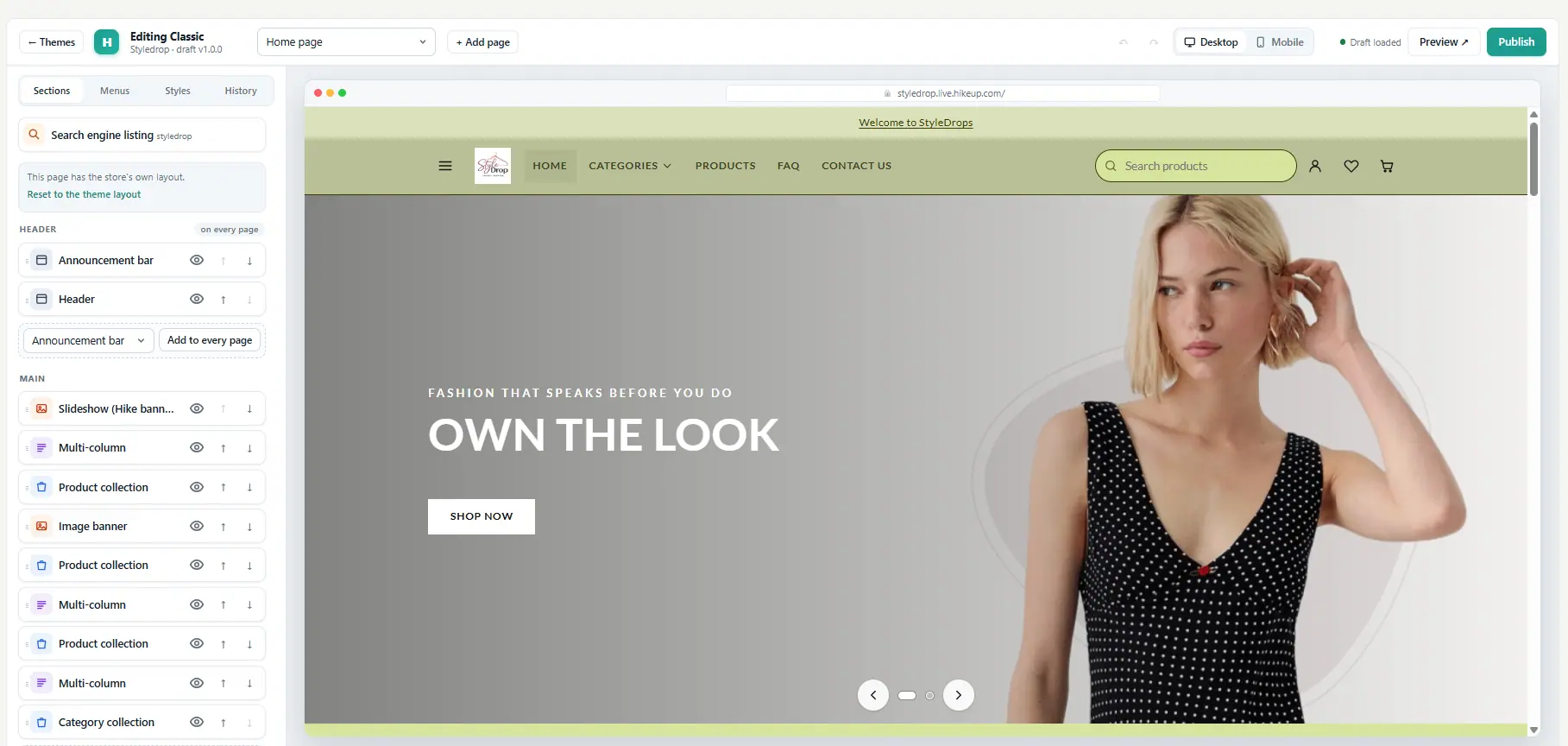
Looking for a design that suits your business? The new version offers a wider range of themes tailored to different business types and product categories, making it easier to create an online store that reflects your brand.
With a fresh look, easy setup, and more theme options, creating your online store with Hike has never been easier!
2. Run Promotions with Sale Prices
(Supported plan: Plus)
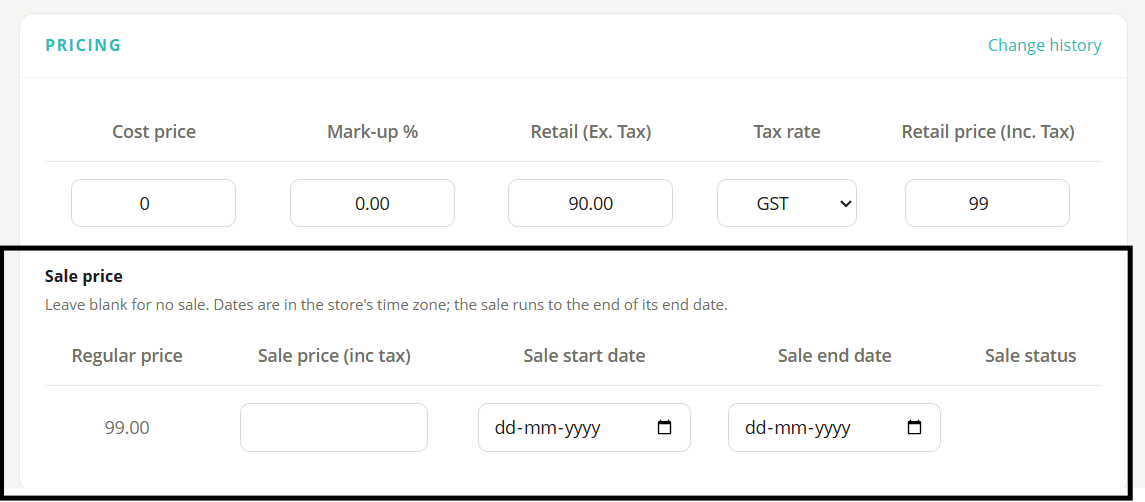
Planning a promotion? Hike lets you set both a regular price and a sale price for your products, making it easier to offer discounts and attract customers.
You can also schedule your promotions by setting start and end dates. Once the scheduled end date passes, the sale price will automatically be discontinued.
Sale prices are also reflected on barcode labels! For products on sale, labels display both the original price (crossed out) and the discounted price, helping customers quickly identify offers and see their savings.
With flexible pricing and scheduled promotions, managing product discounts is easier than ever.
3. Get Better Visibility into Your Purchase Order Values
(Supported plan: Plus)
Managing your inventory purchases just got easier! Hike now displays a value breakdown of purchase orders based on their status under Inventory > Purchases.
Quickly review the total value of Draft and Yet to Be Sent purchase orders, along with orders that are Not Yet Filled or Partially Filled.
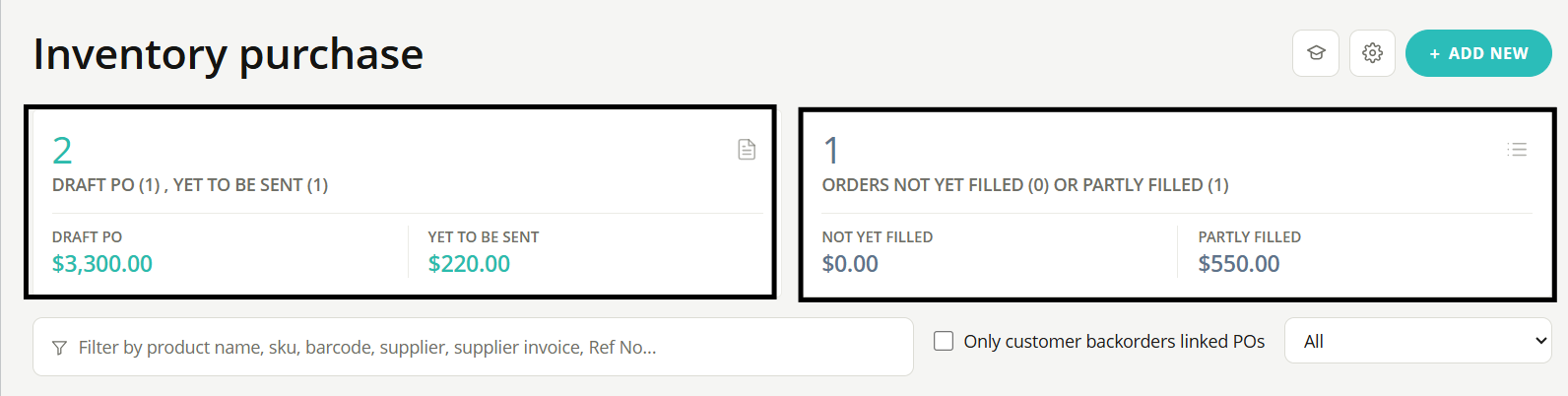
This enhancement gives you a clearer picture of your pending purchases and incoming stock commitments, helping you track purchasing activity, plan your budget, and manage inventory spending more effectively.
Better visibility, smarter budgeting, and greater control over your purchases!
4. Keep Stock Updates Accurate with Accounting Integrations
Using Xero, QuickBooks Online or MYOB with Hike? There's an important change to remember when managing your inventory.
When an accounting integration is enabled, you can no longer update existing stock quantities directly from the Products page or by importing an Excel file. This restriction helps prevent stock discrepancies and accounting synchronisation errors.
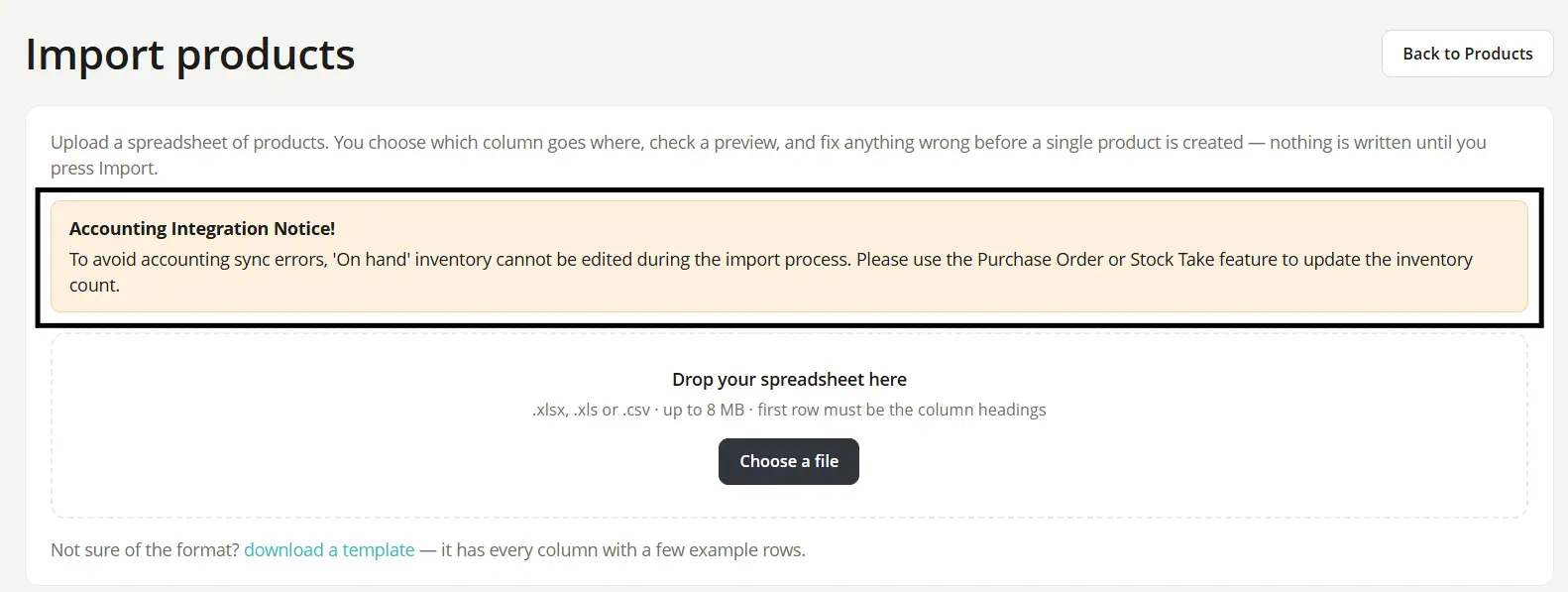
So, how can you update your stock?
You can use either of these features in Hike:
- Purchase Orders: Record incoming stock as you receive it.
- Stocktake (Inventory Count): Update stock quantities based on the actual inventory available in your store.
Using these features helps keep your inventory records accurate and your stock movements properly recorded.
5. Get a Clearer Breakdown of Payments and Sales
(Supported plan: All)
Want a clearer picture of your register totals? Hike now provides a more detailed breakdown of the Payment Summary and Sales Summary in the Cash Register and Register Closure sections.
Payment Summary
Payments Received, Gift Cards, Reward Points, Store Credit and Net Receipt are now displayed separately, making it easier to understand how each payment component contributes to your register totals.
Previously, amounts redeemed through gift cards, reward points and store credit were included in Payments Received. With this update, you can review these amounts individually for greater transparency.
Sales Summary
You can now view your total sales in two ways:
- Total Sales Including Tax: The total sales amount, including applicable taxes.
- Total Sales Excluding Tax: The total sales amount before taxes.
This makes it easier to distinguish sales revenue from the tax component.
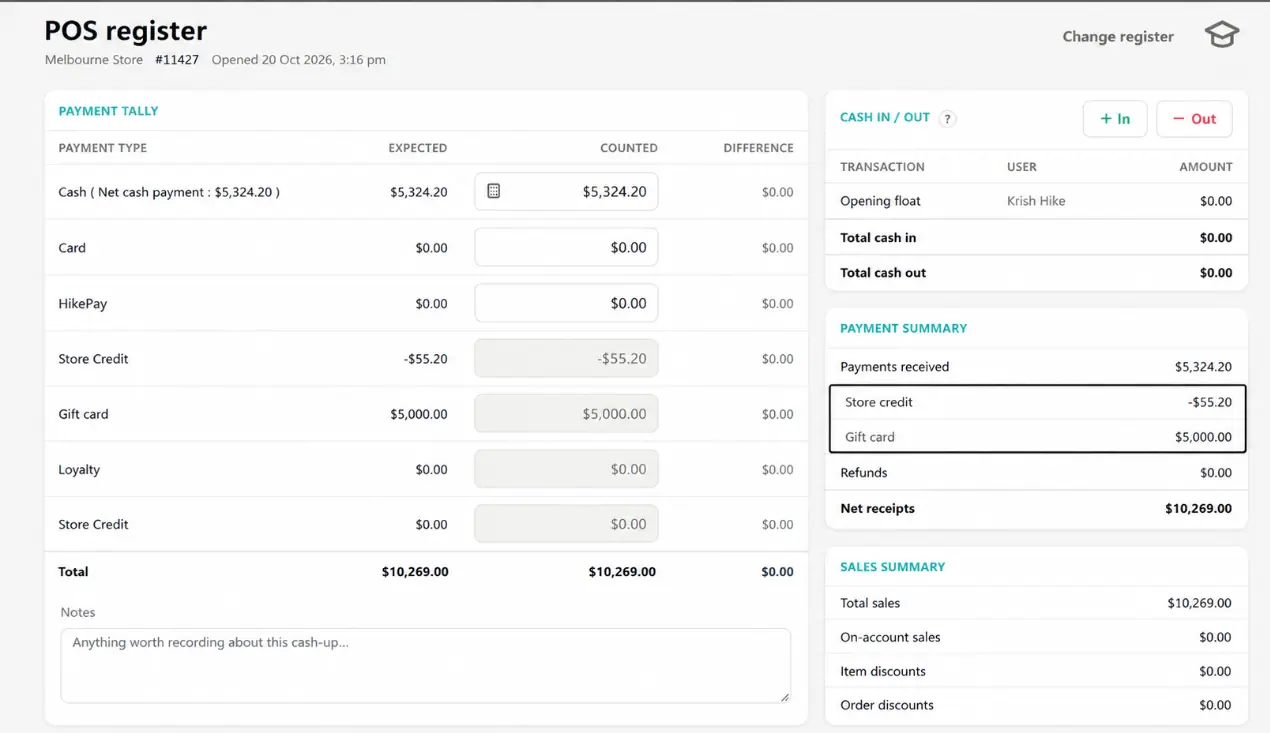
The detailed breakdown is available on the Cash Register screen, Register Closure screen, printed Register Closure report and Register Closure report sent via email.
Clearer figures, better visibility and easier register reconciliation.
6. Prevent Transfer Order Errors with Improved Validation
We've enhanced the Save & Duplicate functionality in Transfer Orders to help prevent errors when changing the source outlet.
If a product in the transfer order has Outlet Visibility disabled in the newly selected source outlet, Hike will display a warning message.
For example, if Product-A is visible in Melbourne and Perth outlets but not in Sydney, changing the source outlet from Melbourne to Sydney will trigger a warning.
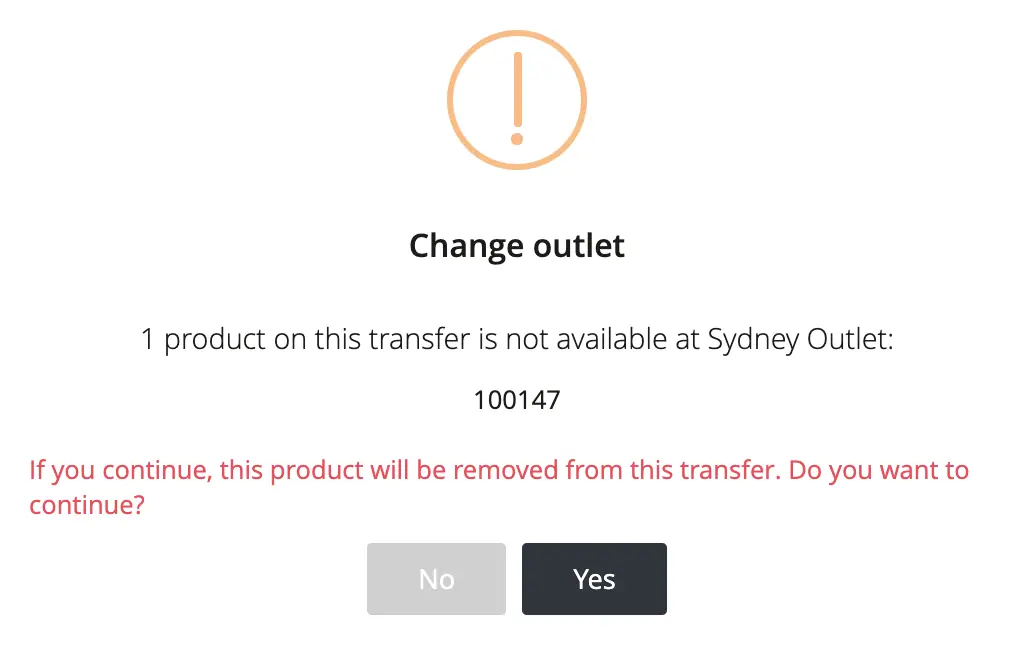
If you select Yes, Hike will remove Product-A from the product list and continue creating the transfer order with the remaining eligible products.
Note: Before proceeding, ensure that the required products have Outlet Visibility enabled in the selected source outlet.
7. Know Who Created Each Product
(Supported plan: Plus)
Managing products just got easier! Hike now displays the Created By column on the Products listing page, allowing you to see which team member originally created each product.
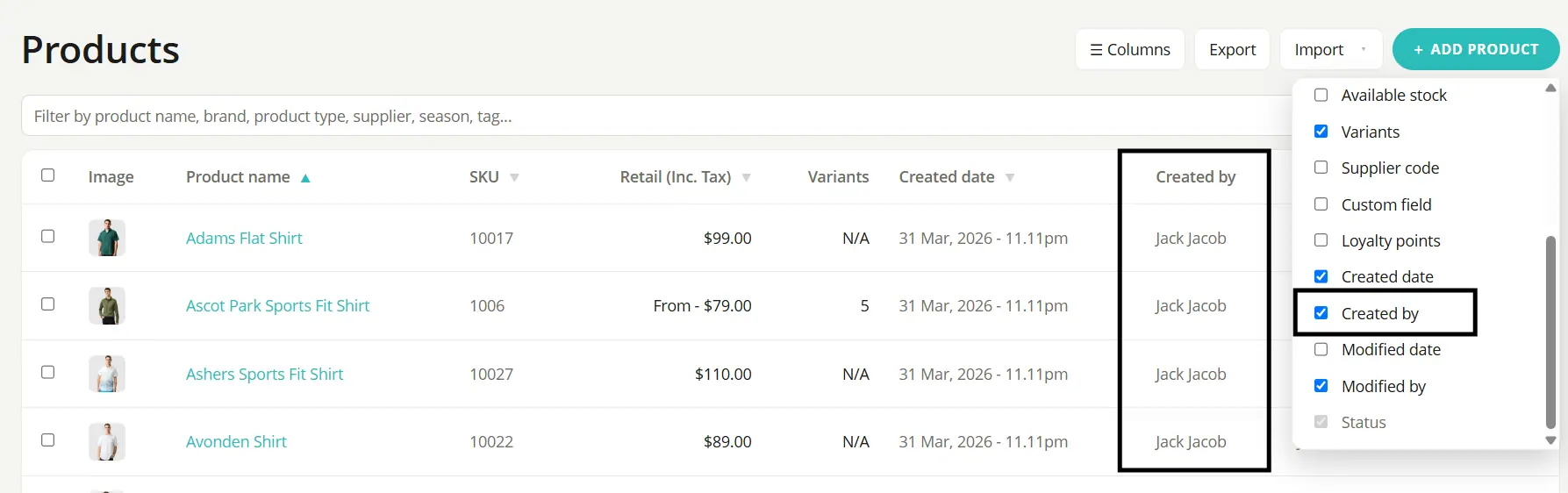
This enhancement gives you better visibility into product management, making it easier to track product entries and identify who added them to your Hike account.
More visibility, better accountability, and easier product management!
8. Transfer Stock in Parts with Partial Transfer Orders
(Supported plan: Plus)
Need more flexibility when transferring stock between outlets? Hike now allows you to transfer stock partially, giving you better control over your inventory movements.
Previously, you could only transfer all outstanding stock in a transfer order at once. With this enhancement, you can enter the quantity you want to transfer for each product and process it in stages, just like receiving stock through a Purchase Order.
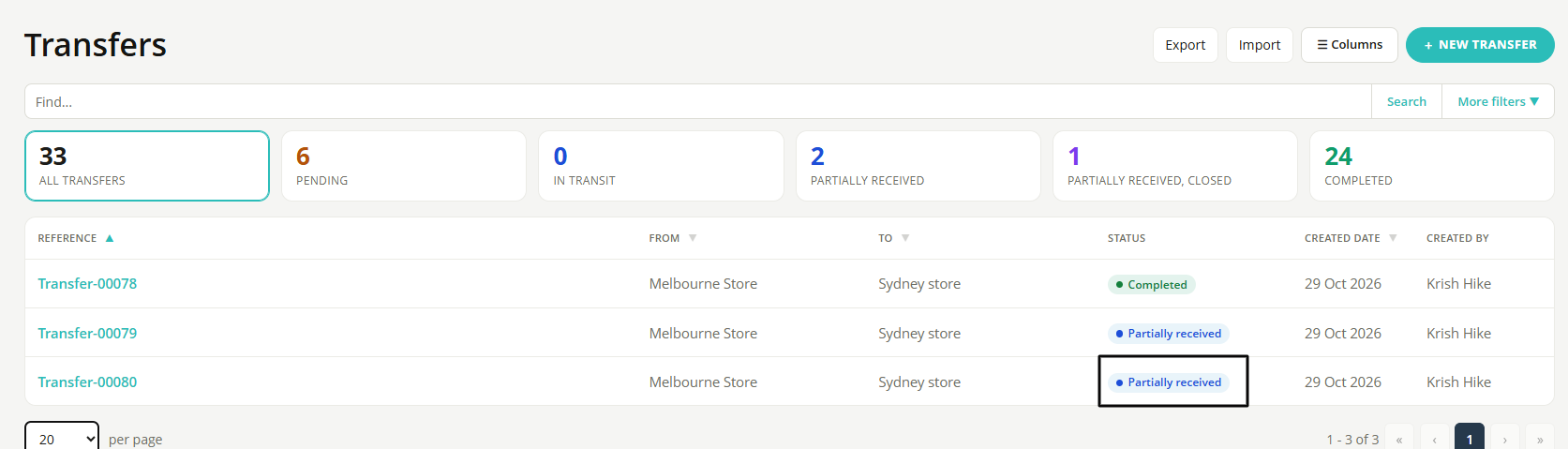
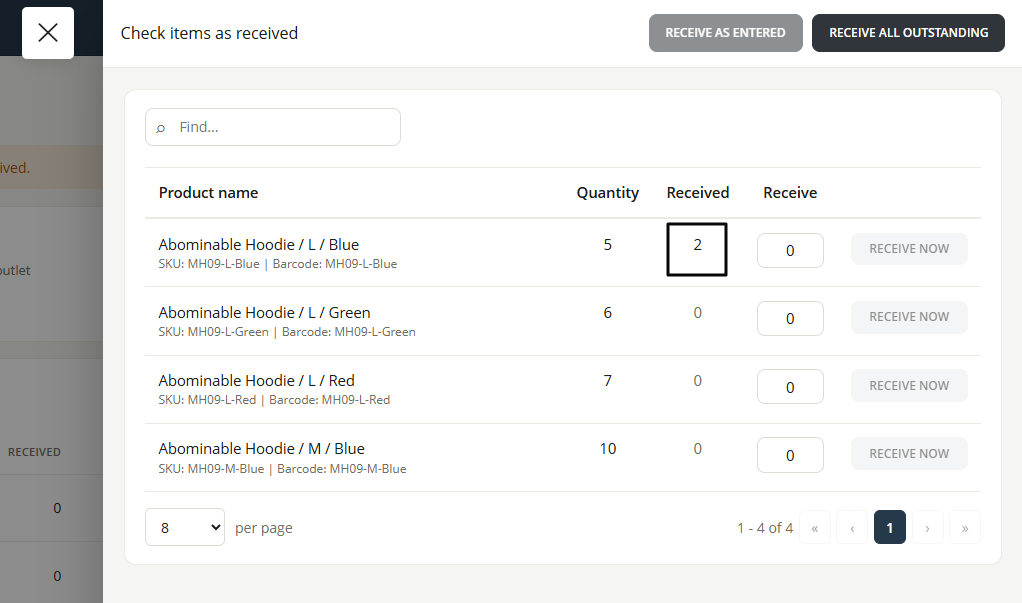
This makes it easier to manage stock when only some items are ready to be transferred, while keeping inventory movements more accurate and manageable.
More flexibility, better stock control, and smoother transfers between outlets!
That's the October Update!
From more accurate inventory management and clearer register reports to easier promotions and improved transfer orders, these updates are designed to help you manage your store more efficiently.
Explore the latest improvements in your Hike account and make the most of a smoother retail management experience.
Have questions or feedback? Talk to the Hike team.
Ready to get started with Hike? Try Hike free for 14 days. Instant access, no credit card, no risk.