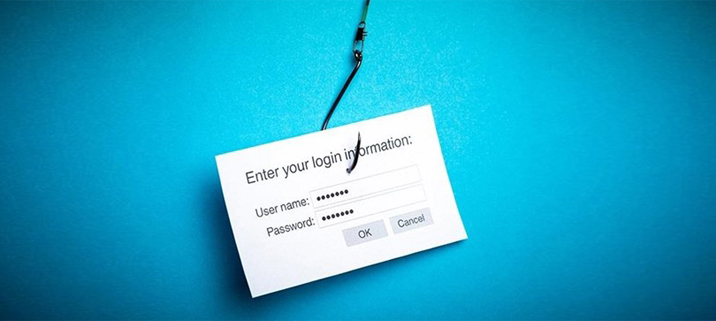
How to avoid falling hook, line and sinker for a phishing scam

Online security is a major concern for all individuals and businesses. More of our personal information is available online now than ever before, and it is valuable data for fraudsters. One of the most popular ways that they try and steal this information is through phishing scams.
What is a phishing scam?
Basically, a phishing scam is where a malicious email designed to get you to give up your private information masquerades as a legitimate email from a business or individual. Phishing emails can come across in two different ways.
- The email address shown to you is a legitimate one, but it is not actually the one that the email has been sent from. This is known as spoofing and is where the email “from” field can be altered to hide the real sender, or where the email is bounced around multiple senders until it reaches its destination.
- A legitimate email address is subtly doctored by adding a character, word or even space. It is much more believable that this email has come from the company stated, and it is easy to fall into this trap.
By using legitimate or legitimate-appearing email addresses, thieves hope to trick you into following their instructions.
What do these emails do?
The majority of these emails pretend to be from a bank or large organisation and ask you to log into your account. This is usually done under the pretence of asking you to update your information or change your password because they believe there may have been fraudulent activity on the account. Ironic, right?
The emails will normally contain a link to the ‘company website’. In fact, these are pages that have been created to look just like the official company website, but are controlled by the fraudsters. As you enter your username and password, you are essentially giving away these details to the fraudsters who can use them to access your legitimate accounts. Even if they fail to do this, they may be able to use your password to hack other accounts in your name.
Unfortunately online fraud is growing almost as fast as technology is developing. However there are various steps that you can take to help keep the information that you share online safe and secure. Here are our top tips to avoid falling hook, line and sinker for a phishing scam.
Check out email addresses
These are your biggest clue to a phishing attack. Always check the origin of any emails that you aren’t expecting, particularly if they contain requests to sign into an account or click on a link.
Many phishing emails will try to panic you into clicking and logging in, possibly by telling you that your account has been compromised, or by telling you that you have won a prize. Don’t feel rushed, take your time and check that the email address is legit by comparing it to one of the emails you have previously received.
Examine everything closely
From the email itself to the webpage that the link leads to (if you do click on it), be vigilant. Thieves are very good at producing almost perfect copies of company emails and web pages, but even the slightest thing being off could alert you to a potential phishing scam.
Ensure that logos, layouts and formatting all seem legit by comparing it to any communications you have previously received. Even something as small as using slightly the wrong shade of blue could indicate that something is amiss.
Trust your gut, if it feels and seems ‘off’, it probably is!
Don’t get click happy
Don’t just automatically get drawn into clicking on the link in the email. If you place your cursor over it then the full web address should come up. Secure websites like those used by banks and large corporations will begin with http, so you know that you can trust them.
If you are in any doubt at all, avoid the link altogether and instead go to the website in it independently. That way you can be sure you are logging into the real thing!
Don’t be afraid to ask
No company is going to jump down your throat for asking them if an email from them is legit. Contact the customer service department of the company that the email is supposedly from, and verify its authenticity.
Not only could you help save other people from the same phishing scam by making the business aware that someone is phishing using their name and giving them the opportunity to warn their customers, but you are also alerting them to the fact their database may have been hacked.
If you are ever concerned about an email that you have received from us here at Hike, please feel free to contact us to get verification on its origin.
What do I do if I think I have been phished?
If you suspect that you have fallen for a phishing scam then the first thing that you should do is change the passwords for all of your online accounts, and in particular on the legitimate website mentioned in the email. Changing ‘password’ for ‘password1’ isn’t going to cut it, so come up with something original and in no way, shape or form linked to your old passwords!
Then you should notify the company used in the attack and inform them that you believe that your account may have been compromised. They should then be able to confirm if any fraudulent activity has taken place.
There is no doubt that online security will continue to be a major concern heading into the future. However using a little bit of investigative work and a whole lot of common sense, we can still defeat the cyber-thieves and avoid falling hook, line and sinker for a phishing scam.