Hike update: December 2017

What’s new in Hike: December update
New features
We’re ending the year on a high with some great new additions to Hike POS. We want to also thank you, our valued customers on a great 2017 and we can’t wait to get stuck into a big 2018.
Hot keys
We’ve heard your requests and are finally excited to say that Hot Keys have finally arrived onto Hike POS! You are now able to use keyboard shortcuts to navigate to the most pertinent pages in Hike, speeding up the sales process greatly.
The hot keys currently active in Hike are:
- SHIFT + D = Navigate to the Hike Dashboard
- SHIFT + P = Navigate to the Products Page
- SHIFT + S = Navigate to the Enter New Sale screen
- ESC = Close any slider page (e.g. Customer Edit screen)
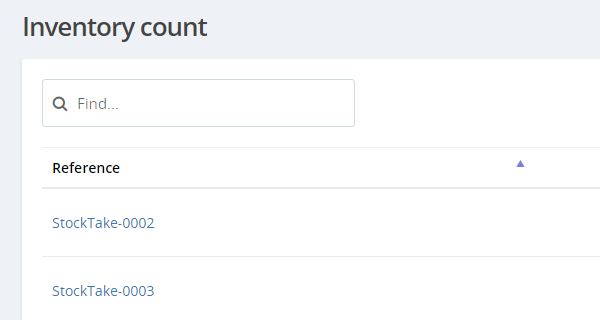
Delete inventory counts
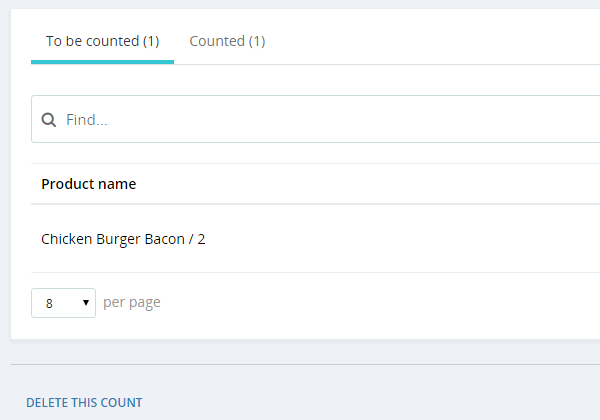
Hike will now let you to delete inventory counts, even if they are in the middle of performing one.
Previously, retailers would need to complete a count once it had started as products assigned to the count would be locked (disabled from being sold) until the stocktake had finished.
With the addition of this new feature, retailers can simply select Delete This Count from the bottom right on the specific Inventory Count page, and all their products will be promptly unlocked and free to be sold.

Note: No record of this deleted count will appear in the Inventory count section of Hike.
New discount offer: Buy X get Y for a ($) dollar discounted price
Hike has readily made available discount offers where retailers can offer customers a ‘Buy X Get Y for free’ deal.
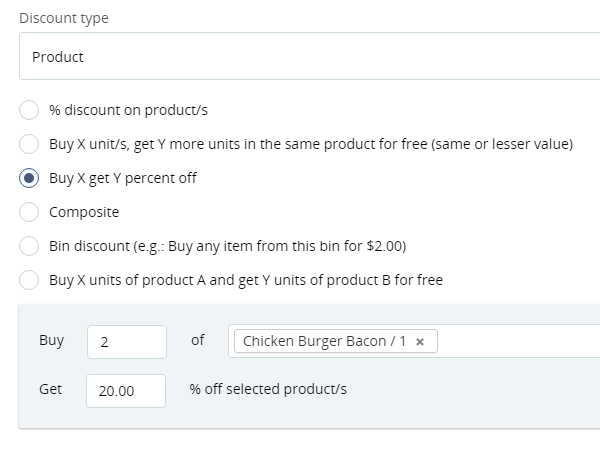
Now, you will also be able to offer a Buy X, Get Y for a $ price – meaning customers that buy one item, will now also be able to purchase another item at a discounted price, as set by the retailer.
This is in addition to an existing discount offer in Hike, where customers can Buy X and get Y for a percentage off.

Take deposit payment for backorders
When a customer purchases an item that is out of stock, that order is placed as a backorder. Once that stock arrives, the customer will be notified and will pay for the item once he/she picks it up.
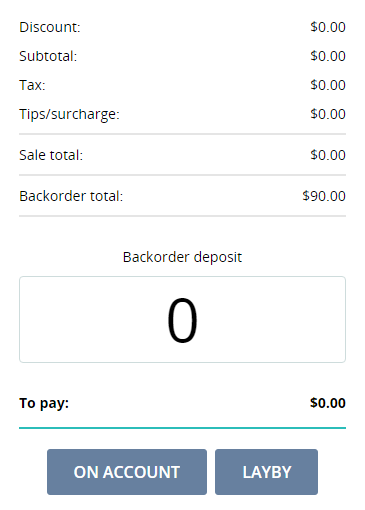
Now a retailer or customer can opt to deposit a payment when the backorder is created – either by paying for the item/s in full or partially paying for the item, with the rest to be paid off upon collection.

Editing draft and open Purchase Orders
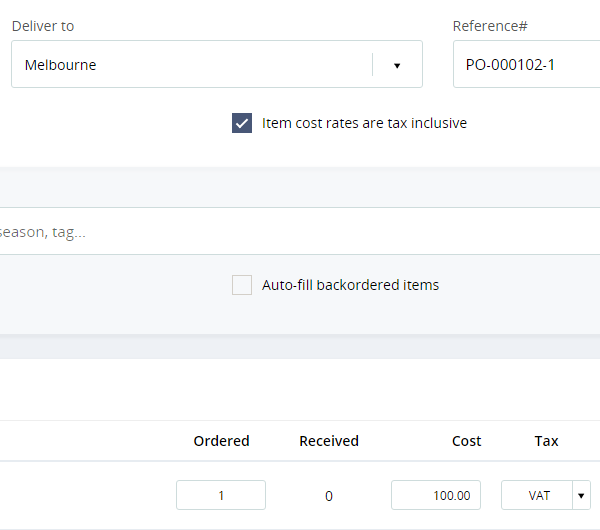
Any Purchase Orders that are in either the draft or open status, can now be edited.
You will not be able to edit the supplier, but you will be able to edit things like quantity of stock being purchased, and add new products to the PO, change PO number or even change the destination (deliver to) store address.
Ensure that you SAVE your edited purchase order, but note that once it has been fully received and marked as complete, you will not be able to edit that purchase order.

Click-to-action links for PO & Sales reference numbers throughout the app
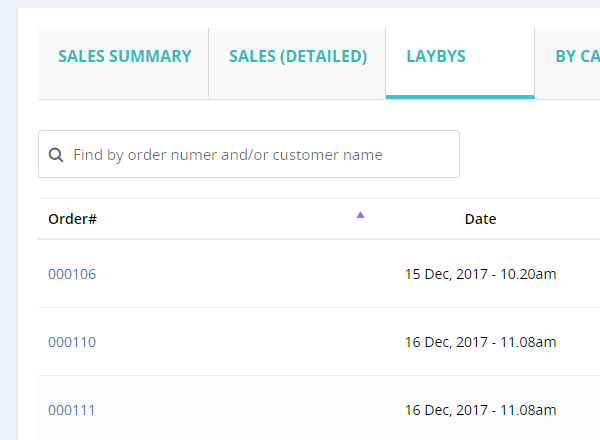
Now purchase and sales reference numbers throughout the Hike app are linked. Be it a sales report, inventory dashboard or any other section, simply click on a reference number to view complete sales or PO details in a slide out window. A convenient way to view your orders details, without having to navigate multiple screens.

Add products in Discount Offer by SKU or barcode search
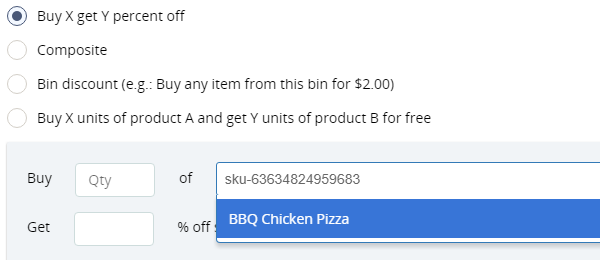
When adding products to a discount offer, you can now do so by either entering the product’s SKU number, or by searching with their barcode number, in addition to the product’s name which was how you would add an item to a discount previously.

Sequential numbering for Stock Counts and Stock Transfers
From now on, when you create a new stock count or stock transfer, Hike will automatically populate the reference number with PO-001.
Any order thereafter will follow in sequential pattern, i.e. PO-002, PO-003 etc. Of course, if you want to use your own reference numbers you will still be able to edit the field.
This replaces the current default reference number which is date based.

Print label from PO received
After receiving a Purchase order, you can now immediately print barcode labels for your newly arrived products. Simply open the received Purchase Order, and select Print Barcode Labels, and Hike will populate the Print screen for your new stock items. You can of course change or modify the list and print quantities as required.

New report: How did you hear about us?
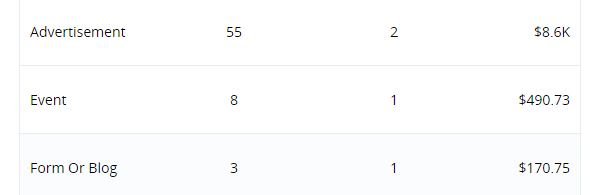
A new report to be included in Hike’s already robust reporting function will be centred on the ‘How did you hear about?’ function, that speaks to how a customer found out about your store.
This new report will breakdown exactly how your customers came to shop in your store, giving you pertinent information on what marketing practices are working, and what aren’t.

Apply discounts before or after tax
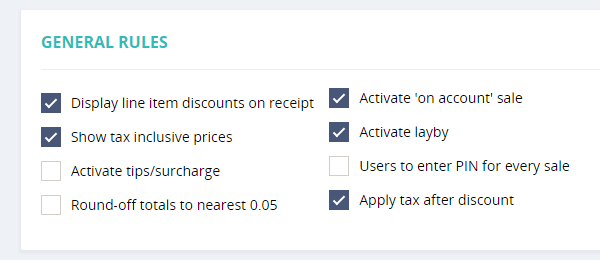
You can now choose whether tax will be applied on discount offers inclusive or exclusive of tax.
Discounts could previously only be applied inclusive of tax prices.

General performance updates
We’ve also enhanced several features in Hike POS to make the system run just a little bit more faster and smoother. These include:
- Increased performance update for Safari web browsers. Retailers using Hike on Safari will see an upgrade in overall function.
- Performing inventory counts now run faster and more efficiently.
- The closing register screen has been upgraded, with a layout change that now enhances functionality.