Hike Update: June 2025

Hike POS’s Game-Changing June 2025 Feature Release is Here!
Hey trailblazers!
Get ready to revolutionize how you run your business because Hike POS just unleashed its latest feature drop of 2025! As always, we’ve been laser-focused on your feedback, and this June’s release is packed with tools designed to save you time, boost sales, and make your operations smoother than ever.
Every 3 months, we transform your brilliant suggestions into reality. This release? It’s all about smarter workflows, deeper insights, and effortless customer experiences. Here’s what’s new:
Allow back-order for in-stock products:
(Hike Plan: Plus)
Hike has now implemented this feature based on your proposed solution. You can now create a backorder for a product even when stock is available. This allows users to raise a backorder transaction regardless of current inventory levels—ideal for scenarios like drop-shipping directly from a supplier or handling special customer requests.
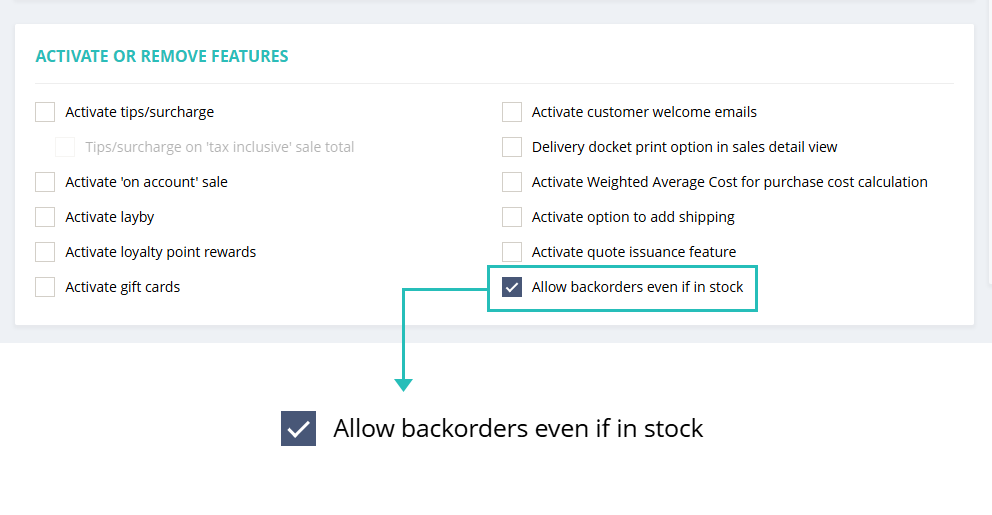
You will need to select the following option in the General settings to use this feature.

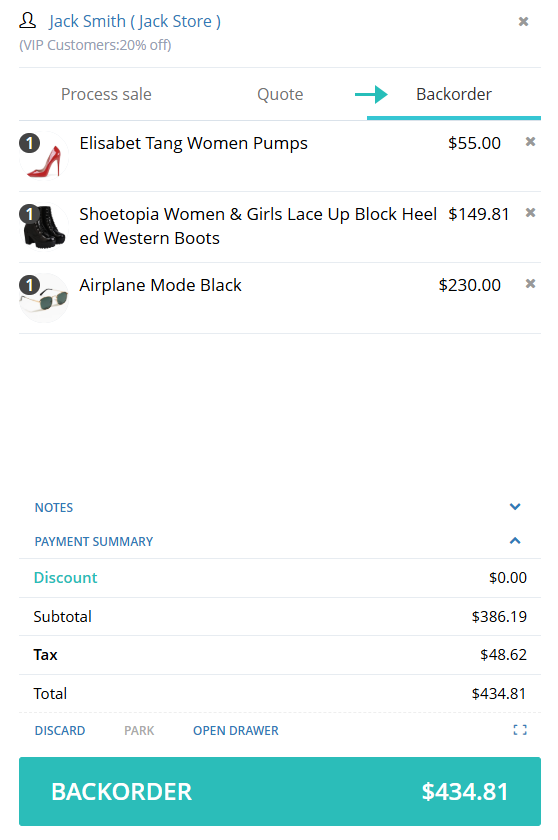
After selecting this option, a new option for Back Order will be available on the POS page, labeled “Back Order.”

When you are processing the back-orders from this window, the POS screen will change its background colour to light yellow to differentiate from the normal sales and Quotes.
From there, you can process a back-order for a stock product as per the normal Back-order process.
Gift card expiry date manual adjustment.
(Hike Plan: Plus)
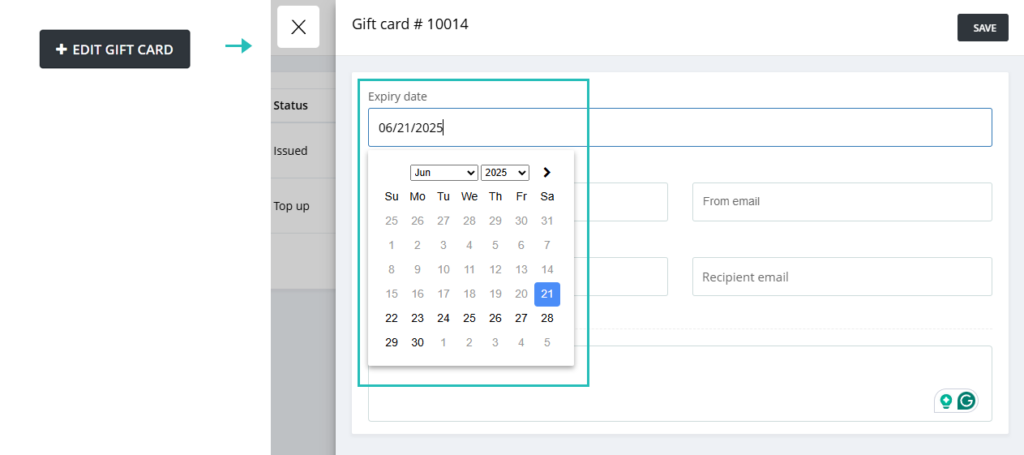
This enhancement will allow users to manually modify the expiry date of issued gift cards directly from the Hike POS interface. Users will be able to extend the expiry date of any valid gift card. The system will not allow backdating expiry dates.

This feature is especially useful for businesses wanting to accommodate customer service requests, support promotional extensions, and Correct accidental expiry settings.
POS – Ability to go back to the previous category.
(Hike Plan: All)
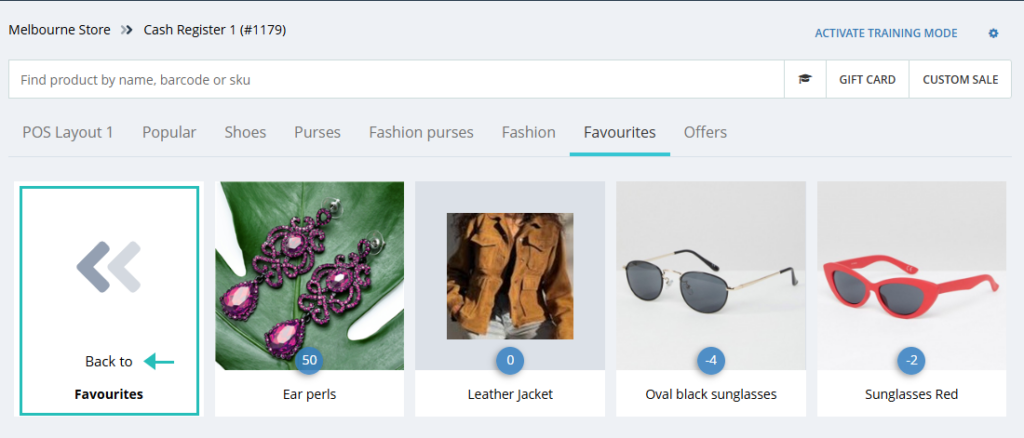
You can now create and manage multiple subcategories under a parent category on the Point of Sale page. When navigating 3–4 levels deep in the POS page, you no longer need to go back to the main parent category. A new option allows you to easily return to the previous category level, making navigation smoother and more efficient during sales.

This feature allows more freedom and ease on the POS page for the Hike user.
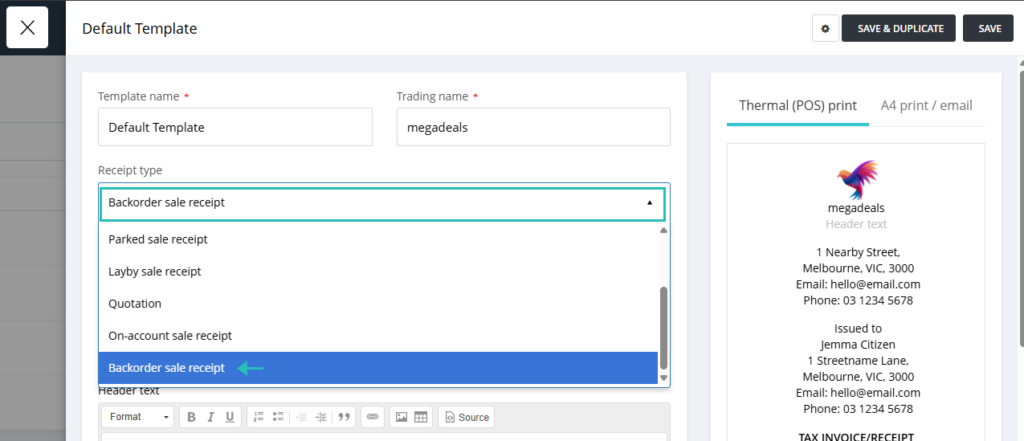
New Backorder Receipt template:
(Hike Plan: All)
A dedicated template for backorder receipts has been introduced, allowing businesses to configure and use it independently of the standard sales receipt template. This has improved customer communication and transparency, enhanced operational clarity for stores managing high volumes of backorders, and reduced confusion during fulfillment and pickup.

All other sales types have their receipt templates, and based on the customer feedback, now we have one for the Back-order as well.
The users want to have some dedicated details on the back-order receipts, such as bank details or payment terms.
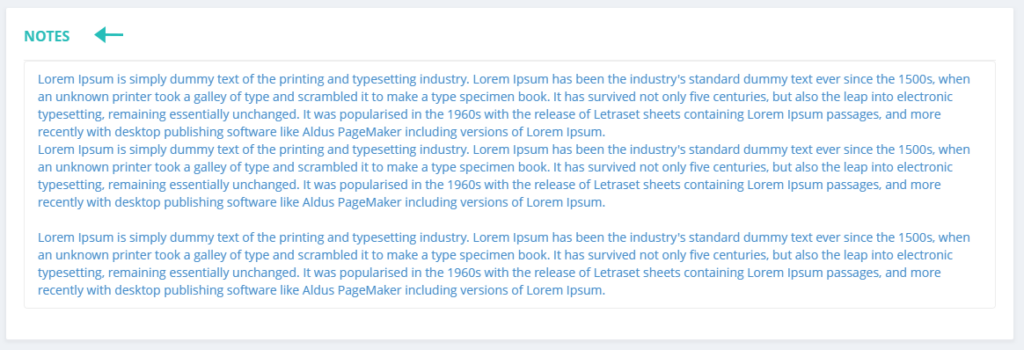
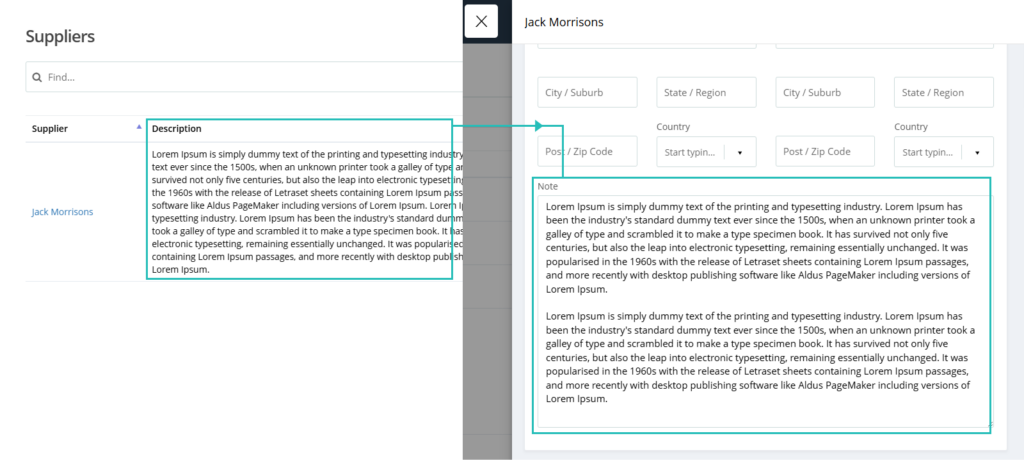
The notes fields are larger for viewing: Sales and Suppliers
(Hike Plan: All)
We always listen to your feedback and strive to make Hike POS the best platform for your business. That’s why we’re thrilled to announce the launch of a highly requested feature: larger note fields for Suppliers and Sales!
Previously, viewing detailed notes for your suppliers or sales transactions could sometimes be a bit cramped. With this update, the note fields in both the Supplier and Sales screens have been significantly expanded, allowing you to see more information at a glance without the need for excessive scrolling.
Sales notes:

Supplier notes:

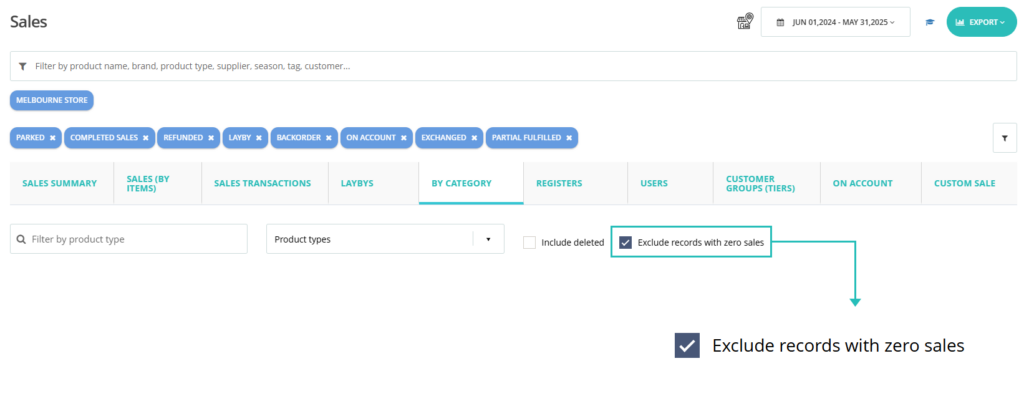
Enhance Category Sales Report by removing Zero Sales Quantities:
(Hike Plan: Plus)
You can now remove categories with zero sales quantities in the Sales report. Previously, your Category Sales Report displayed all your product categories, even those with zero sales during the selected period. While comprehensive, this could sometimes make it challenging to identify your top-performing categories and focus your analysis quickly. Declutter your report by completely removing categories with zero sales quantities

This feature will work on Product types, Brands, suppliers, Tags, and Seasons and provides a clean and concise view of your actively selling product segments.
The Purchase Order window opens to my preset viewing preference.
(Hike Plan: All)
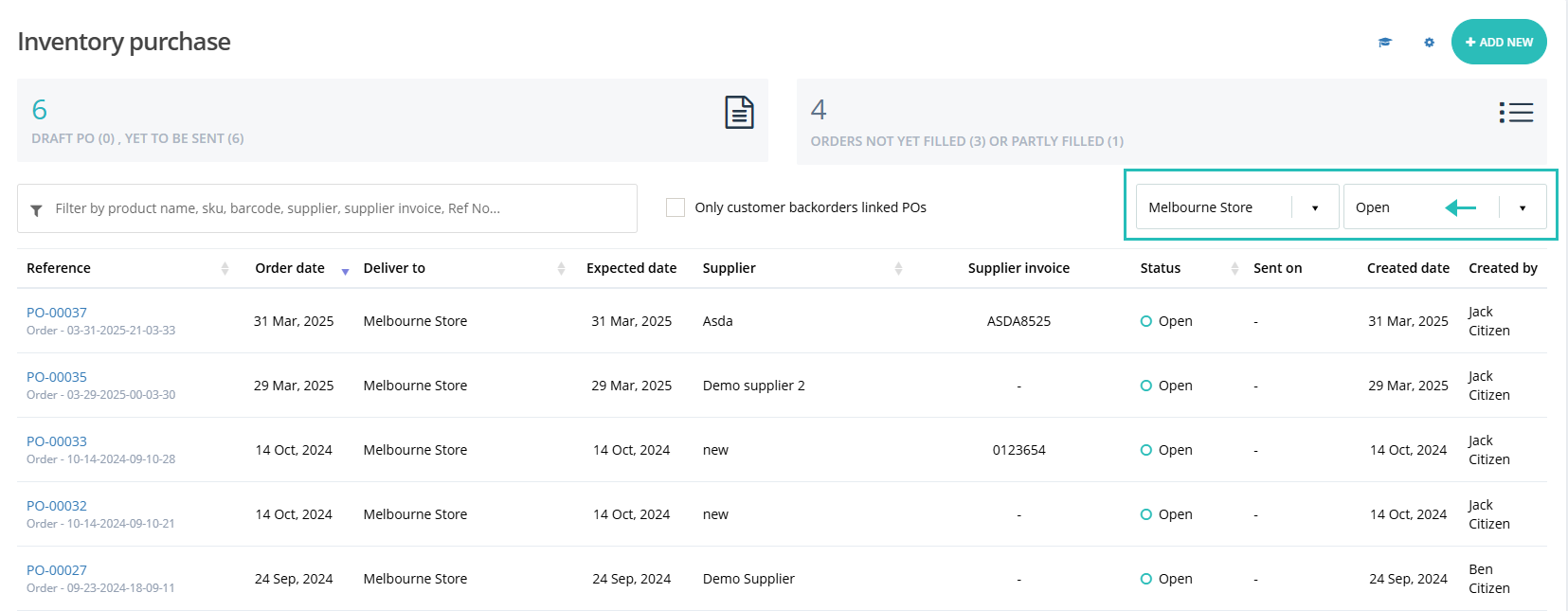
We are excited to deliver a feature designed to save you time and effort! The latest Hike POS update introduces the ability for the Purchase Order window to open based on your last used settings. The Purchase Order window in Hike POS now remembers your preferred settings and will open accordingly.
If you selected an outlet and ‘open’ purchase orders from the list, when you come back to this page, this selection will remain the same for you to save time and energy.

Products Filter – Non-Zero Inventory Items
(Hike Plan: Plus)
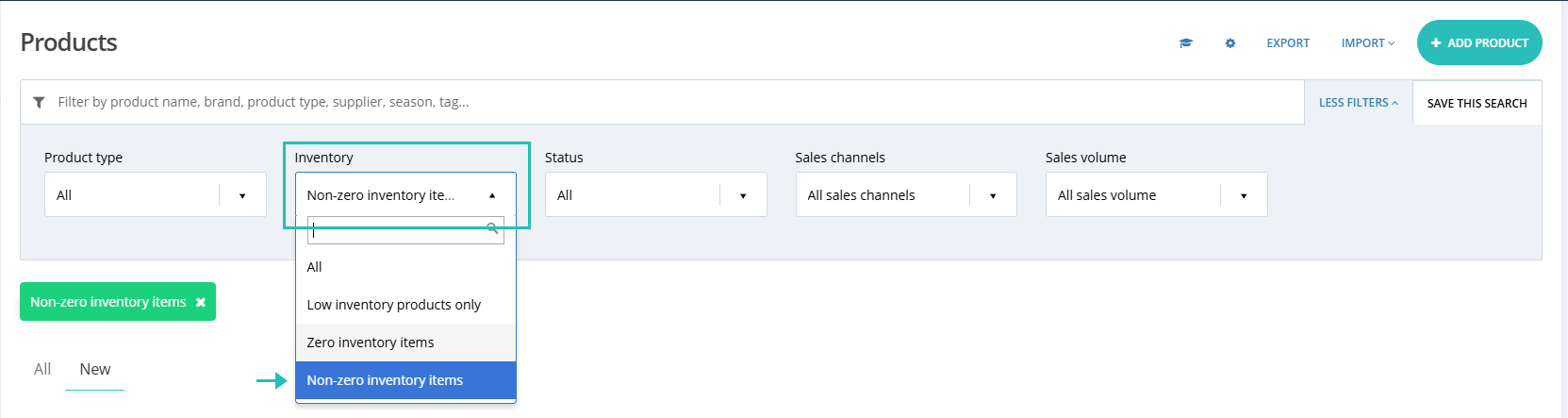
You can now easily filter products by Non-Zero Inventory on the product listing page, allowing you to view and manage only the currently in-stock items. This update is designed to streamline your inventory management and save time when processing orders, generating reports, or updating stock levels.
We have added a new filter on the Product listing page under Inventory called ‘Non-zero inventory items to achieve this.

Roster Notes Capability
(Hike Plan: Plus)
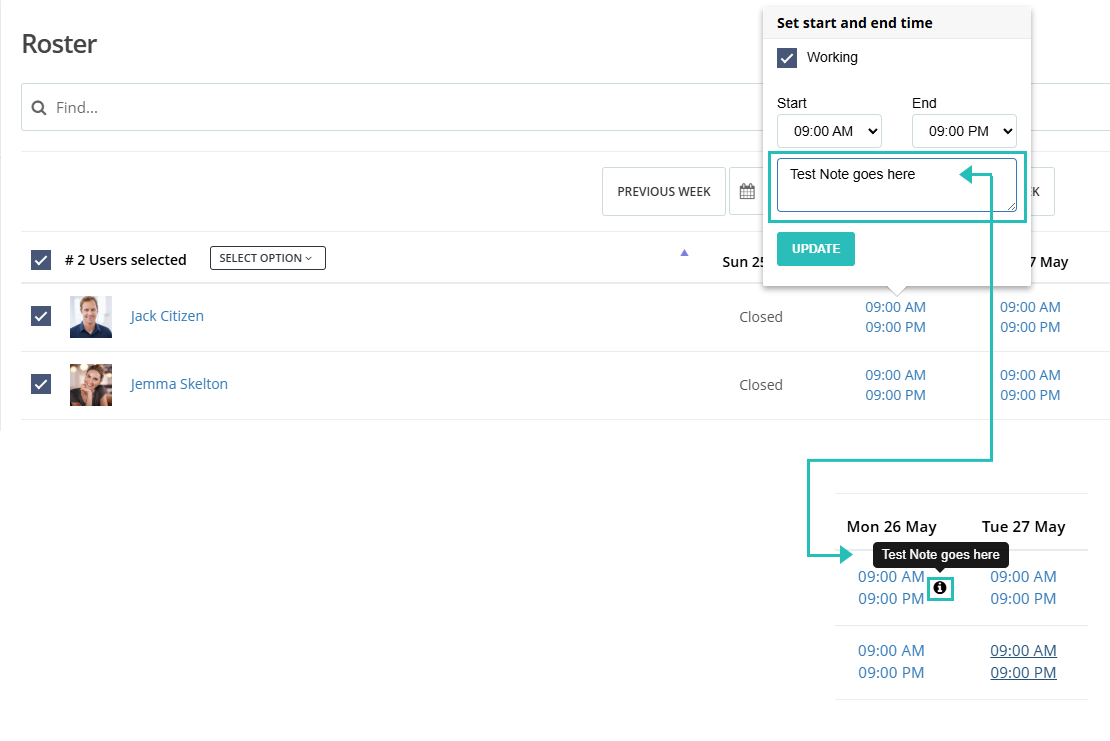
Roster note is designed to make staff scheduling more informative and seamless. You can now add notes directly while creating or editing roster entries. Use this to include shift-specific instructions, reminders, or any additional context for your team. Whenever notes are added to a shift, a note icon will appear directly on that day’s roster. This makes it easy to identify which shifts include extra information at a glance. Simply hover over the note icon to view the full note; no need to click or open anything.

It’s quick, efficient, and built for speed!
Customer Phone Number on the Sales window:
(Hike Plan: All)
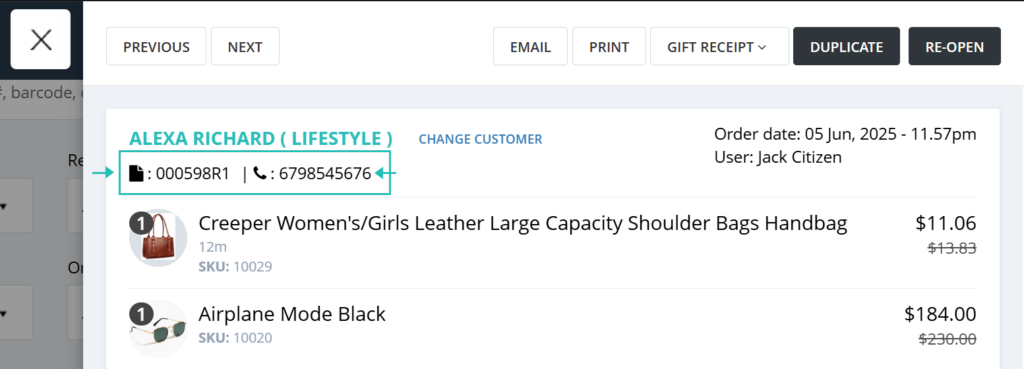
You can now easily see the customer’s phone number directly on the Sale for quick reference. Quickly identify and access the customer’s phone number directly beneath their name and sale number, providing instant access to their contact details. This enhancement allows for faster order processing, easier communication, and a more personalized customer experience.

Total number of Items on the Delivery Docket receipt:
(Hike Plan: All)
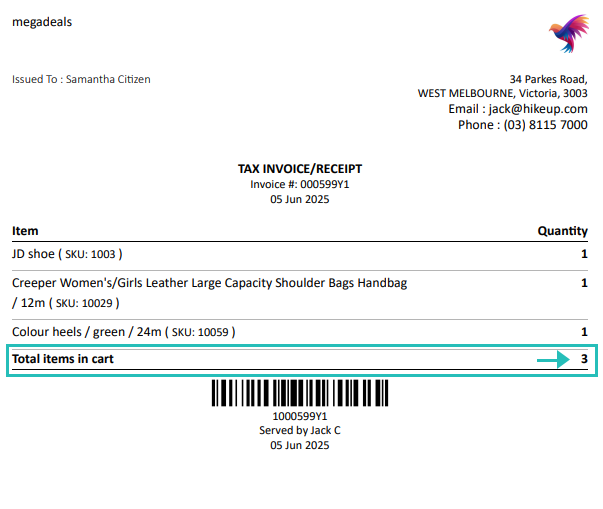
You’ll now find the total number of items listed at the bottom of your delivery docket receipts, providing a clear summary of the order contents. The delivery docket receipt template now automatically includes a total count of all items at the bottom of the receipt.
This enhancement provides a quick and easy way to verify the number of items being delivered, reducing errors and improving accuracy for both your team and your customers.

Delivery docket will update the stock for partially fulfilled orders via Pick and Pack
(Hike Plan: All)
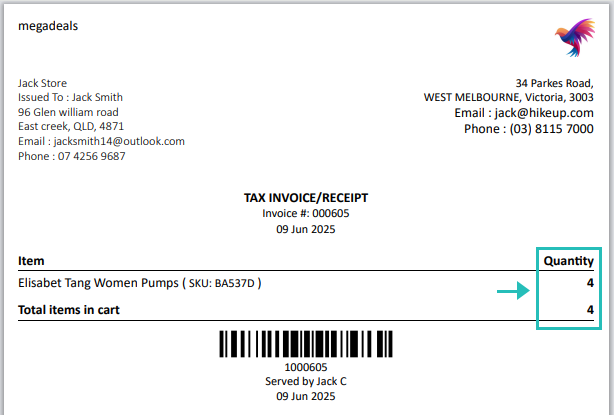
With this update, the Delivery Docket Receipt will now provide a detailed breakdown of exactly what is included in each shipment of a partially fulfilled order. This means: Clear Itemization of the Partially Fulfilled orders. There’s no need for any additional setup. Simply use the Pick and Pack feature as usual, and the Delivery Docket Receipts will now reflect the partial fulfillment details automatically.

Example: If only part of the stock is fulfilled (e.g., 2 out of 5 items through the Pick and Pack process), the delivery docket receipt will now reflect the remaining quantity (3 items) at the time of printing.
Sending the register closure summary via Email
(Hike Plan: All)
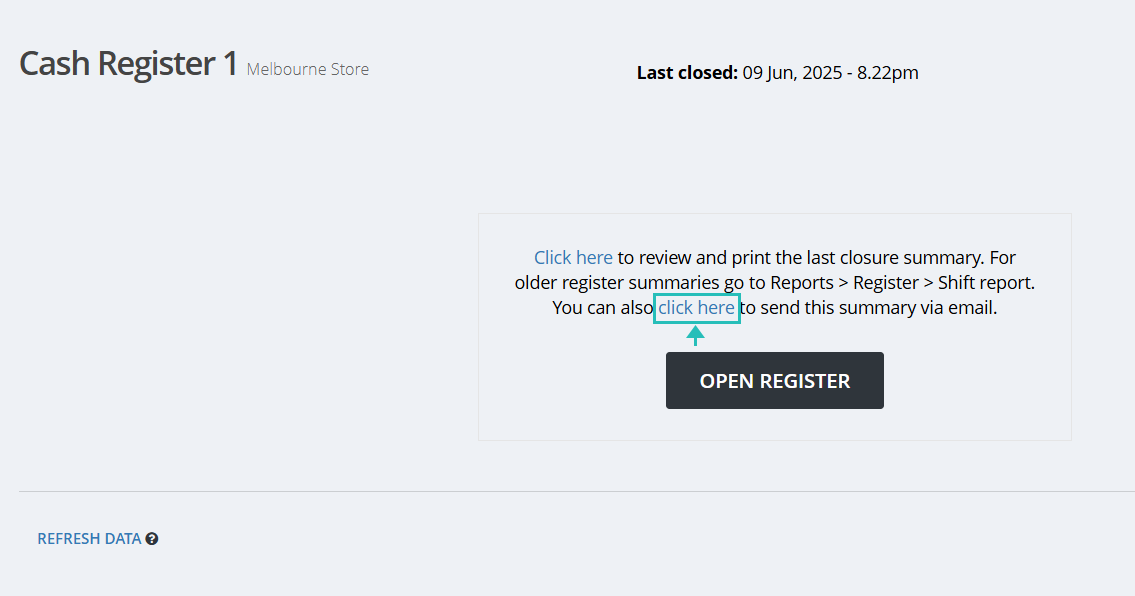
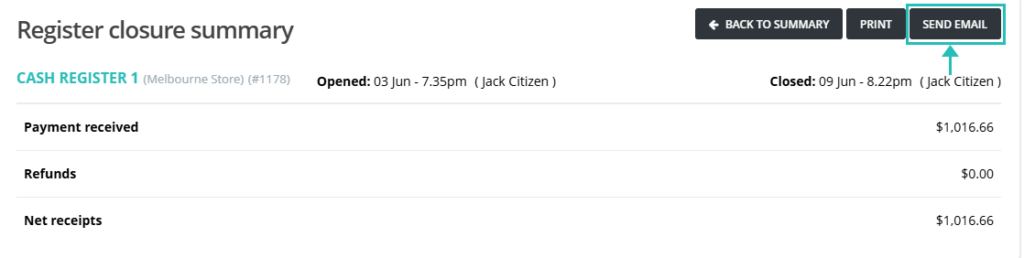
With this new feature, you now have the option to send the register closure summary via email.
The first option is available when you close your register for the day.

Alternatively, you can also send the same email for past closed registers from the Register reports.
Reporting >> Register

Closing registers shouldn’t mean scrambling to share reports. This feature will allow you to save time and the environment by ditching the paper trails.
Price change notification email to all Admins.
(Hike Plan: Plus)
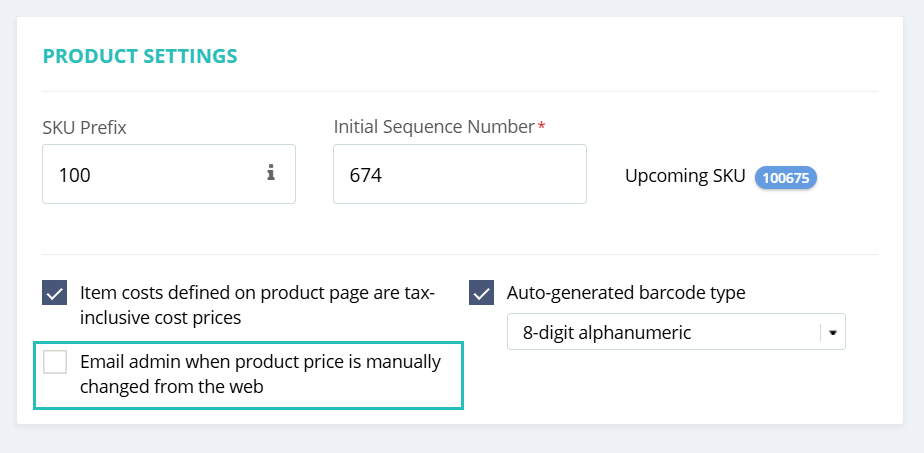
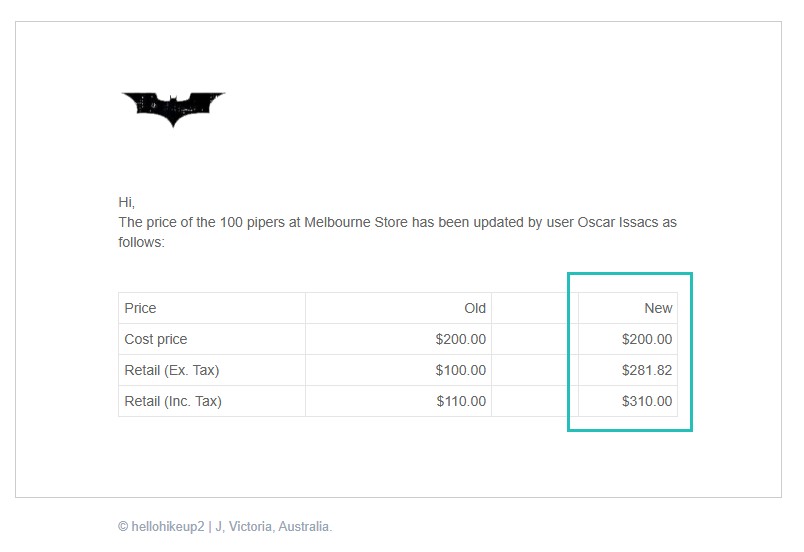
Whenever the price of a product is changed manually from the product page, an automated email is sent to all users assigned the role of Admin.
This feature is disabled by default for all users, You can activate this in the General settings if required.

Additionally, when the “Same price for all outlets” setting is also enabled, the email will be sent to the admin users of all outlets.

This helps ensure better visibility and control over pricing changes across your business.
More options on the Low Inventory notification email:
(Hike Plan: All)
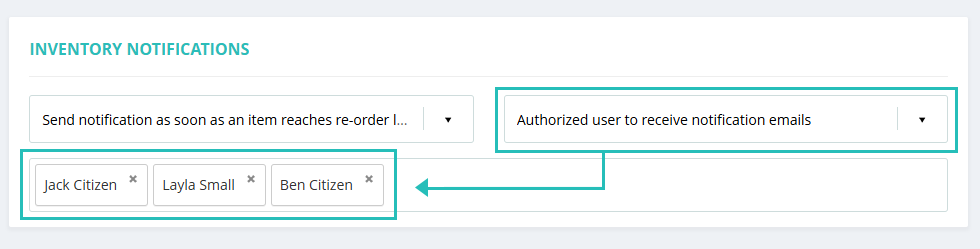
A user selection list has been added, allowing you to select multiple users from the list to receive notifications about low inventory. When a low inventory alert is triggered, the email will be sent only to the users you’ve selected, giving you more control over who receives these alerts.

With this feature, you can remove admins and managers who work in the head office or other departments, and don’t want to receive low inventory reports.
Link ‘Allow selling out of stock items’ in the General setting with the Products page
(Hike Plan: All)
For businesses that operate with backorders or simply want to capture every customer intent, this feature allows you to process sales for items even when your physical stock level is at zero. Keep the sales momentum going. Now, you can choose specific products that can be sold even when out of stock, even if the General setting is different.
When the general setting is selected, the product page will display the same option, and the user can change this setting on the product page based on their requirements.
Please note that this feature will work for newly created products only.
This feature will offer granular control over your inventory strategy.
Log when invoices, quotes, and reports are sent by email.
(Hike Plan: Plus)
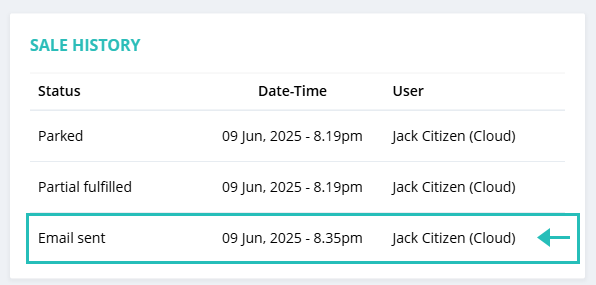
Now, whenever a receipt email is sent from a Sale or Quote, a corresponding entry is automatically added to the Invoice History, showing the email details along with its status.
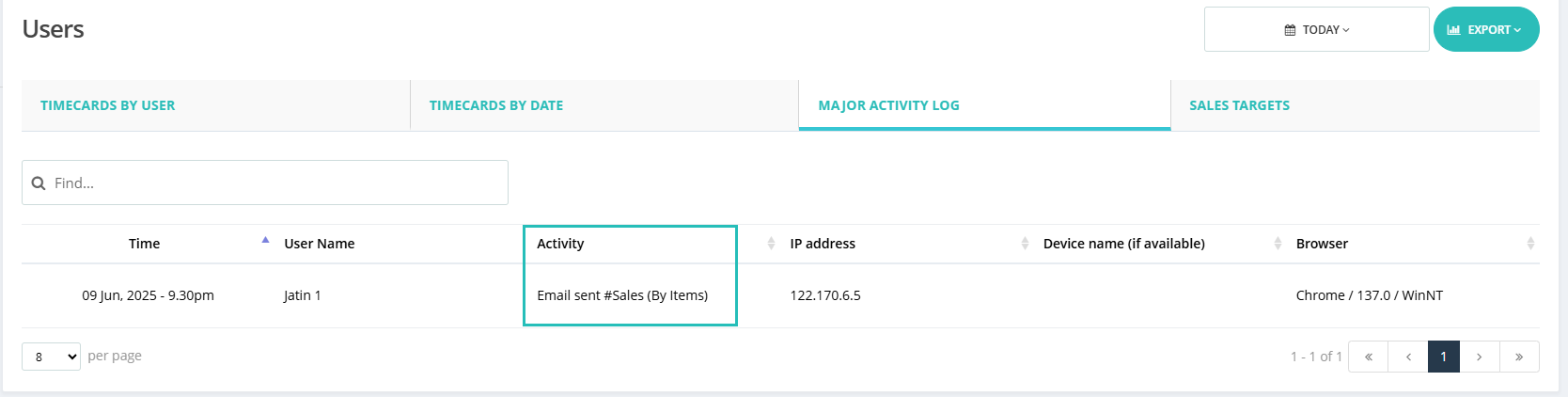
Additionally, all Report emails are now recorded under Major Activity Logs within User Reports, providing greater transparency and tracking of communication activities.
Receipt email log:

Report email log:

Remove the NONE product type from the invoice when the type is not assigned to products:
(Hike Plan: All)
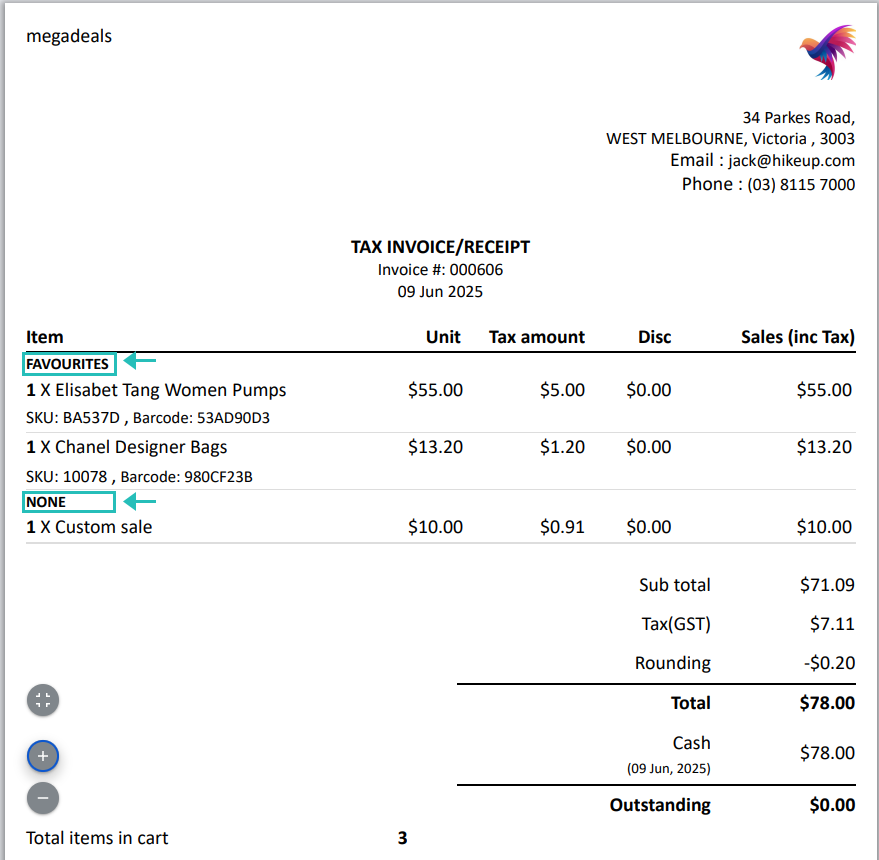
This feature ensures that invoices remain clean and professional, especially for businesses not utilizing product types in their catalog. Reduced confusion for customers who may not understand the meaning of “NONE”. Better support for retailers who do not utilize product types in their catalog structure.
Products without a product type will still appear under the “NONE” heading, maintaining clear separation and avoiding misclassification.

Products with a product type will be listed under their specific product type name.
Products, Customer, and Supplier import: File Name in the import history
(Hike Plan: All)
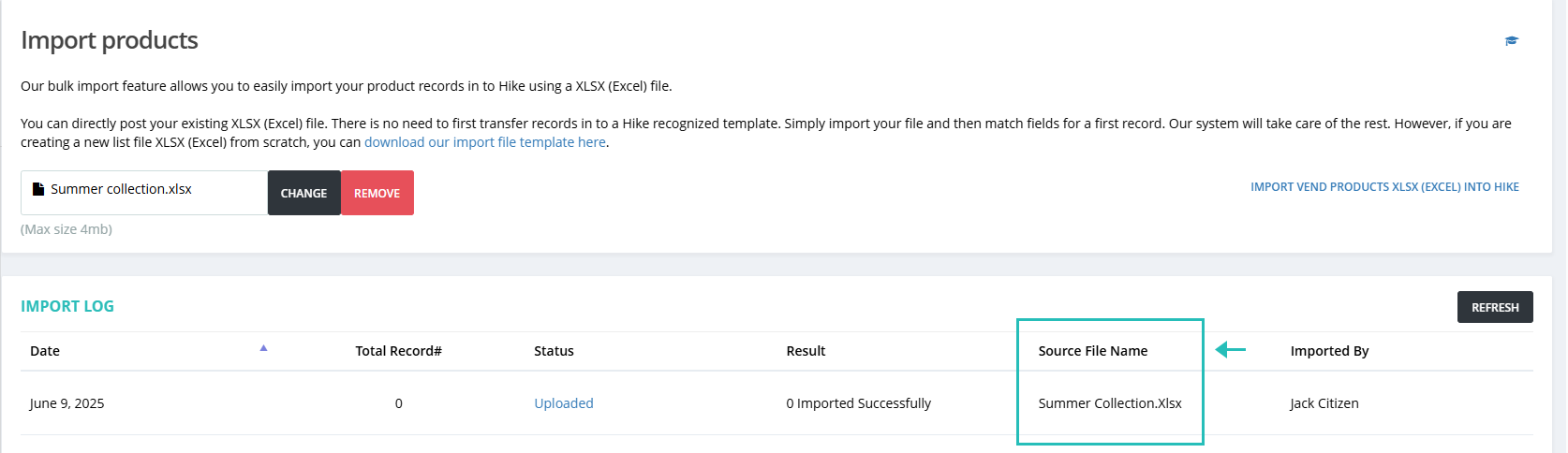
We’re excited to share that the File Name History feature is now live in Hike POS! Each time you import products, customers, or suppliers via an Excel file, the system will now automatically record and display the name of the import file. This makes it easy to trace, correct, and re-import data if needed, saving time and reducing errors. You can view this history directly in your Import for quick access.

Sync Product Status to Draft in WooCommerce when the E-commerce channel is Unchecked from eCommerce in Hike
(Hike Plan: Plus)
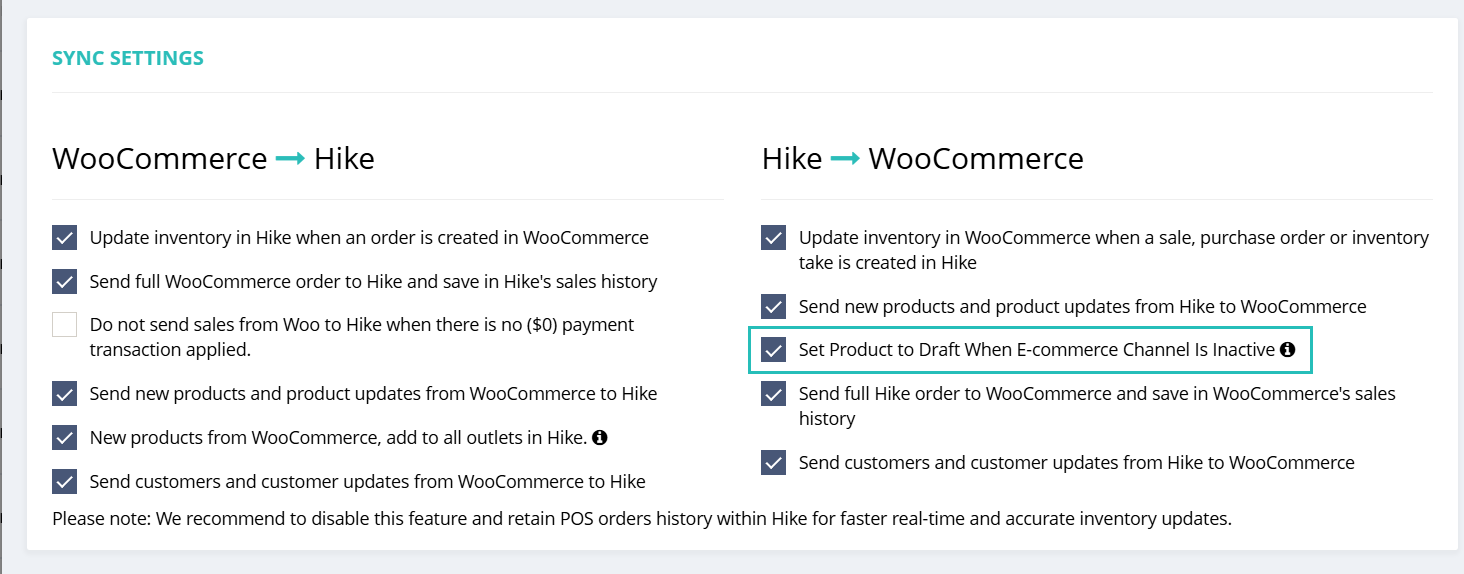
A new option has been added to the WooCommerce Integration Settings page. When this setting is enabled, any product marked as inactive for the eCommerce channel in Hike will automatically be synced to WooCommerce and set to draft status there.
This helps ensure better control over which products are visible online, streamlining your e-commerce management.

This ensures that the product cannot be sold on the WooCommerce front-end when made inactive on Hike.
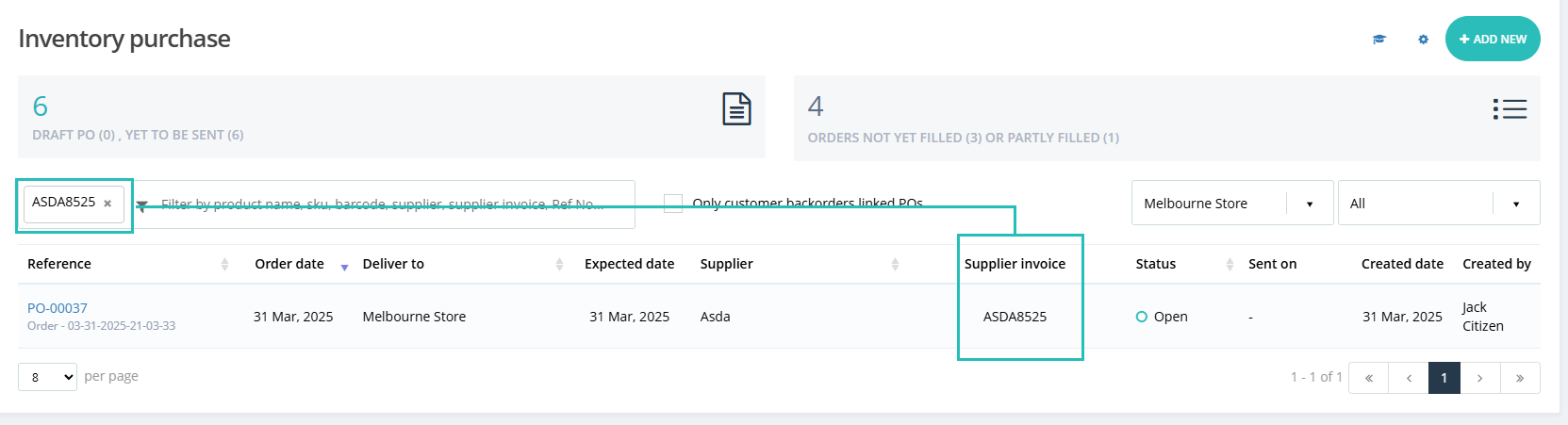
Search the Purchase order with the Supplier Invoice Number
(Hike Plan: Plus)
Your team can now instantly locate transactions using the exact Supplier Invoice Number, eliminating the need for manual matching. In the search bar where you previously searched using the PO reference number, you can now also search by Supplier Invoice Number for quicker and more efficient access to records.

Syncing Disabled Products to WooCommerce
(Hike Plan: Plus)
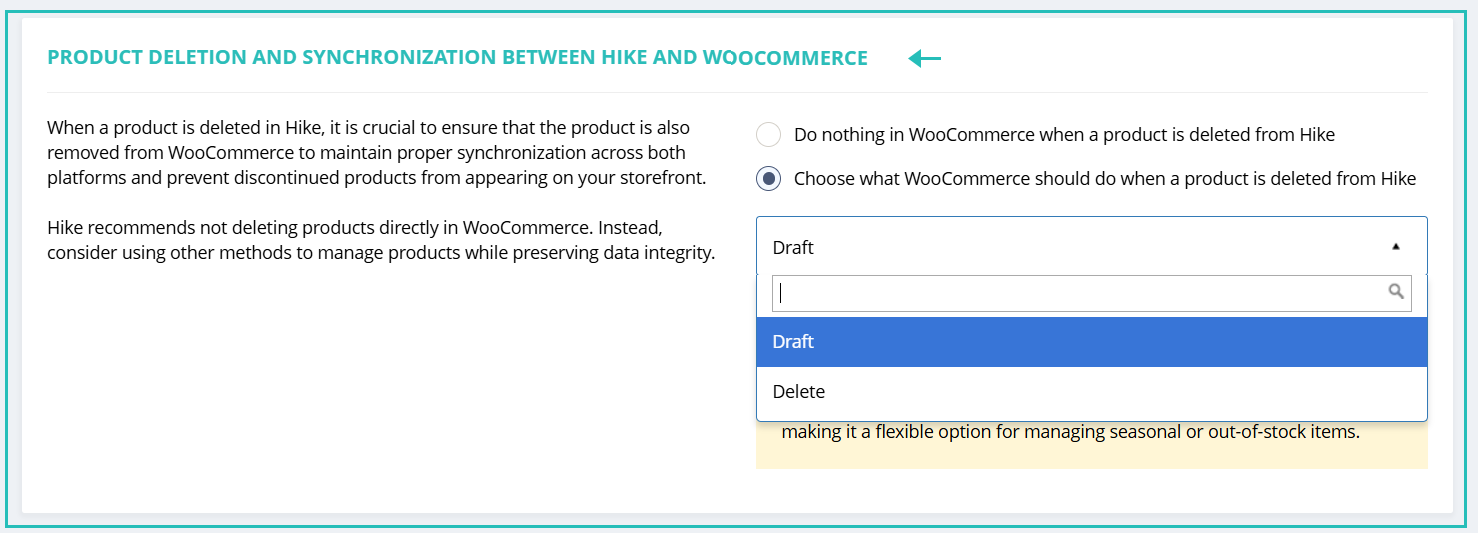
We’ve added two new options on the Integration Settings page for handling products that are removed/deleted from Hike:
- Do nothing in WooCommerce when a product is deleted from Hike
- Choose what WooCommerce should do when a product is deleted from Hike: Within this selection, there are two options to select from:
Draft – The product will be set to draft status in WooCommerce.
Delete – The product will be permanently deleted from WooCommerce.

Hike recommends not deleting products directly in WooCommerce. Instead, consider using other methods to manage products while preserving data integrity.
These options give you greater flexibility and control over how product removals are managed across your sales channels.
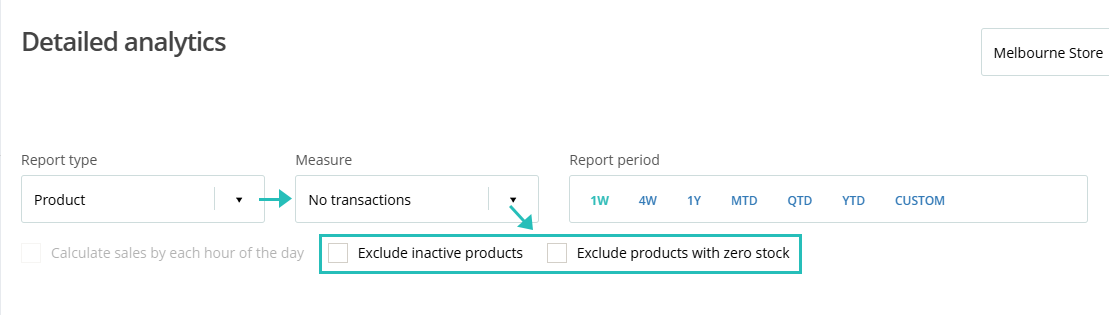
Enhance Detailed Analytics> Product > No Transactions for Obsolescence reporting.
(Hike Plan: Plus)
The Detailed Analytics report about Product > No Transactions has been enhanced with a new filter option. You can now choose to Exclude products with zero stock and Exclude inactive products, making the report much more effective for identifying potentially obsolete inventory.

This improvement helps streamline stock reviews and ensures you focus only on products that are still in stock but not selling.
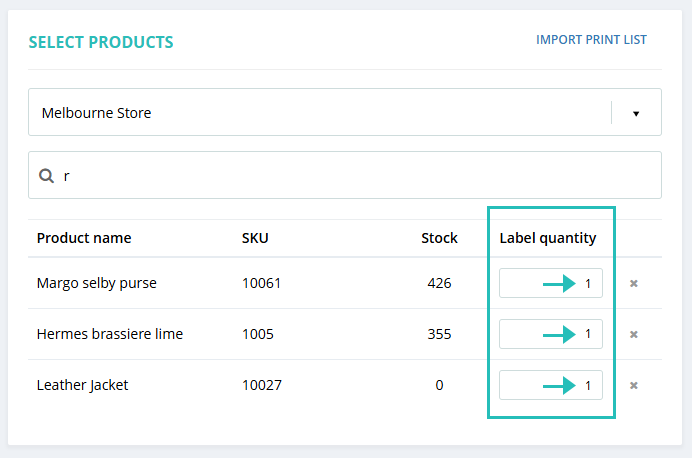
When printing labels, populate the Label quantity field 1 by default.
(Hike Plan: All)
When printing labels, we have added 1 quantity by default in each Label quantity selected. This will be helpful for the quick printing of the labels.
This would eliminate the need for an extra click per item and allow the “Print” button to become available more quickly.

This will make the Print option available automatically if you wish to print the 1 quantity of each product selected.
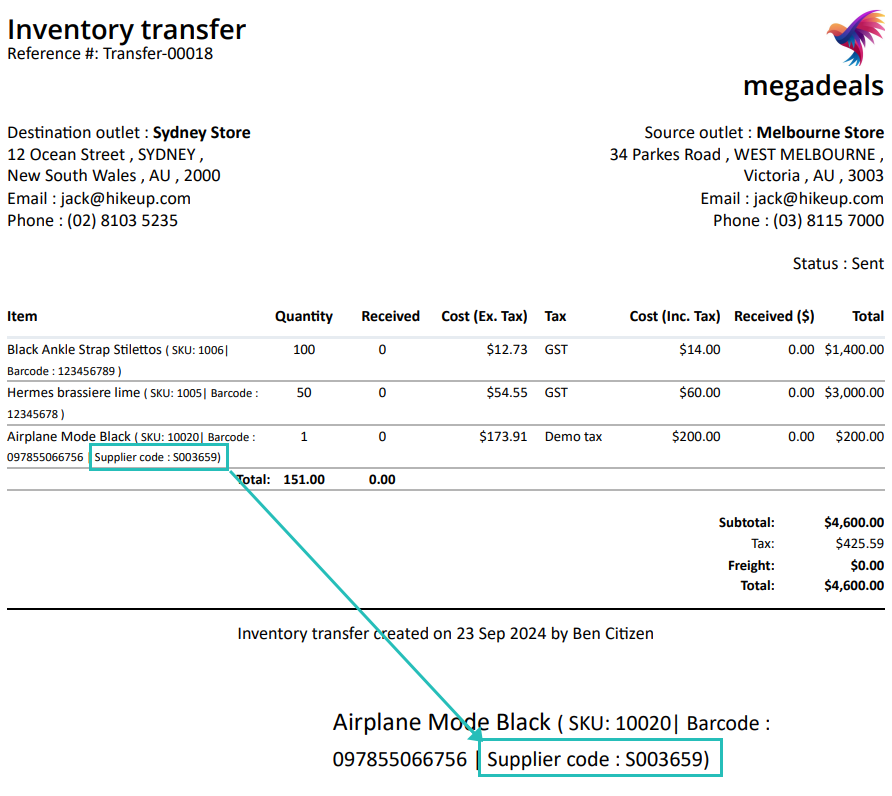
The supplier code is now added under each product on the Inventory transfer email.
(Hike Plan: All)
On inventory transfer PDFs that are emailed when a transfer is sent, we have added the Supplier codes with SKU and barcode. This enhancement allows warehouse teams to use supplier codes when picking stock, helping to streamline operations and potentially save many hours over a month.

This update is all about putting your business first. We can’t wait to see how you leverage these features to save time, boost sales, and delight your customers.
If you want to share your positive experience with Hike with others, please consider leaving us a 5-star review on the platform of your choice. You can use the links below to access the review pages:
[Google]
[Trustpilot]
This is just the beginning—stay tuned for more tools designed to help you thrive.
Thank you for pushing us to innovate.
Let’s Hikeup your success, together!
Cheers,
The Hike POS Team